How to Build a Claude Code Routine That Repeats Your Work in 20 Minutes
The five-part automation map, a live Public Signal Brief, a visible AUTOMATION.md file, and the failed run that made receipts matter
Update, October 2026: Claude now calls Routines "scheduled tasks" (a cloud Routine is a "cloud scheduled task"). The address claude.ai/code/routines and the /routines command keep the old name.
_This guide explains how to build a Claude Code routine that repeats one bounded job. It covers the five parts of an automation, a live source-backed brief, the instruction file behind the routine, run receipts, and what to check when a scheduled run fails._
_This is the first article in a five-part series that follows one automation as we prove it locally, connect it to real inputs and outputs, put it under version control, run it remotely, close the human feedback loop, and explore what else the same system can become. Running under the [Practical AI Builder Program](https://buildtolaunch.ai/p/practical-ai-builder-program)._

If you use Claude or ChatGPT, you have probably heard the same advice:
“Automate it.”
I do not particularly like the phrase.
Most people who build automations end up with broken ones that add trouble instead of removing it.
An automation may work for the first week. But as the model changes, a file moves, the order shifts, a source stops responding, or the software changes. One piece breaks and the whole job becomes hard to follow.

A premium member wrote to me about exactly that. A working automation broke after something around it changed.
The harder part is when you do not find out at once. You find out days or weeks later, when you remember to check.
I have had the exact problems. I have had Claude Code Routines whose notifications never reached my phone. I have had OpenClaw go down without realizing it until I remembered to check the output. If one of your routines is broken right now, I have been there too.
Systems change. Models, files, sources, and software all change. The problem with the usual way is that it gives you no way to see which part changed or when the useful work stopped.
You cannot make an automation dependable before the underlying job is clear enough to inspect.
This is the problem our five-day Practical AI Builder sprint starts with.
On Day 1, we get the first local win. Day 2 adds Connections to real inputs and outputs. Day 3 adds version control so the automation stays maintainable. Day 4 closes the human feedback loop. Day 5 compares the full range of ways the automation can run.
Set aside about two hours to rebuild Day 1 from this article. Across the five-part series, plan on one focused day to complete the full system.
What’s inside:
Live: How to build the Claude Code routine in 7 steps
What we asked Claude to do at each step
The exact prompts used in the live build
Why we chose each approach
What success looks like and what to check when a result differs
What participant questions revealed about making automation approachable
🎁 The approved recording trim, Day 1 prompts, guides, and member tools are prepared for the Day 1 member page.
Why Start a Claude Routine With One Tiny Test?
Try this challenge: prove an AI automation works in the shortest possible time.
What would you choose?
In today’s live session, my answer was simple: schedule Claude to greet me with “Good morning.”
That tiny result proved several things at once. The task existed. The working folder was correct. “Run now” worked. The completed run appeared in history. Claude could repeat a scheduled session from the place we expected.
From there, we replaced the greeting with a useful job: collect recent public AI articles, save the raw source rows, analyze them, write a Public Signal Brief, and leave a separate receipt. The first useful output appeared a few minutes later.
What Makes a Claude Automation Repeatable?
A repeatable automation has five parts:
Input: the files, messages, links, or data the job starts with.
Connections: the access the job needs to reach tools and data.
Instructions: the steps, rules, and edge cases Claude follows.
Output: the file, message, or record the finished work creates.
Controls: the schedule, approval points, receipts, limits, and recovery path.
My Complete Map of AI Scheduled Tasks shows how the trigger, scheduler, executor, controls, and proof fit together when you compare Claude with other ways to run recurring work.
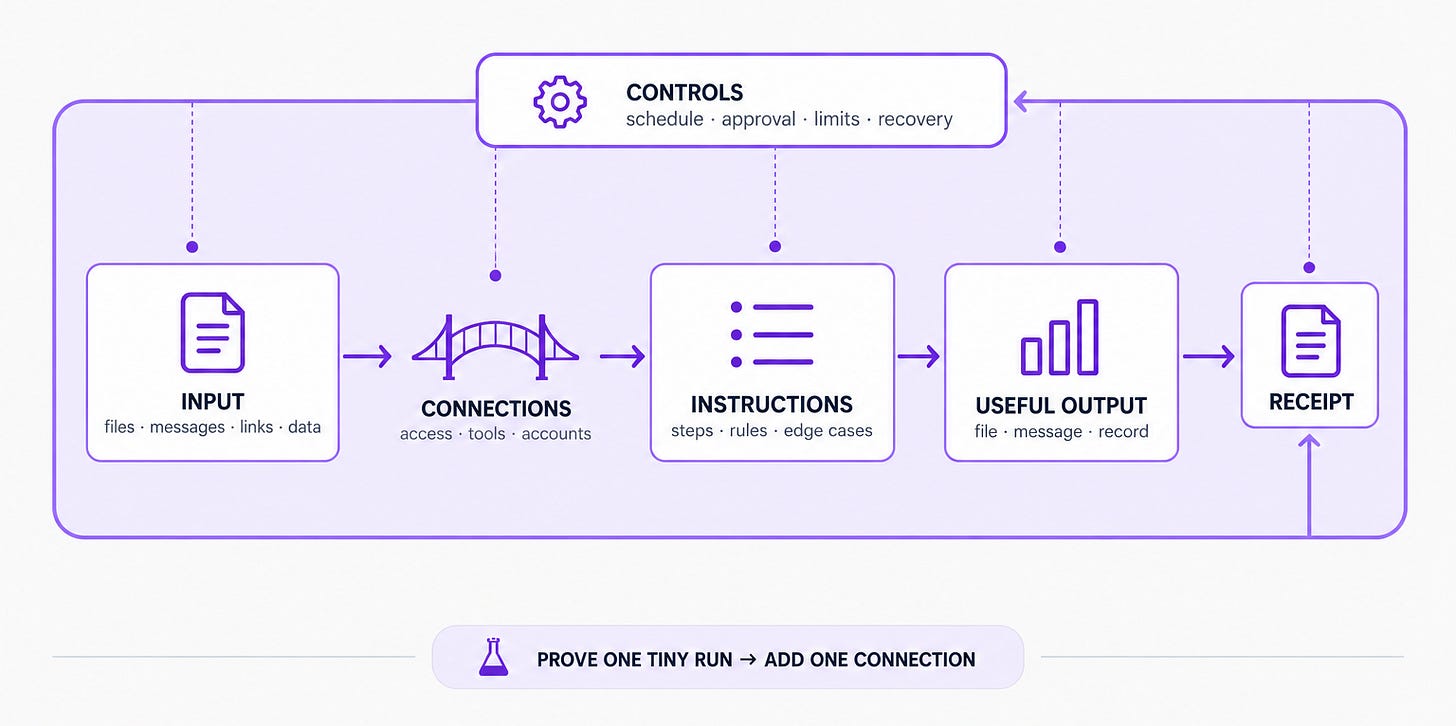
I use this map because “automate my research” is too blurry to inspect.
“Read these two public sources, save these fields to a CSV, write a brief from the available rows, and save a receipt” gives you something you can check.
The receipt is separate from the useful output. The brief is for the person who needs the result. The receipt is for proving which run happened, where the files landed, which sources were available, and whether an earlier result was overwritten.
I discussed the same separation in detail in my shared AI second brain for scheduled tasks, where the job definition, historical runs, and receipts remain visible even when the runner changes.
Today we used public pages and local files, so the Connections part stayed intentionally small.
Day 2 adds the connectors. If that layer is new to you, start with MCP servers in plain English. The job stays visible before more access enters the system.
Build a Working Baseline You Can Inspect
A small proof tells you whether the schedule, working folder, permission mode, and run history are behaving before the real job adds more places to fail.
Our first scheduled action did one thing: say good morning. It did not read a file or change a project. When it appeared in a new scheduled session, we had a clean baseline.
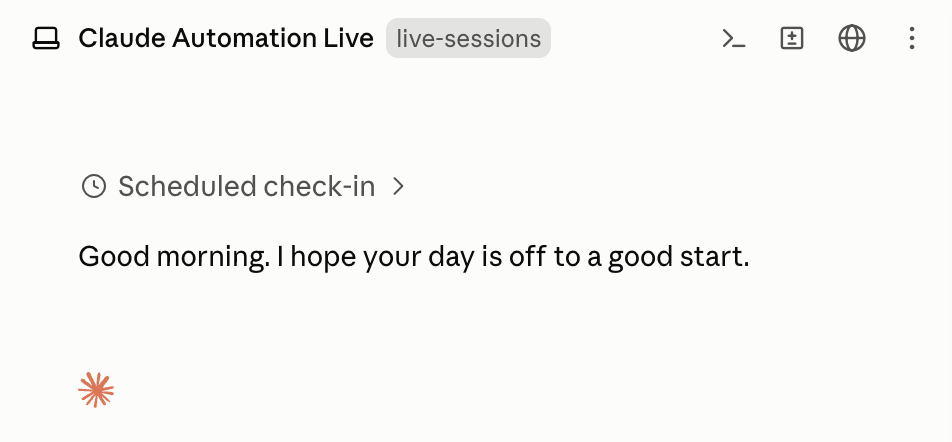
Greetings from Claude local scheduled task
Then we built the Public Signal Brief once as a supervised job. We reviewed the retrieved records, proposed judgments, filenames, and paths before Claude saved anything. That review was a setup check. It did not become a permanent approval gate for every future run.
If you need ideas for the first bounded job, my Claude Code Routines use-case guide collects seven examples and starter prompts.
Keep the Routine Easy to Review and Update
The first useful run happened in a chat. Chats are good places to shape a job, but a future scheduled session cannot depend on remembering the conversation exactly as you do.
Once the output looked right, we asked Claude to record the proven process in AUTOMATION.md. That file held the source list, retrieval rules, CSV fields, analysis rules, output format, receipt format, safety boundaries, and failure behavior.
The scheduled task received a much smaller launcher: open AUTOMATION.md, read it fresh, follow its current instructions, and stop if the file is missing. That left one visible place to review and update the procedure.
The schedule owns when and where. The file owns what.
When a source changes or an analysis rule needs adjusting, you edit one readable file instead of a copy of the procedure buried inside a scheduling interface. You can review it six months later, and a future Claude session with no memory of today can read the same instructions. A stable instruction file also prevents the cold-session failures I documented in Claude Code projects.
If you change schedulers later, the file still holds the procedure. My scheduled tasks, Routines, and/loopcomparison helps you choose the next runner without rewriting the job itself.
Everything from the live session is collected in one place, ready for you to rebuild the routine on your own and adapt it to your work.
Cohort 5 files: the links below open the Cohort 5 member pages. If you were not in Cohort 5, a page may not open for you.
Inside:
The downloadable Starting Folder, with the complete five-part structure, sample output, feedback folder, and run receipts
Seven paste-ready prompts in the Day 1 build-along
The completed structure from the live build
The Day 1 slides and full 61:10 live recording
The Automation Opportunity Atlas, with 100 jobs to swipe and adapt
The Automation Job Brief, for turning your own recurring job into a clear automation
Every supporting guide and member resource attached to the session, including Build to Launch MCP access
This article continues for members
Join Build to Launch to read the full article, access all cohort content, and connect with other AI builders.