How to Use Hermes Agent to Get More From the AI You Already Pay For
The step-by-step setup, exact prompts, and 3 real tests I used before giving it a permanent place in my stack.

If you work in AI, odds are you have heard of Hermes Agent.
Not the Hermès handbag. But it is trying to earn the same kind of permanent place in your daily rotation.
You may already use ChatGPT, Claude Code, or OpenClaw. Each can give you that fantastic agent feeling: hand it real work, step away, and come back to progress.
So why add Hermes?
Is the setup another project?
What can it do that the agents you already use cannot?
To answer those questions, I gave Hermes the work that tripped me up most often. The tedious jobs that kept blocking whatever I wanted to do next.
By the end, Hermes had earned a permanent seat in my crew.
This article shows you the three runs that changed my mind, where Hermes failed, and the prompts you can copy into your own setup. Run the same tests, then decide whether Hermes belongs in your stack.
What’s inside:
What Hermes Agent is, and how it compares to your current tools
The 3 ways Hermes Agent will burn you, and the rules that stop it
The Hermes Agent Prompt Kit: grab it at the end
Hi, I’m Jenny 👋
I believe anyone can thrive with AI, not by mastering the tools, but by building real things with them. I run Build to Launch and the Practical AI Builder program, where we go from experimenting to shipping. Come build with us.
If you’re new to Build to Launch, welcome! Here’s what you might enjoy:
Subscribed

Build to launch is on Youtube now!
Watch the free portion here:
What Hermes Agent is, and how it compares to your current tools
Long chats slow down. Context gets expensive. So you clear the session and explain the work again as the tool forgets your instruction.
Hermes, built by Nous Research, takes the opposite bet by persisting chat sessions. That persistence runs on three mechanisms:
Bounded memory.
AUSER.mdcapped at 1,375 characters and aMEMORY.mdcapped at 2,200. When the files are full, Hermes must consolidate and decide what to keep.Skills it writes itself.
Every ~15 turns, a background process replays the session and asks whether a completed workflow is worth keeping. If permitted, it writes the procedure as aSKILL.mdand loads it next time instead of re-reasoning from scratch.Recall you can query.
Every conversation lands in a local searchable session database. Past work comes back by search, not by you re-explaining it.
On top of being a CLI tool, Hermes now also ships as a desktop app. On my Mac, I downloaded it, dragged it into Applications, and opened it. The terminal install is still there if you prefer one curl command.
That setup was much shorter than the one I used for my OpenClaw series.
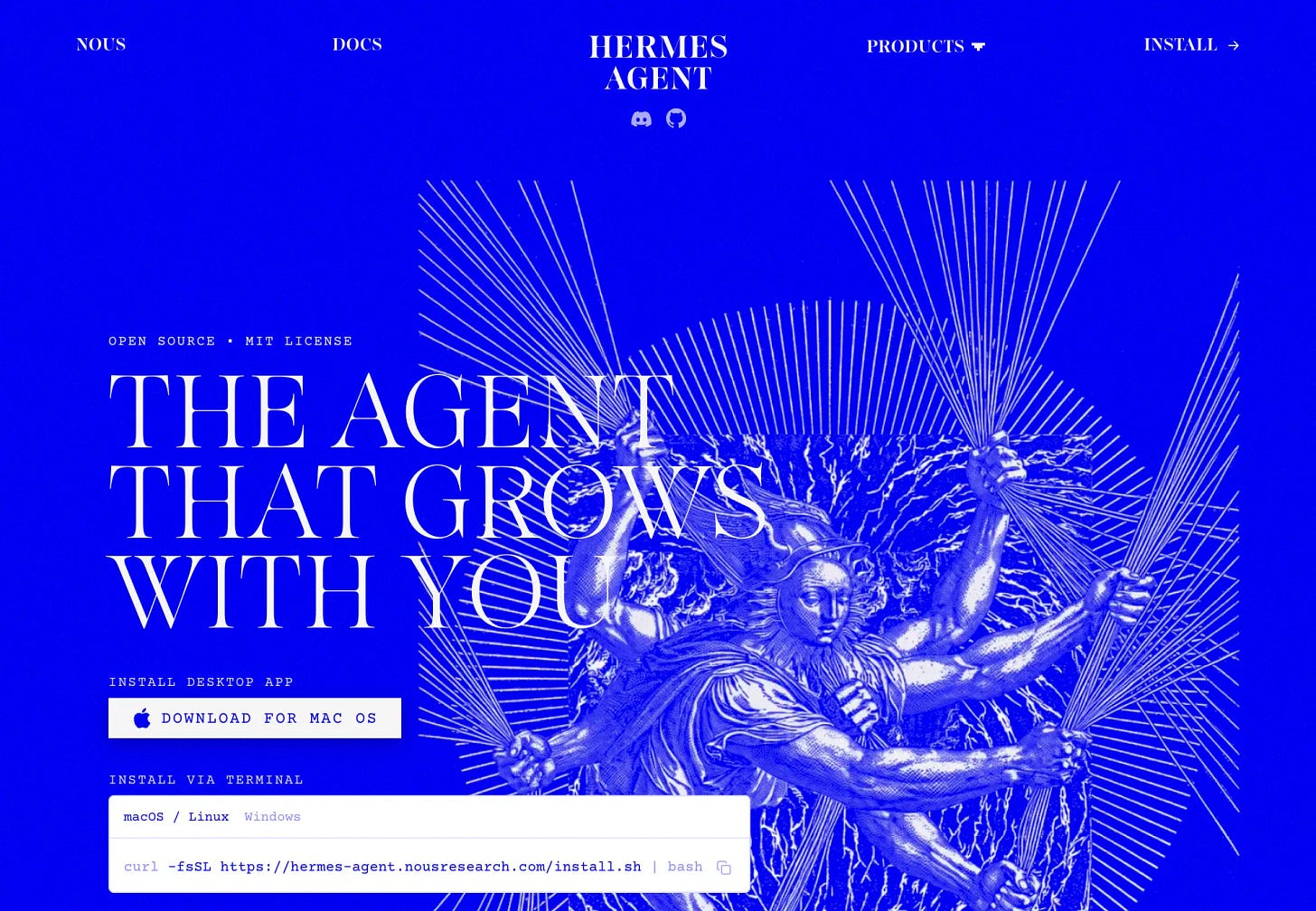
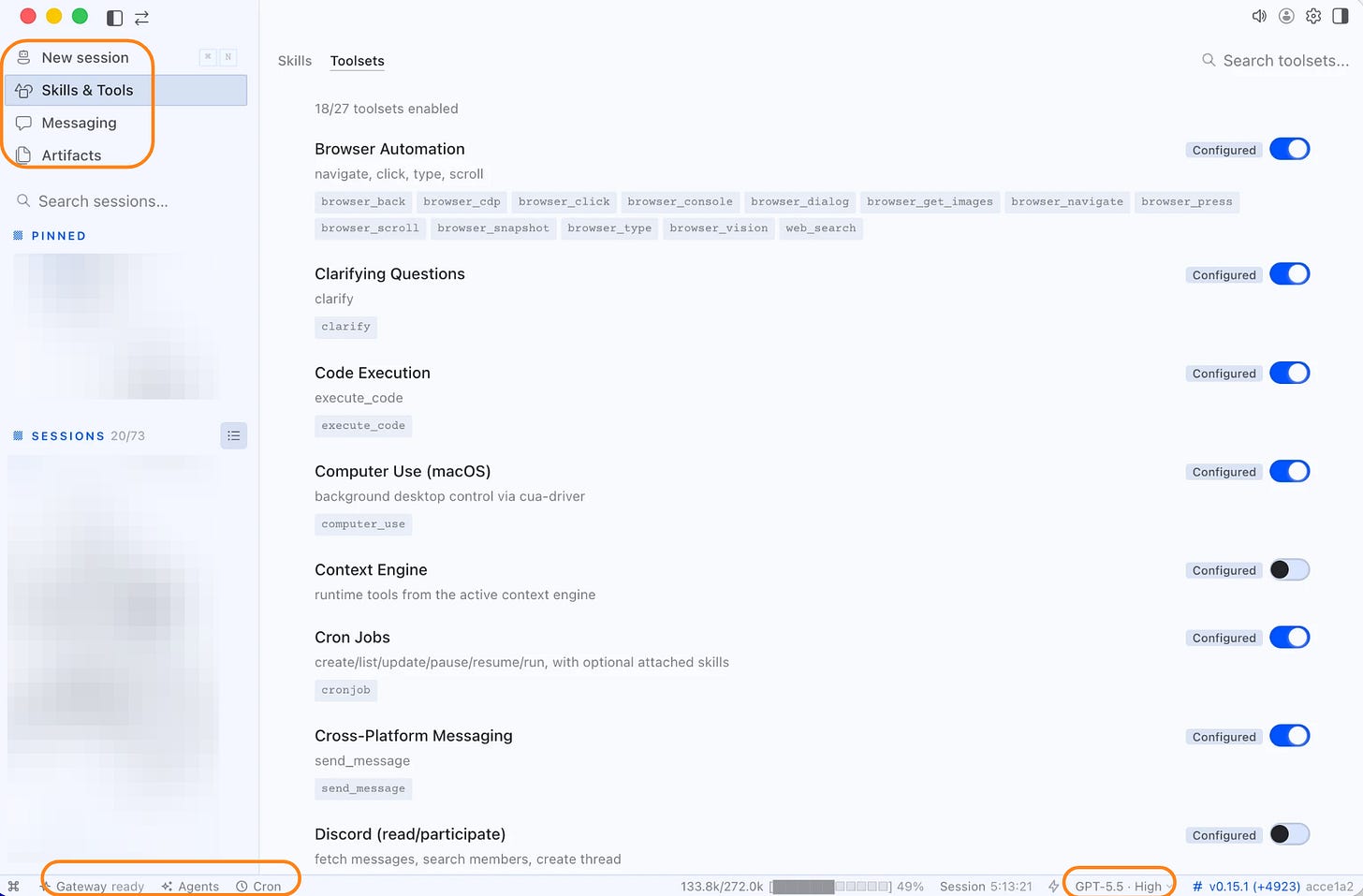
My install opened with 27 built-in toolsets, 18 of them enabled: browser automation, code execution, macOS computer use, cron jobs, cross-platform messaging, and more.
The gateway was running. The model picker sat in the status bar. Sessions, skills, messaging, and artifacts each had their own pane.
In my stack, Claude Code, Codex, and Cursor center the active work session.
Hermes and OpenClaw add memory, schedules, messaging, and state that survives the chat.
OpenClaw is gateway-first. One long-lived process handles scheduled events and messaging. Its skills come from a marketplace.
Hermes adds an agent-managed learning loop. It writes skills from completed work, then loads them the next time the same job appears.
Hermes also lets me choose the provider. I ran it on my ChatGPT and Grok subscriptions instead of sending the work through metered APIs.
Hermes Agent runs on your existing subscriptions
Direct X API calls were costing me about $1 a day for light scraping.
Hermes moved that work onto the Grok subscription I already paid for.
I connected Grok through xAI OAuth, then asked Hermes to research Marc Lou’s product portfolio. It used native Grok x_search, while my personal X API stayed on the unused-tools list.
The full pass spent zero X API credits.
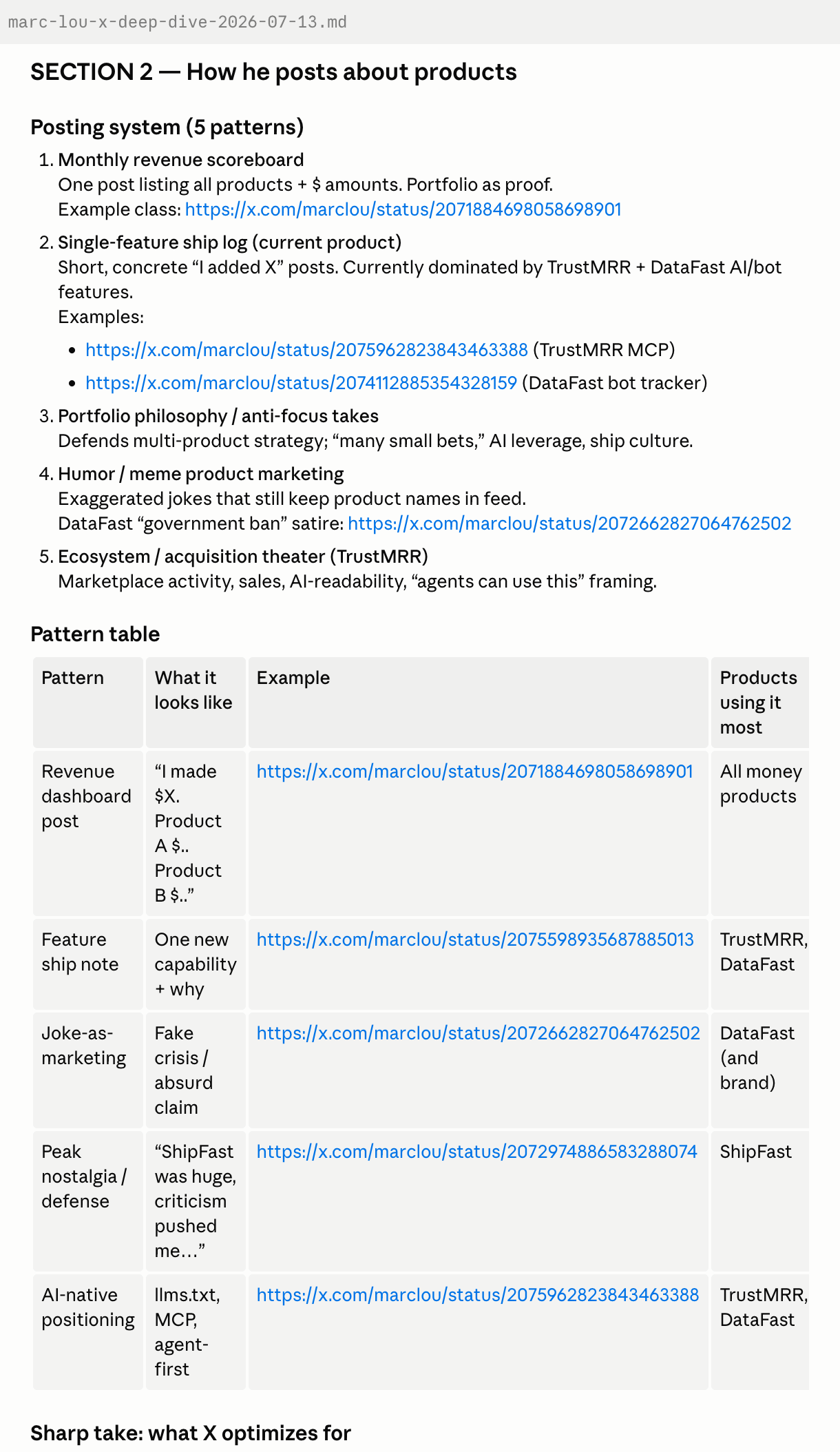
Hermes mapped 20 to 30 products and isolated the five receiving real attention. It kept @zilvestro’s customer story beside the claim and marked a viral “government ban” post as satire.
It was faster than any X API workflow I had run. It also returned a research trail already separated into founder claims, user claims, and jokes.
That is the 1+1>2 effect: one subscription became both the search layer and the reasoning layer.
Hermes Agent keeps work moving across sessions
Marc Lou is just one person I track. The rest sat across GitHub repos, product pages, posts, and experiments.
Most of them were parked in a browser tab I swore I would get to.
One Chrome profile held 20 tabs. Several profiles were open at once. The laptop ran hot enough that I could hear the fan.
Closing them felt like losing work I still wanted to read, test, or run. So the pile stayed open.
This time I handed the pile to Hermes. It collected 76 tabs across four Chrome windows.
I narrowed them to 47 tasks: read this article, scout that method, test the skill, tear down the repo.
Then I gave Hermes one rolling job to work with.
Across fresh runs, Hermes executed code, trialed a skill against a sample folder, and surveyed 159 repos. It reached 15 of 47 tasks before I called it.
Below is an example of how it tested an instagram skill I had parked in my trial list for too long:
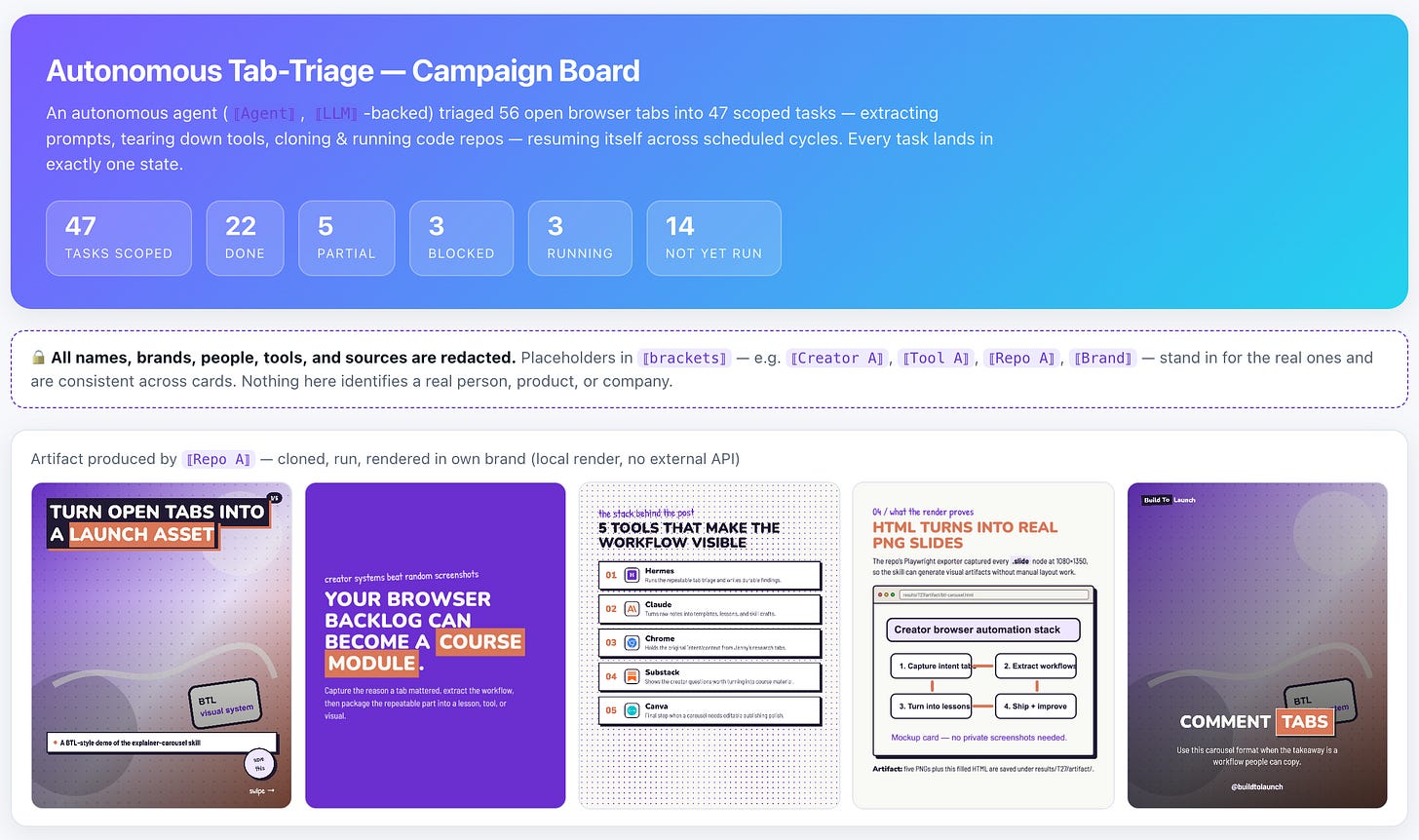
And after that are the statuses of each of the 47 tasks.
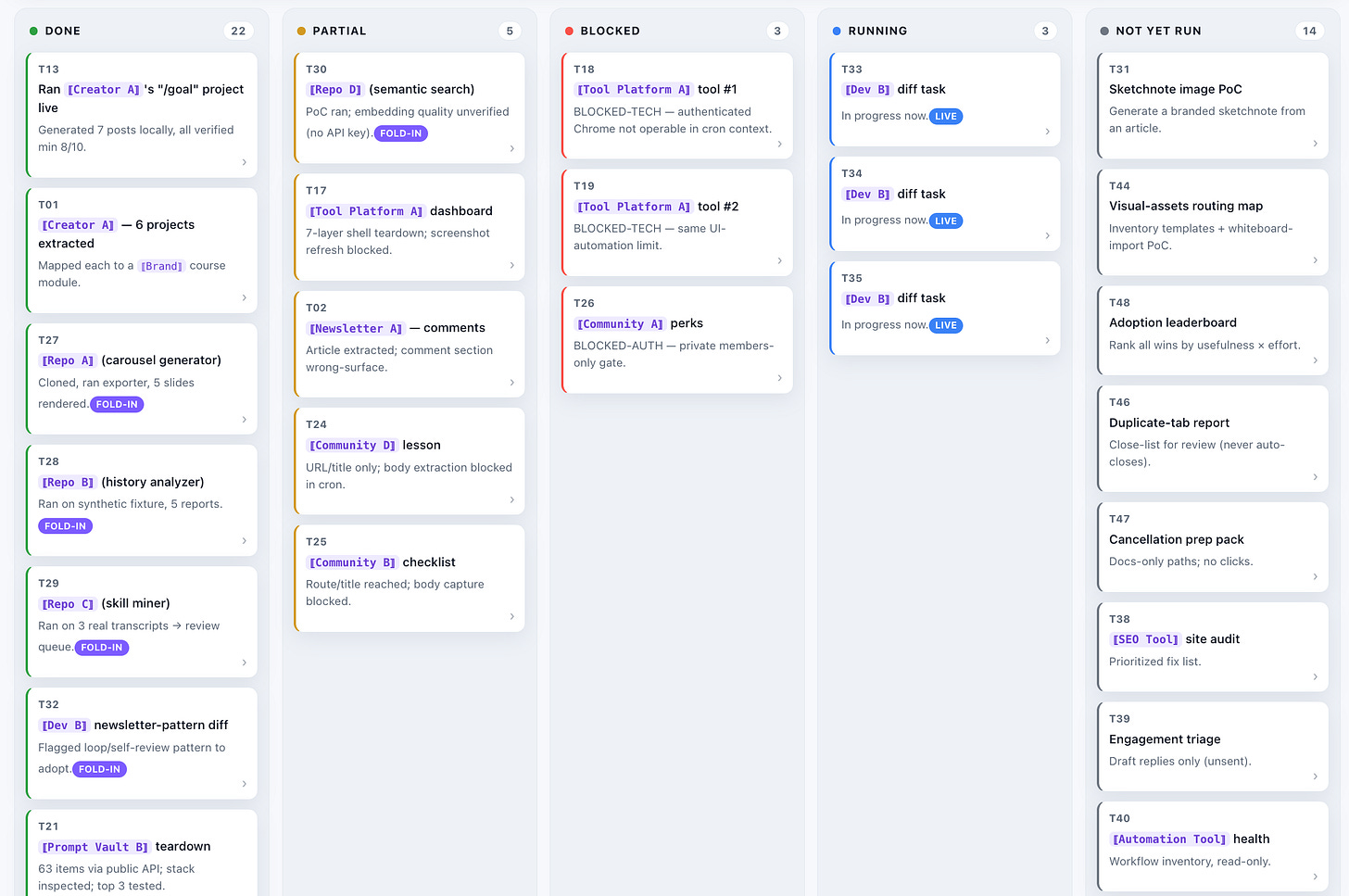
Incomplete. Still moving.
Getting the cron to fire on its own took one fix. Before that, I was the heartbeat.
Once the pile became a ledger, I closed the 76 tabs and let the laptop cool.
The ledger helped me close the learning loop I had always wanted: queue the work, run it, decide what to do with the result, then move to the next task.
Hermes Agent improves its skills through use
The learning loop had one more thing to prove. Could Hermes correct a bad procedure after the work exposed it?
The session exploring vidIQ MCP gave it the chance. VidIQ MCP is built for Youtube analytics, I wanted to use this to help me explore youtube in batches.
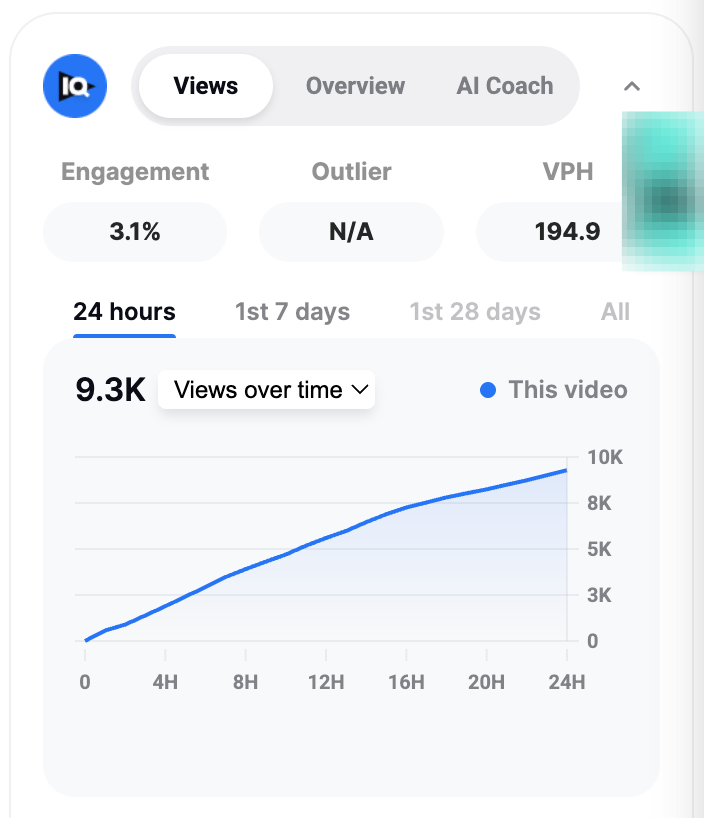
Hermes found the vidIQ MCP configured but disabled. It enabled the server, hit a 401, switched to OAuth, opened the browser flow, and verified 46 tools after authorization.
It checked. Failed. Fixed. Confirmed.
Then the skill told me to run /reload-mcp.
That command did not exist.
Hermes checked the official command reference and patched its own SKILL.md while I watched. The corrected instruction held for the rest of the session.
That is what makes agent skills useful here. The skill kept the working route, the dead end, and the correction that replaced it.
The same loop can overwrite a skill you set by hand. With learning enabled, Hermes writes new skills and edits existing ones in the background.
Turn on write approval. Then every proposed change waits for your sign-off, and the record shows exactly what Hermes tried to rewrite.
Is Hermes Agent good? My honest verdict
Hermes is strongest when the work needs to outlive one chat. It can run through models you already pay for, resume a job from files, and correct a skill after the procedure fails.
I use it inside the wider AI agent system I run in production. I still supervise the result.
Three things will bite you. All are fixable.
It can mark the wrong result done.
An enabled cron job does not prove the gateway is running.
Its chat history does not give you a clean job status.
I run it as supervised autonomy. The agent grinds, I keep the verdict and every release action.
Starting the run is easy. Making it reliable takes the real work. You need to know it used the right provider, resumed the right job, and produced something safe to trust.
The paid section gives you the step-by-step setup and exact prompts for four jobs:
Run X research through Grok
Keep a job moving across fresh sessions
Bound unattended work
Catch false completion
The Hermes Agent Prompt Kit packages the complete setup into one folder.
How to run X research with 1 Hermes Agent prompt
This article continues for members
Join Build to Launch to read the full article, access all cohort content, and connect with other AI builders.