Gmail MCP for Claude Code: Multi-Account Setup + 5 Workflows
The multi-account Gmail MCP setup, prompts, and workflows behind my 40-second morning brief.
If you want to use Gmail with Claude Code, the hard part is not connecting one inbox. It is setting up multiple Gmail accounts without constant re-auth, account mixups, or broken routing. This guide shows the multi-account Gmail MCP setup, the exact install flow, and the workflows I use for receipts, inbox triage, subscriber alerts, daily email briefs, and more.

How many Gmail accounts do you have? And how many unread emails are in there?
I have four. Personal, newsletter, business, payments.
This morning I asked Claude Code to scan all four and return only what needed my attention. It came back with 7 items. Two Ahrefs alerts. An n8n workflow that had been in a crash loop for two days. A Stripe payout. A reader question. Two emails that needed replies.
That 7 came out of 918 unread sitting in inboxes, and 3,353 when you count everything that bypasses the inbox through filters.
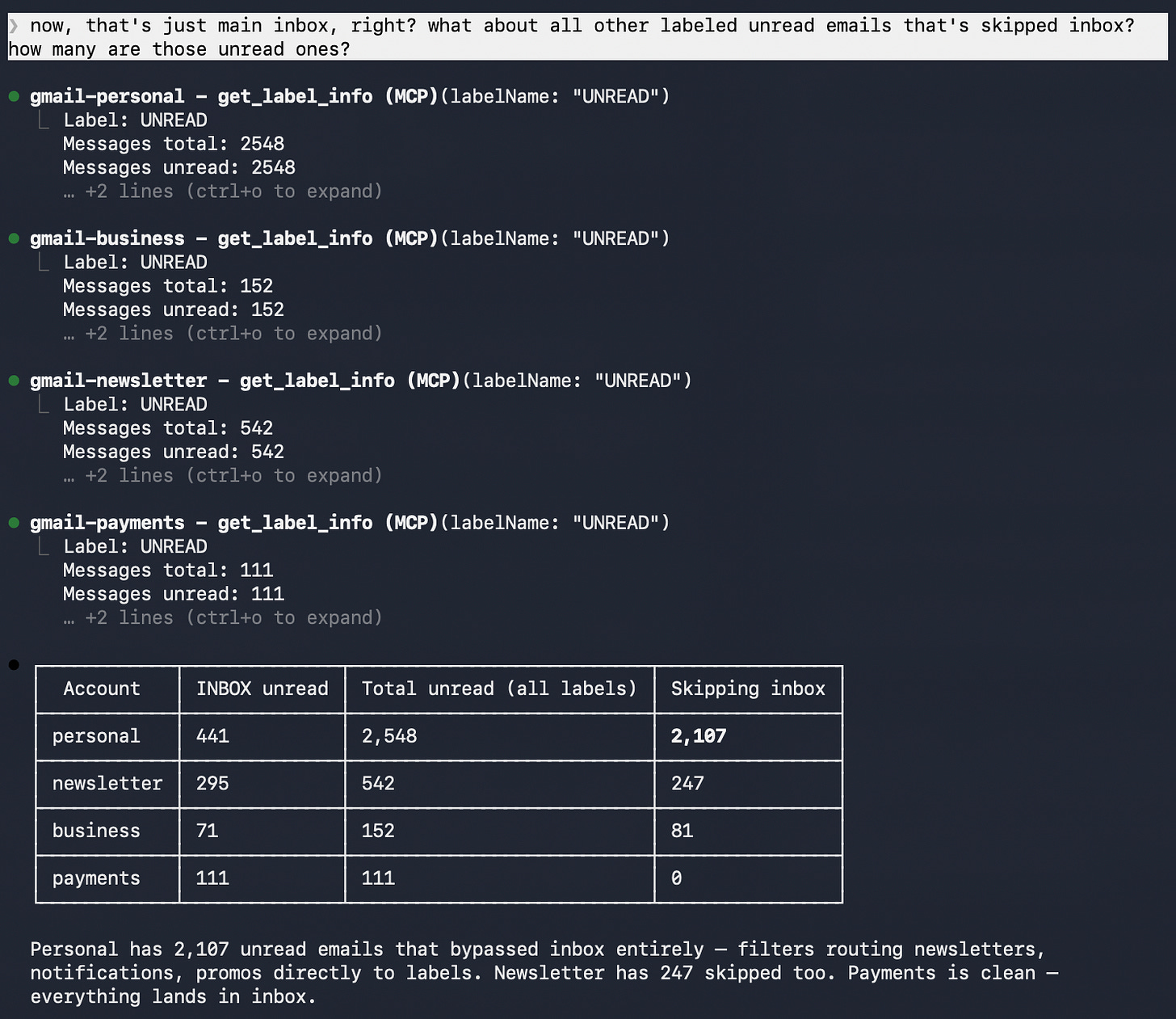
Screenshot of my unread-email totals across four Gmail accounts.
The brief took 40 seconds.
Before I explain why this became necessary, I’m curious where you sit:
Loading...
The reason I needed this is tax season. I have income from Medium, Substack, Gumroad, my own apps, Stripe, and occasional affiliates. Some business deductions come through personal purchases too: Amazon orders, hosting bills, app development tools, random software receipts. It all adds up, and it all lands in different accounts for different reasons.
Getting everything in one place used to mean logging into each account separately, searching, exporting what I could, and cross-referencing dates. Hours of work that was really just moving data between tabs.
A single Gmail MCP connection didn’t solve that. (If you’re new to MCP, I have written about the Best MCP Servers for Claude Code to help you get the bigger picture.)
The problem here wasn’t access. It was switching. If I had to query one account, jump to another to match it up, then verify in a third, I was still doing the context switching myself. What I wanted was Claude moving through each account in sequence, fetching what I needed, storing it locally, and matching across all of them without me leaving the session.
Getting Gmail into Claude Code for one account is straightforward. The multi-account case is where it quietly breaks, and the fix isn’t obvious until you’ve hit each failure mode once.
Once that full multi-account MCP setup is working, a much bigger set of workflows opens up. That’s what I’ll show you next.
What’s inside:
What can you automate with Gmail MCP? — receipt extraction, inbox triage, subscriber monitoring, 40-second morning brief
When Gmail MCP needs multiple accounts — account bleed, re-auth friction, false confidence
5 Gmail MCP workflows worth running first:
Receipt extractor → $986.41 pulled in one run
Collab pitch triage → inbox to decision in one prompt
Inbox zero → classify, archive, draft in sequence
Subscriber surge detector → 28 new subs caught before I noticed
Morning brief → all 4 accounts, 7 items, 40 seconds
How to automate a Gmail MCP nightly digest — the scheduled version that runs without a manual prompt
Gmail MCP multi-account setup for Claude Code — one Google Cloud project, 4 named inboxes, the fork that made it reliable
Gmail MCP config template + 5-prompt pack + 12 more automation ideas — grab it at the end
Hi, I’m Jenny 👋
I help non-technical people turn friction into working AI systems through the Practical AI Builder Program, a 12-month program for people already using AI who want to build and ship real systems.
If you’re new here, welcome! Here’s what you might enjoy:

What Can You Automate With Gmail MCP?
Most Gmail MCP demos stop at “search my inbox.” That proves access. It does not prove usefulness.
Gmail MCP is the connection layer that lets Claude Code search, read, draft, and organize your Gmail from inside the same session you’re already working in.
Once it works across multiple accounts, the first jobs worth running are much more practical:
Pull money history into one place by extracting receipts, payouts, invoices, and payment confirmations across accounts
Triage what needs attention by separating needs-reply, FYI, and automated emails before you touch anything
Watch for growth signals by spotting subscriber spikes, recommendations, and unusual activity in the newsletter account
Scan all accounts at once so personal, business, newsletter, and payments stop behaving like separate places you have to visit manually
The two highest-value jobs for me were extraction and triage, because they replace real admin work instead of giving you a fancier search box.
The simplest version of this was the payments pull.
In 45 seconds, it pulled 103 emails and turned six months of payouts, subscriptions, and tool fees into a markdown file I could actually use. That is tax-prep work that usually takes an afternoon of tab switching.
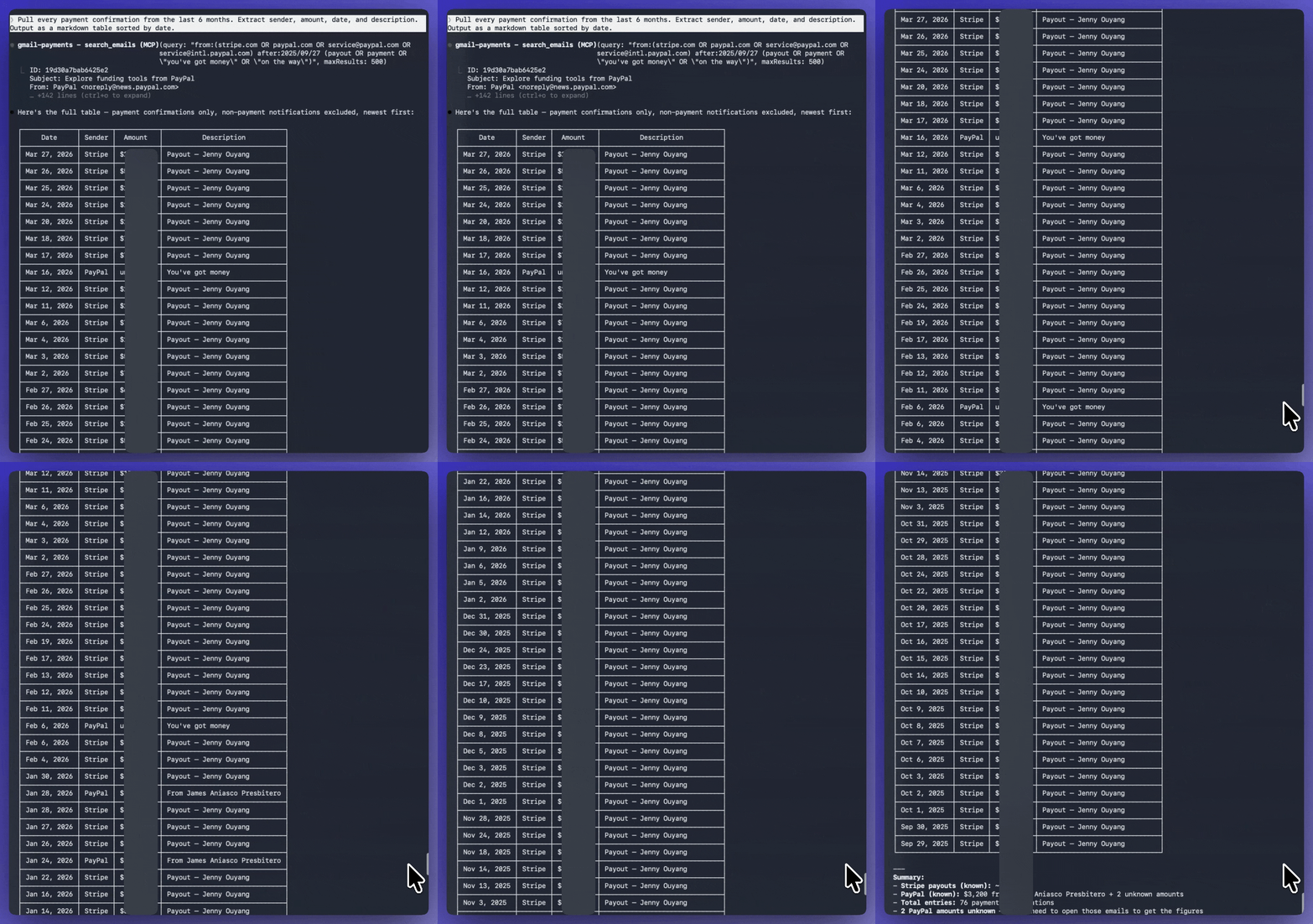
Screenshot of the receipt-extractor workflow running in Claude Code
The free proof is simple: Gmail MCP can turn a messy payments inbox into something structured fast. The paid section is where I give you the full production-ready version: the exact search logic, the saved output format, and the cleaner prompt I would actually reuse.
The same pattern becomes useful in the other accounts too:
personal → classify unread and surface what needs a reply
newsletter → watch for subscriber spikes and recommendation alerts
business → pull collab pitches and partnership requests into one review pass
all 4 together → generate one morning brief instead of four separate inbox checks
That is the shift that matters. Gmail stops feeling like a place you visit and starts acting like a system you can query.
For a broader look at MCP across different data sources, MCP Second Brain: How I Connected Claude to My Data covers the same pattern applied to databases, notes, and more.
When Gmail MCP Needs Multiple Gmail Accounts
Connect one account. Run one extraction prompt. Run one triage prompt. That alone is enough to tell whether Gmail MCP is useful at all.
The multi-account problem starts when the work itself is split across accounts.
In my case, income lands in one account, newsletter activity in another, business conversations in a third, and personal purchases in a fourth.
At that point, the problem is no longer “can Claude read Gmail?” The problem is whether the setup can move across accounts cleanly enough to replace the switching.
That is where most multi-account setups start to wobble:
Account bleed — you ask one inbox a question and quietly get results from another
Re-auth friction — the setup works, but demands enough maintenance that it stops feeling like infrastructure
False confidence — the tool appears to work, but the routing is unreliable, which is worse than a visible failure
Once those three problems were handled, the system got simple:
The Gmail MCP Stack
One Google Cloud project → handles OAuth for all 4 accounts without credential bleed
4 named MCP servers →
gmail-personal,gmail-newsletter,gmail-business,gmail-payments, each isolated5 workflow types → receipt extraction, collab triage, inbox zero, subscriber surge detection, morning brief
One nightly digest → Claude-triggered, runs all 5, delivers the brief without a manual prompt
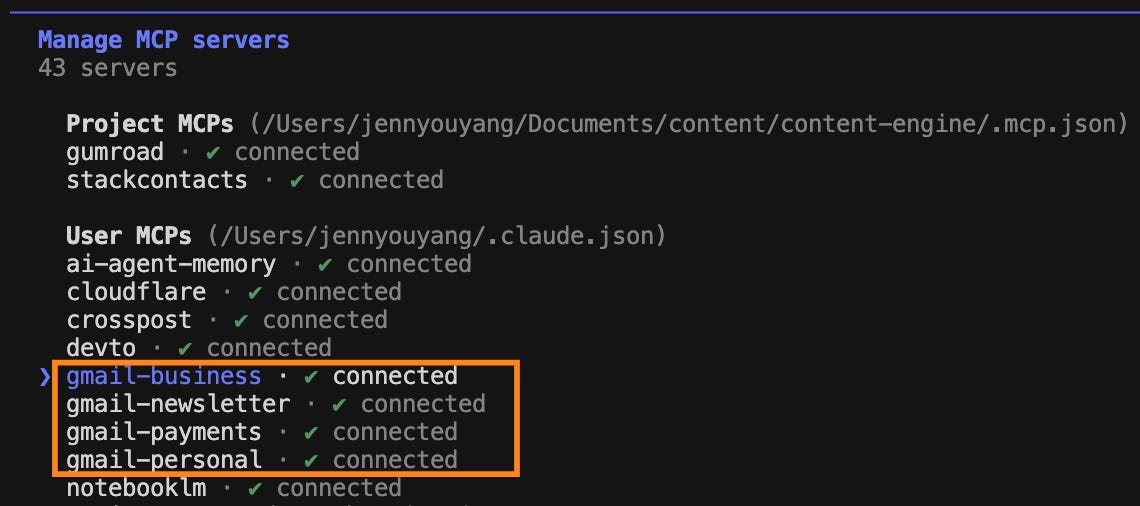
Screenshot of four named Gmail MCP server connections.
That was the moment the setup stopped feeling fragile and started feeling useful.
Loading...
Next, I’ll show you what those workflows look like in practice, then the exact multi-account setup that made them reliable.
The receipt extractor — the exact prompt, the full markdown table output, and $986.41 pulled in one run
The collab pitch triage — the workflow that pulled 4 borderline partnership emails into one review pass and showed where context still matters
The subscriber surge detector — the workflow that caught 28 new subscribers before I noticed, and why the reader-reply version returns nothing
The inbox zero classifier — classify, review the breakdown, then approve the bulk archive before anything gets touched
The morning brief — one prompt across all 4 accounts, 7 action items surfaced in 40 seconds
The 4-account setup — one Google Cloud project, named connections, and the few tweaks that made the open-source MCP behave reliably
Plus: the nightly digest job, the routing path for each email type, and a note on the small fork I made to the open-source Gmail MCP so the multi-account setup would hold up
5 Gmail MCP Workflows Worth Running First
This is the part that makes the setup feel real.
Not “Claude can read email.” Actual jobs, specific prompts, and outputs you can judge.
This article continues for members
Join Build to Launch to read the full article, access all cohort content, and connect with other AI builders.