What is Claude Plugins?
Claude has two plugin systems — developer CLI and Desktop app. Launch dates, plan requirements, real install gotchas, and comparison to ChatGPT and Gemini.
Claude plugins are installable extensions that bundle skills, commands, and tool connections into a reusable workflow. There are two separate plugin systems: Claude Code plugins (launched December 2025, for developers in the terminal) and Claude Cowork plugins (launched January 30, 2026, for knowledge workers in the Desktop app). Both are available on Pro ($20/month), Max, Team, and Enterprise plans — not on the free tier.

You search “how do Claude plugins work” and get two completely different answers. One article walks through terminal commands. Another shows a Desktop app with a one-click marketplace. Neither mentions the other exists.
Both articles are correct. That’s the problem.
“Claude plugins” covers two entirely separate systems built for two different products and two different users. Most coverage treats them as the same thing — or picks one without saying so. So if you’re confused about which one applies to you, it’s not because you missed something. It’s because the framing was always incomplete.
This article maps both.
What’s inside:
What Claude plugins actually are — the one-line definition, and the wrinkle most articles skip
What’s inside a plugin — four component types, and which one charges tokens even when you’re not actively using it
How each system installs — terminal vs one-click Desktop, plus the Windows friction point
How it compares to ChatGPT and Gemini — the honest count: 3M+ Custom GPTs vs 101 official Code plugins, and why the gap is misleading
What this means for your role — developer, marketer, non-technical user, platform evaluator
When to skip plugins entirely — the two signals that tell you plugins would add overhead without value
Hi, I’m Jenny 👋
I build AI systems and tools, then share how I did it. I run the Practical AI Builder program — for people who already use AI and want to build real things with it. Check it out if that sounds like you.
If you’re new to Build to Launch, welcome! Here’s what you might enjoy:
What Are Claude Plugins?
A Claude plugin is a bundle you install that extends what Claude can do. Instead of prompting Claude fresh every time and re-explaining your context, a plugin pre-loads a set of instructions, commands, and tool connections. Claude already knows the job before you start.
The short version: a plugin is a workflow packaged for reuse.
One wrinkle most articles skip: when people say “Claude plugins,” they could mean two entirely different things depending on which product they’re using.
Claude Code plugins — launched December 2025 with Claude Code version 2.0.13. For the terminal CLI. Developer-facing. 101 official plugins as of March 2026.
Claude Cowork plugins — launched January 30, 2026. For the Claude Desktop app. Knowledge-worker-facing. 26+ official plugins as of April 2026.
Same word. Different products. Different install methods. Different jobs. Neither works inside the other.
Plan availability: Both are paid-plan only — Pro ($20/month), Max, Team, or Enterprise. The free tier doesn’t support plugins.
What’s Actually Inside a Plugin
This is where most explanations stop being useful. A plugin isn’t a single thing — it bundles up to four different types of components, and knowing which type you’re dealing with changes how it behaves and what it costs you.
Skills — instruction files Claude loads before acting. You trigger them with a slash command: /marketing:seo-audit, /feature-dev:plan. Each run costs context and tokens, but only when you invoke it.
Hooks — shell scripts that fire automatically on specific events (file save, session start, git commit). You don’t trigger hooks. They run in the background whether you think about them or not. This matters because hooks cost tokens on every session they’re active, even if you never explicitly use them that day. Most articles don’t mention this.
Slash commands — the management layer: /plugin install, /plugin list. These are free and don’t consume session context.
MCP servers — live connections to external tools: databases, APIs, your GitHub repo, your Stripe account. Each query to an MCP server costs per call. The MCP layer is what lets a plugin actually do something in an external tool rather than just generating text about it.
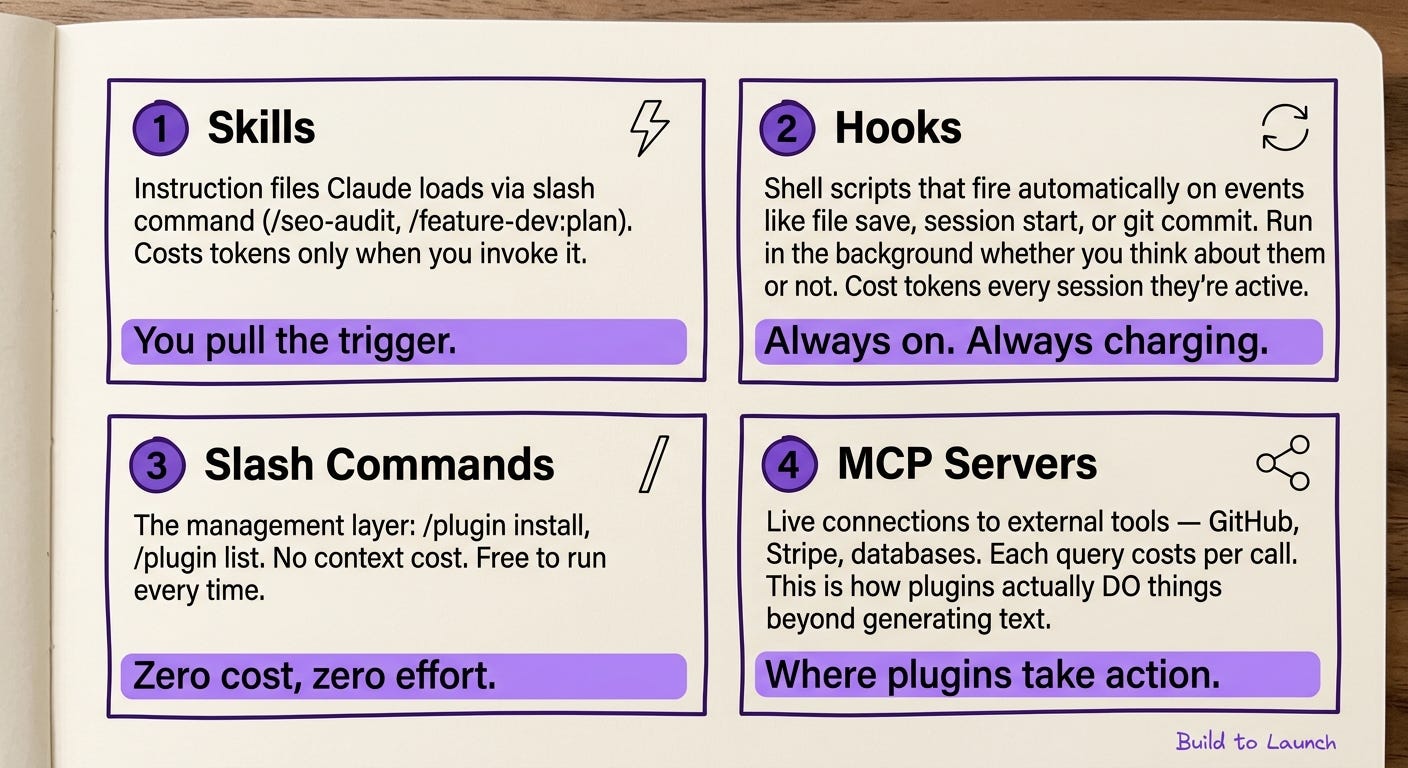
Understanding which of these four a plugin uses tells you whether you’re getting a scalpel (triggered, precise, cost-per-use) or a background process (always-on, passive, cost-per-session). Install the wrong type without knowing, and you’ll wonder why your context feels heavy every morning.
How Each System Installs
Claude Code plugins — terminal CLI
Claude Code plugins install via command line or from the built-in plugin browser.
claude plugin add @anthropic/security-guidance
claude plugin add github:username/repo-name
claude plugin add ./my-local-plugin
Or browse in Claude Code: /plugin → Discover tab → install from the official marketplace. Partner plugins from GitHub, Vercel, Figma, Supabase, Linear, Sentry, Stripe, Firebase, and Playwright are all available.
One honest friction point: the plugin marketplace UI was broken on Windows as of early 2026 — the plugins.claude.ai domain wasn’t resolving, leaving the browse tab empty. If you hit this, install directly by name rather than browsing.
Claude Cowork plugins — Desktop app
Claude Desktop → Plugins → Browse Marketplace → Install. One click. No terminal. No API keys for most installs.
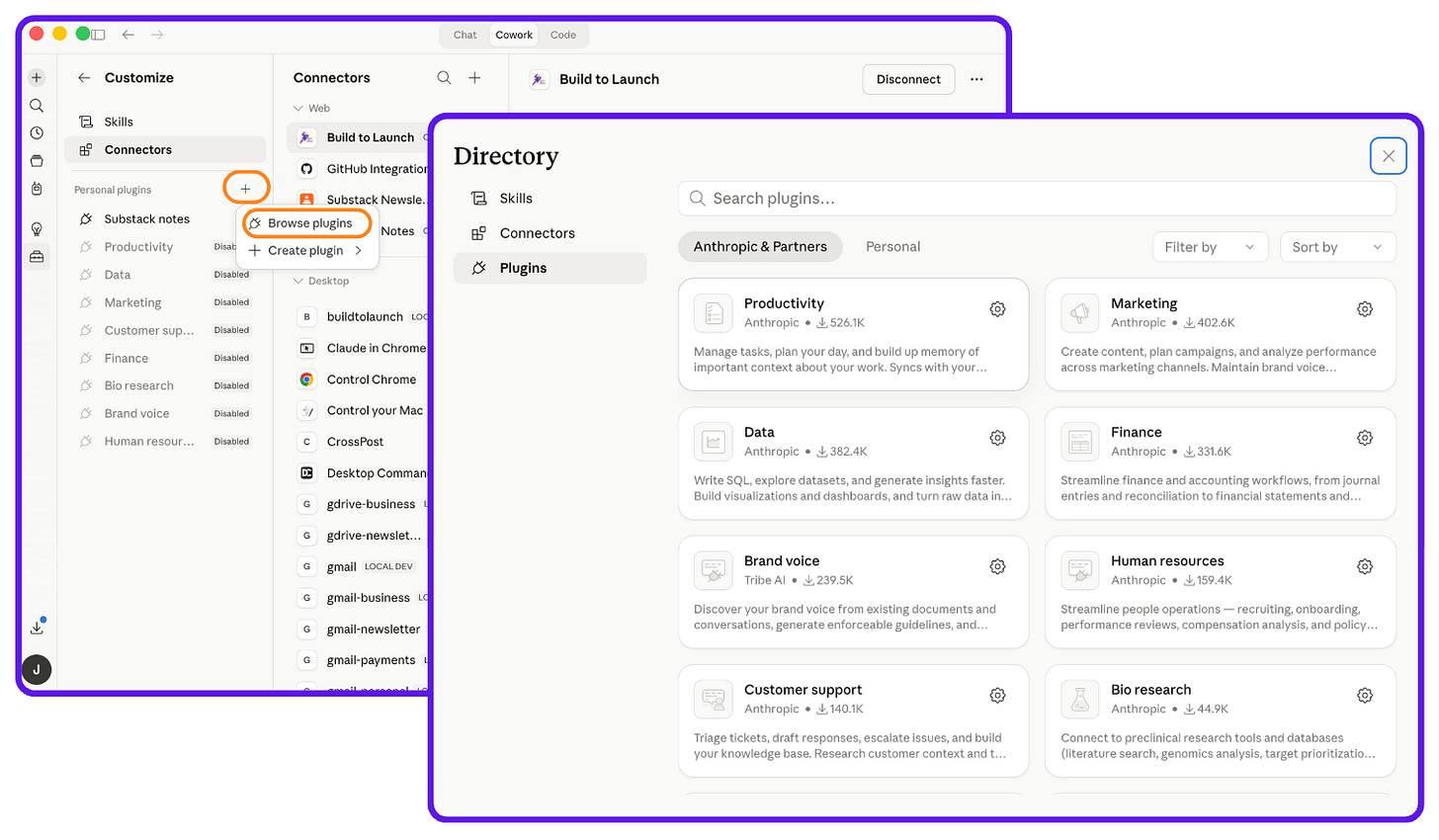
After installing, go to Customize → Connectors to link the plugin to the tools it needs. A Marketing plugin without your Google Drive connected is running on generic context rather than your actual content. That’s the step most people skip.
How Other Platforms Handle This
Every major AI platform has some version of this concept. The names have changed and the approaches vary more than most comparisons admit.
ChatGPT: Custom GPTs + Actions
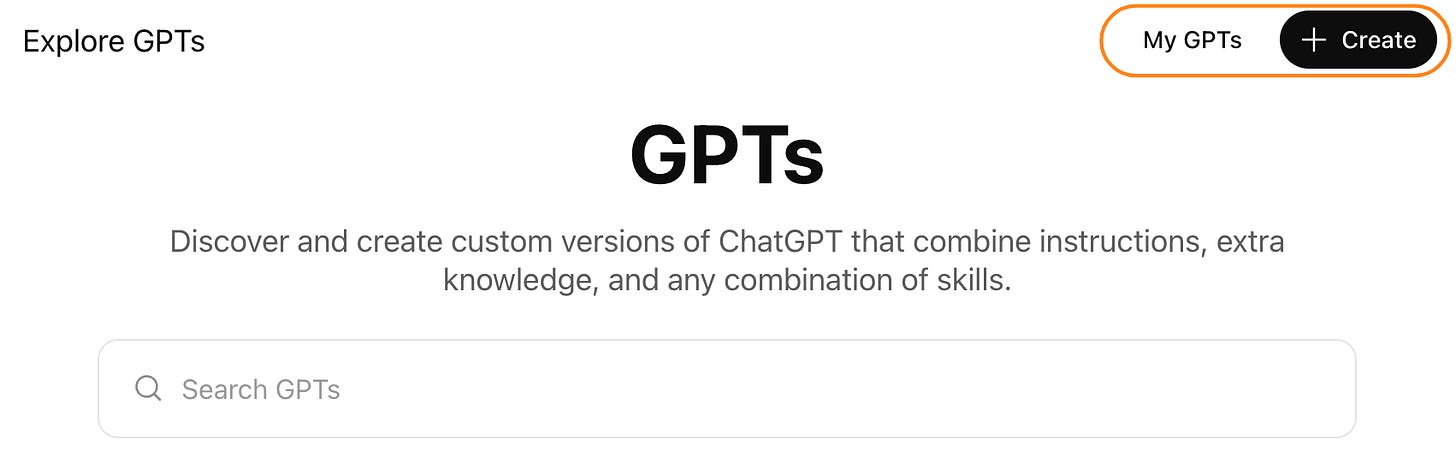
ChatGPT had “Plugins” — a marketplace of third-party integrations you could switch on mid-conversation. Those were deprecated in April 2024. The replacement is Custom GPTs, announced November 6, 2023, with the GPT Store launching January 10, 2024.
Over 3 million Custom GPTs are available in the store. A Custom GPT is ChatGPT pre-loaded with a system prompt, uploaded files, and API connections called “Actions.” Install one from the store and it behaves like a specialized assistant for that task.
The key difference from Claude plugins: Custom GPTs are conversation-level configurations — they shape how ChatGPT responds in that chat. Claude Code plugins install system-wide, registering commands and tool connections that persist across all your sessions.
Gemini: Extensions + Gems
Google uses two concepts:
Extensions — deep connections to Google Workspace products (Gmail, Drive, Docs, Calendar, YouTube, Photos). Turn one on and Gemini can read your emails, pull files from Drive, check your calendar. Strong inside the Google stack. Limited outside of it.
Gems — custom AI assistants, similar to ChatGPT’s Custom GPTs. Pre-loaded with instructions and files, built inside the Gemini interface.
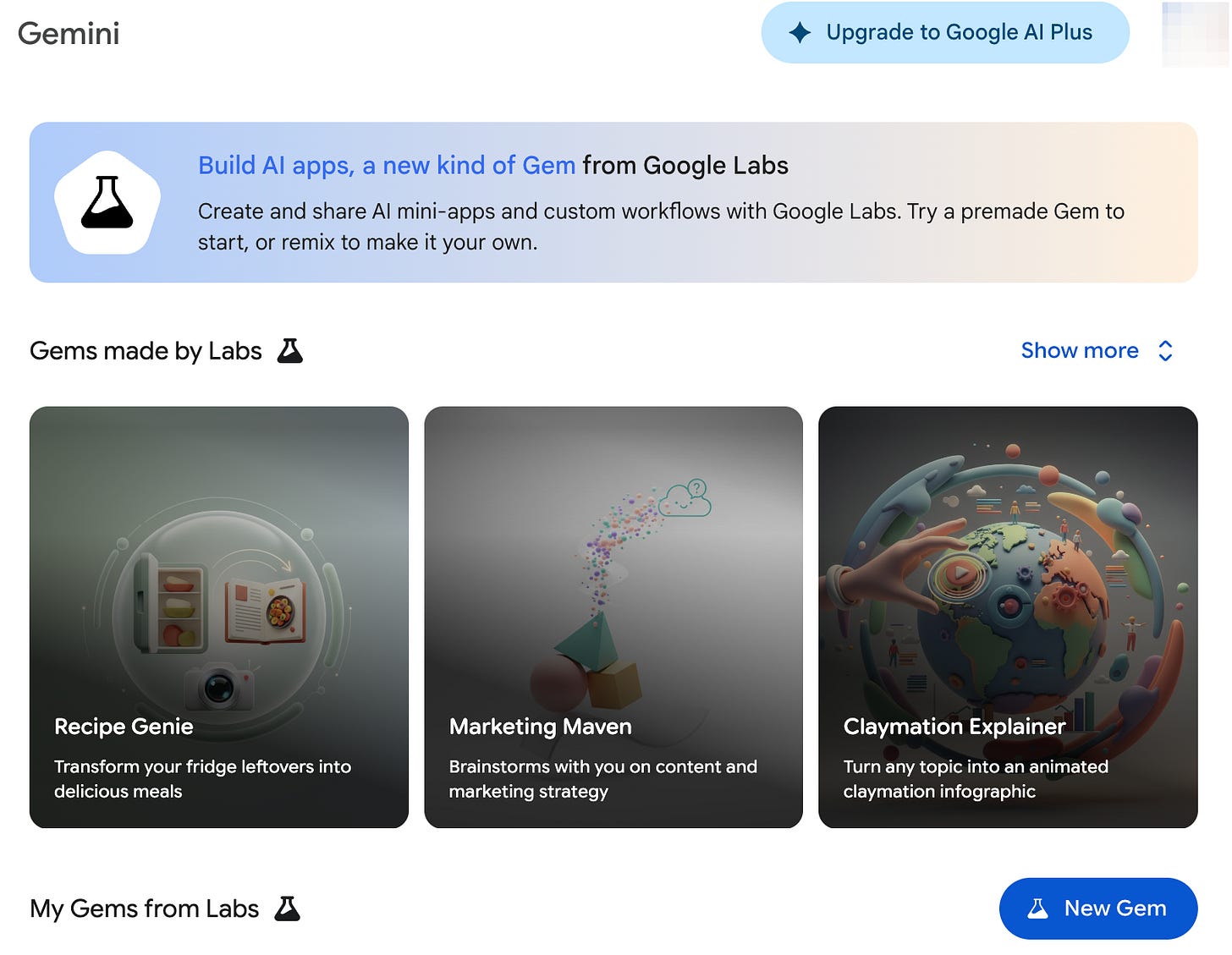
Gemini Extensions are the right choice if your work lives in Google products. Outside that ecosystem, the connector coverage is thin.
Side by side:
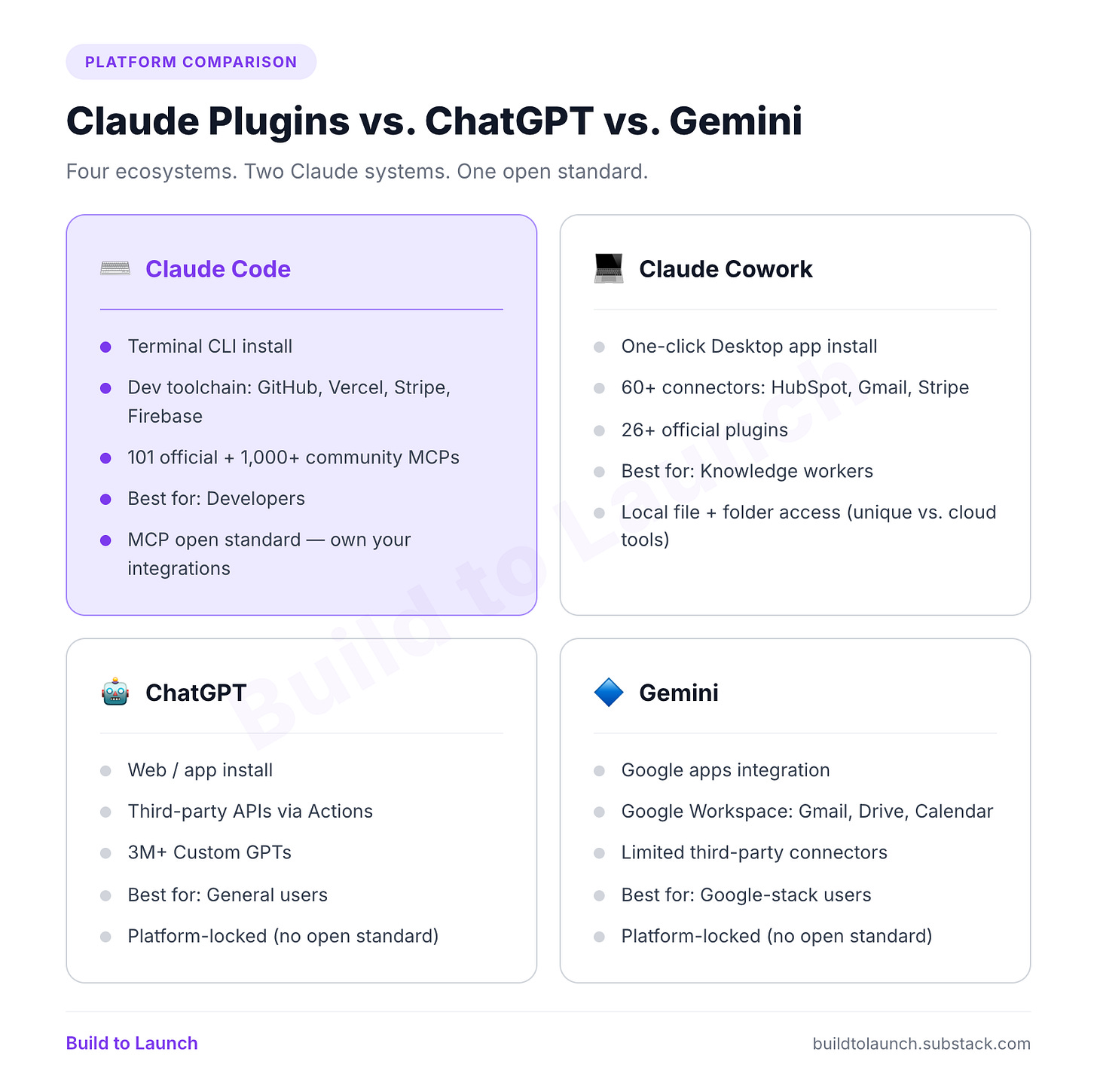
The MCP advantage: Claude’s connector layer is built on the Model Context Protocol — an open standard. The same MCP server that connects Claude to your database can connect to any MCP-compatible tool. ChatGPT Actions and Gemini Extensions are platform-specific. If you’re building something you want to own and extend beyond one platform, that openness matters.
What This Means for You
If you’re a developer or builder: Claude Code plugins are the layer that turns Claude from a smart assistant into something that knows your stack. The security-guidance plugin runs passively in the background and catches path traversal vulnerabilities and XSS risks without you having to ask. The feature-dev plugin runs a 7-phase structured process before any code starts, which prevents the bad architecture decisions that cost hours later. I keep security-guidance always on and toggle feature-dev and commit-commands by session type.
If you’re a marketer, operator, or solopreneur: Cowork plugins are the faster path. The Marketing plugin handles SEO audits, content briefs, and campaign planning with slash commands — but it’s only as useful as the connectors you configure. Hook it to Google Drive and Ahrefs, and /seo-audit runs against your real content. Without connectors, it’s working blind.
If you’re non-technical: Cowork plugins are built for you. No terminal, no API keys, no configuration files. The motion is the same as using ChatGPT’s Custom GPTs — browse a store, install what looks useful, type a slash command. The difference: Cowork plugins can access your local computer folders, desktop, and downloads. ChatGPT and Gemini work cloud-only.
If you’re evaluating across platforms: The honest count: ChatGPT has 3 million+ Custom GPTs, the largest ecosystem by volume. Claude has 101 official Code plugins and 26+ Cowork plugins, plus 1,000+ community MCP servers. If breadth of pre-built options is what you need, ChatGPT wins. If you need something that connects deeply to your toolchain and you want to own the integration layer, Claude’s MCP approach is the one worth building on.
When to Skip Plugins Entirely
Plugins are for repeated, structured workflows. If your Claude use is conversational — asking questions, drafting one-off things — plugins add overhead without adding value.
Skip plugins if:
You’re using Claude occasionally with no consistent workflow yet
You haven’t identified a task you do more than twice a week
You’re on the free tier (plugins aren’t available)
You want to browse before you know what problem you’re solving
One useful signal: If you paste the same context into Claude every session, your current project, brand voice, and tech stack, that’s a plugin waiting. It just loads that context automatically instead of making you type it again.
Before installing anything, ask: Is this solving a problem my process actually has? Is it always-on (costs every session) or triggered (only when I ask)? Does it do something plain Claude can’t, or is it just more polished? I use a 7-question scorecard before every install — it takes two minutes and has saved me from three bad choices I would have regretted.
The two-minute test: open Claude Code (terminal) or Claude Desktop (desktop app), type /plugin and see what appears. That tells you which system you’re in. Everything else follows from there.
Go Deeper
Everything Claude Code, in one place: Plugins, MCP servers, project ideas, prompts, setup guides — the full ecosystem mapped. → Claude Code Hub
What to actually build with Claude Code: 30+ project ideas across skill levels — from weekend experiments to production systems. → Claude Code Project Ideas
Which plugins are worth installing: I tested 11 Claude Code plugins on real work. Four were worth keeping. Here’s what broke and the 7-question scorecard I use before every install. → Best Claude Code Plugins: 10 Tested, 4 Worth Keeping
If you’re building with AI: The complete system for going from vibe coding to production-ready — planning, constraint prompts, smoke testing, and shipping. → Production-Ready Vibe Coding Playbook
Have you installed a Claude plugin yet? Which one?
— Jenny
Why Upgrade · Practical AI Builder Program · Templates · Builder Showcase