Nano Banana 2 in Claude Code: 7 Essential Creator Use Cases
100+ images, 20+ prompts, real verdicts, and the one MCP setup that made large-scale testing manageable.
Nano Banana 2 is essentially replacing most of the creator visual workflow. In this guide, I test it across 7 creator workflows: consistent hero images, surface-led text visuals, infographics, carousel cards, profile rework, targeted image edits, multi-image assembly, and a Claude Code MCP workflow that made the entire exploration much faster once I stopped doing it all by hand. You will see the outputs that held up, the ones that broke, and the prompt patterns and workflow decisions that were actually worth keeping.

I already had a hero-image system that worked.
Then OpenAI retired 4o, the model that made it reliable.
That left me with a simple problem: rebuild the workflow, or watch it slowly break.
So I tested Nano Banana 2 on the creator tasks I actually use: hero images, infographics, surface-led text visuals, profile rework, character consistency, carousel cards, multi-image assembly, and finally a Claude Code workflow powered by a Nano Banana MCP.
By the end of it, Nano Banana had taken over more of my visual workflow than I expected.
For this article, I generated more than 100 images and included around 30 of them so you can see the useful parts and the weak parts side by side. This is not a cleaned-up highlight reel. It is the full test: outputs, prompt patterns, verdicts, and the Claude Code workflow that made the whole process faster once everything moved out of manual trial-and-error.
What you’ll go through with me:
What Makes Nano Banana 2 Different — the pricing, capabilities, and official positioning that make it worth testing seriously
7 Use Cases, Real Outputs — see the outputs first so you can decide immediately whether this is useful for your work
The Deep Dive: 7 Use Cases, Broken Down — each use case broken down by prompt, output, what held up, what failed, and my verdict
Run Nano Banana Inside Claude Code — run it inside Claude Code and speed up your image workflow
Loading...
Hi, I’m Jenny 👋
I teach non-technical people how to build and launch AI systems that are actually useful in real life through the Practical AI Builder Program. AI builder behind VibeCoding.Builders and other products with hundreds of paying customers. See all my launches →
If you’re new to Build to Launch, welcome! Here’s what you might enjoy:
How I Create Consistent Hero Images with ChatGPT
Best MCP Servers for Claude Code: 15 MCPs to Transform Your Work
Subscribed

What Makes Nano Banana 2 Different
Nano Banana 2 is Google’s public name for gemini-3.1-flash-image-preview, introduced on February 26, 2026. Google positions it as the high-efficiency counterpart to Nano Banana Pro: faster, cheaper, and built for high-volume image generation and conversational editing.
The official facts that matter here are simple:
Mainstream price point for volume — Google’s Gemini API pricing lists
gemini-3.1-flash-image-previewat $0.067 per 1024x1024 image, while Nano Banana Pro is $0.134 per image at 1024x1024 up to 2048x2048 on the same pricing page. If you generate in batches, the gap gets wider.Better text handling than earlier Flash image models — Google explicitly highlights advanced text rendering and localization and calls out improved i18n text rendering in the model documentation.
More shape flexibility than the old 10-ratio setup — the current image generation docs list 14 supported aspect ratios, including
1:4,4:1,1:8, and8:1.Image Search Grounding — Google added Grounding with Google Search for Images, which lets the model use web images retrieved through Google Search as visual context for generation.
What that means for creators is more practical than it sounds:
Nano Banana 2 is the one worth stress-testing if you generate a lot.
The price point is low enough that you can run real batches instead of treating every image like a precious shot.It is more reliable for working visuals than earlier Flash image models.
Better text handling, more aspect ratios, and search grounding all map directly to creator tasks like infographics, carousels, and reference-based image generation.The docs are only the starting point.
Product positioning tells you what Google thinks the model is for. The actual question is whether those advantages survive contact with real workflows.
Those platform claims only matter if they hold up in actual use. In some of my tests they mattered a lot. In others they barely mattered at all. That is why I structured the rest of this article around real workflows instead of feature descriptions.
So before getting into prompts and verdicts, let me show you the outputs first.
7 Use Cases, Real Outputs
Before getting into prompts, verdicts, and workflow details, I want to show you what Nano Banana 2 actually produced across the seven creator tasks I tested.
1\. Hero Image Style-Lock
Test: Same style prompt across 3 article hero images in 3 columns below. Top 3 are from ChatGPT, bottom 3 are from Nano Banana. Do they feel like a set?
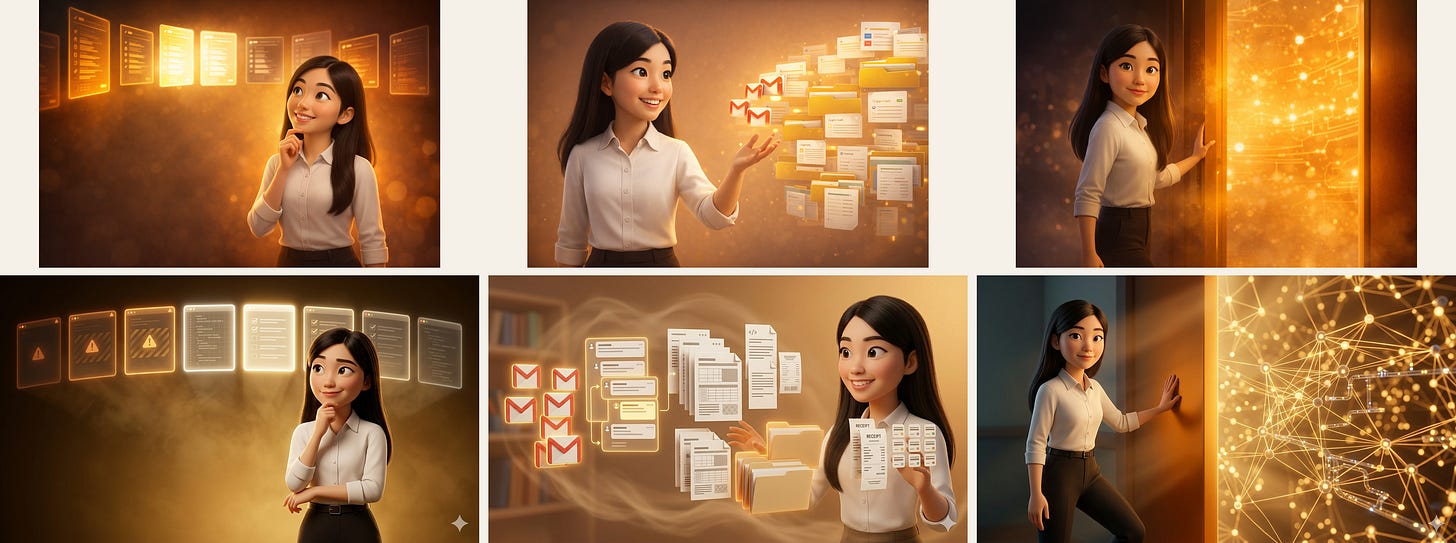
The 3 articles tested:
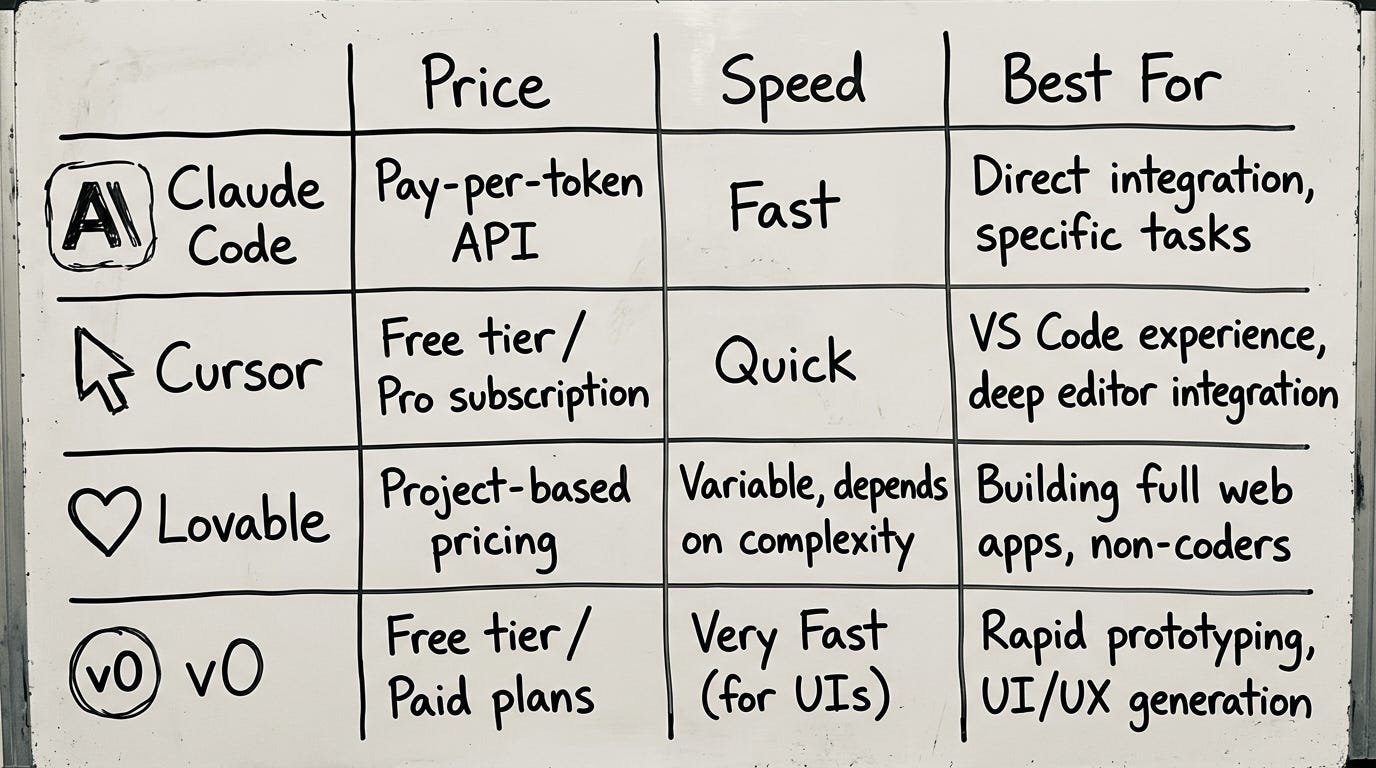
Claude Code vs 7 AI Coding Tools
Gmail MCP for Claude Code
What Is Practical AI Building?
2\. Surface Visualization
Test: One short text-led idea across six drawing surfaces, showing the stats of this article. Which ones do you like the most?

3\. Infographics
Test: Whiteboard process diagram from a text description. From article: Claude Code vs 7 AI Coding Tools. It actually looks like imperfect whiteboard drawing!
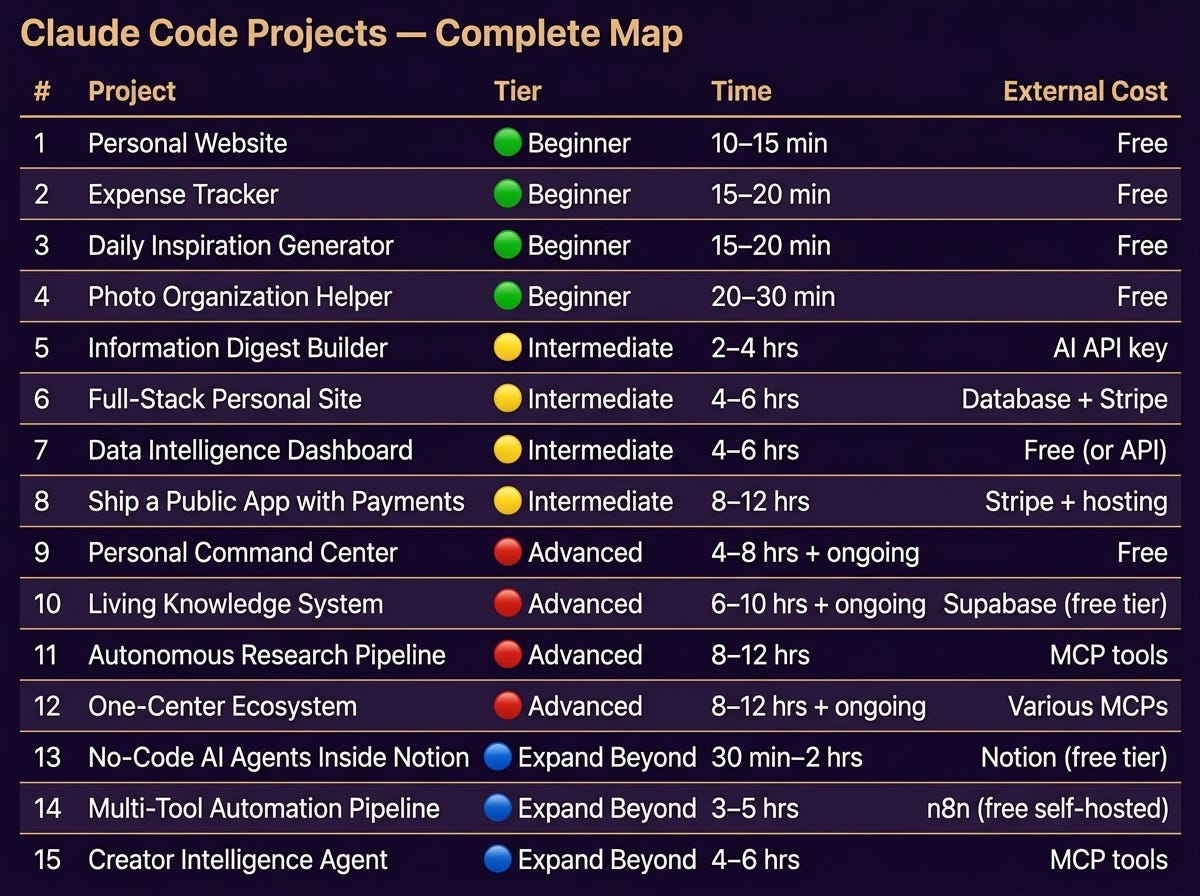
Test: Branded table. From article: Best Claude Code Projects.
4\. Profile Photo Rework
Test: Background change in 4 parallel variations, then hair tidy on the two winners.

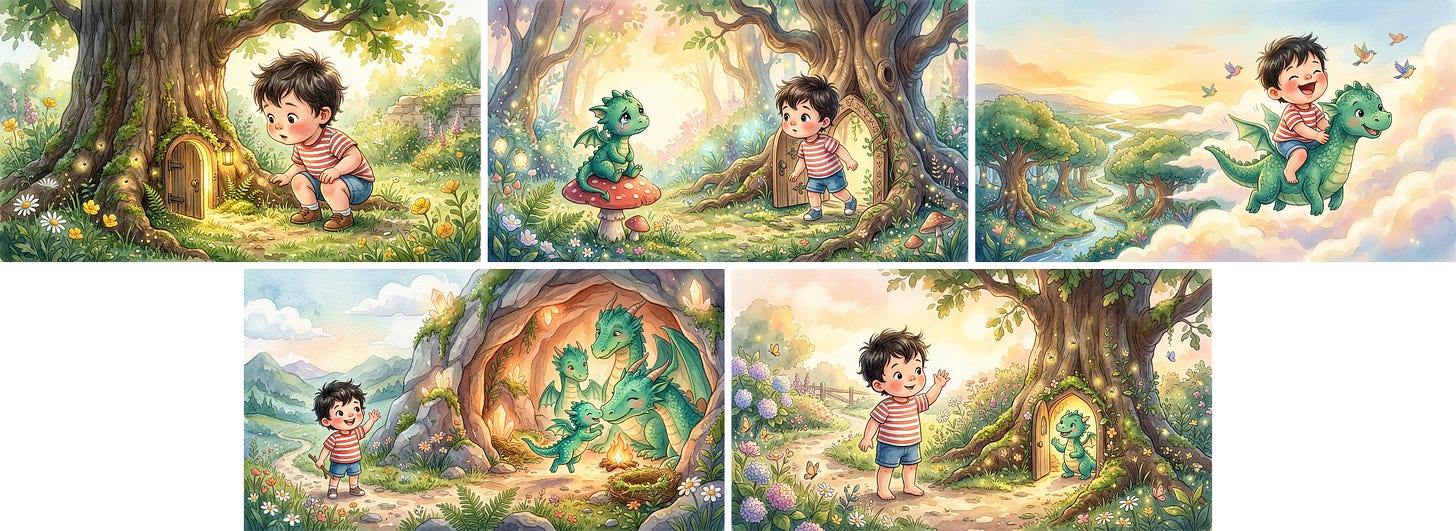
5\. Story Book Character Consistency
Test: Same character across 5 scenes using a text description only.
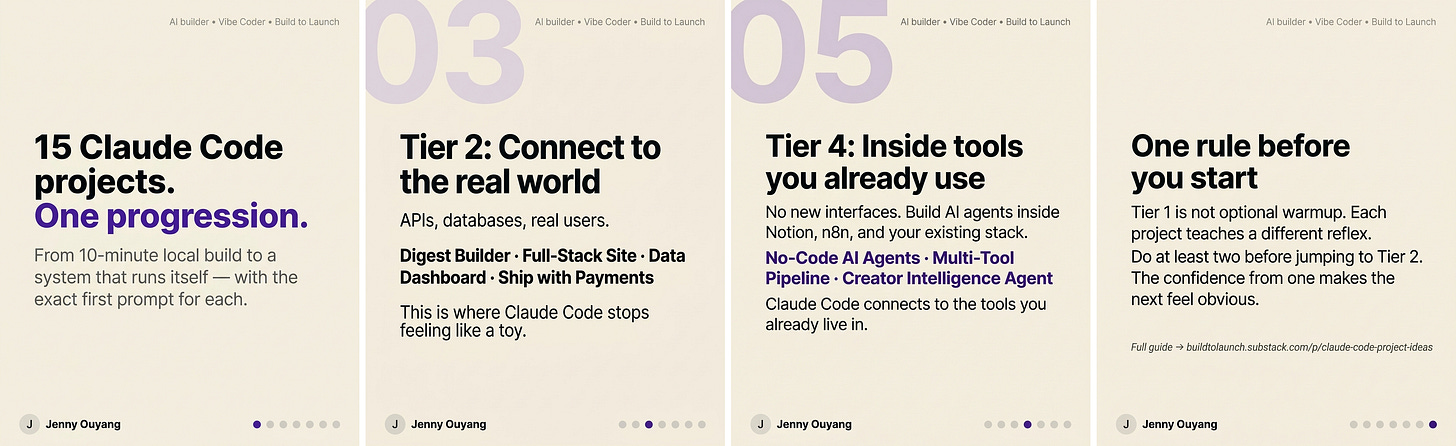
6\. Carousel Cards
Test: 4 consistent cards for article Best Claude Code Projects.
7\. Piecing Up Images
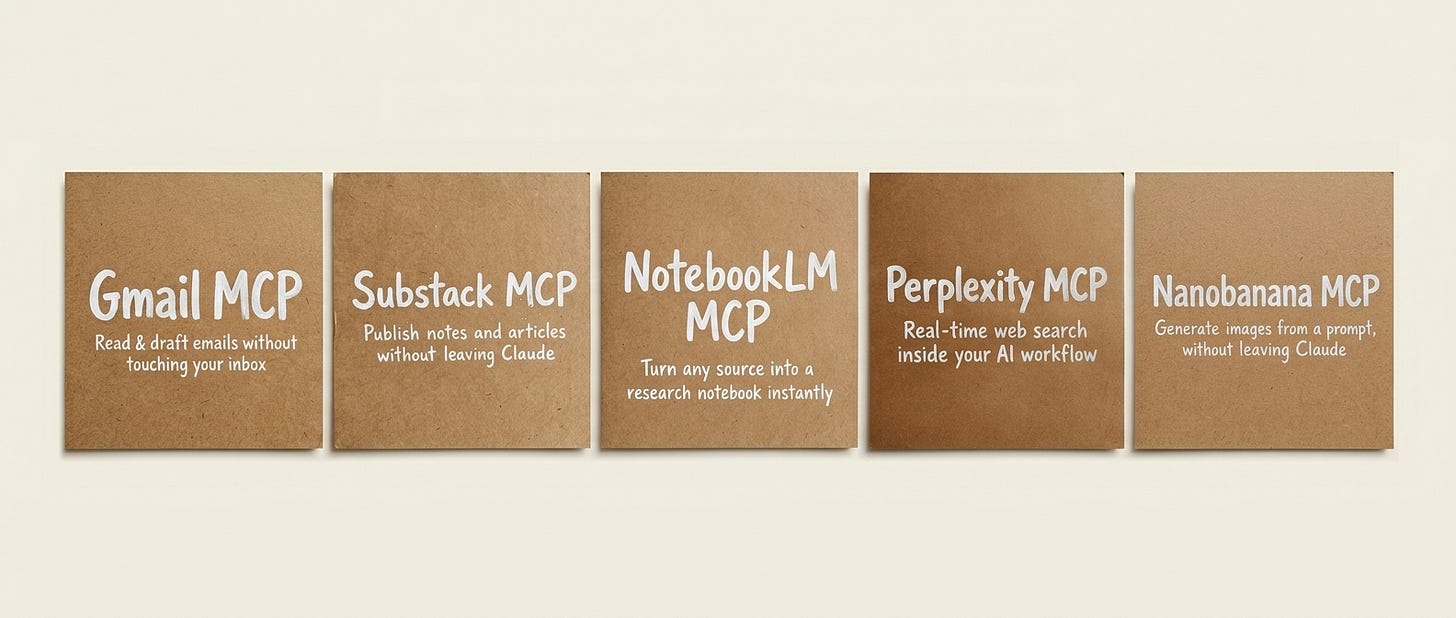
Test: Five finished visuals assembled into one publishable comparison image. From article: Best Claude Code MCP servers
To test all of this properly, there was no way I was going to generate everything by hand in one sitting.
Midway through the process, I started using MCP. That was what made it possible to run all the use cases, compare outputs side by side, and keep the testing moving fast enough to finish this article.
You’ve seen all 7 outputs. Now get the full picture:
Verdict on every use case — what actually worked, what drifted, what I’d never use again
Exact prompts for every output shown above — copy, paste, adapt
The template method — why
generate_imageproduces inconsistent carousels and howedit_imagefixes itSurface reference system — 9 drawing surfaces, when each one works
Character consistency formula — how to hold the same character across multiple scenes
Full MCP setup — install, configure, and run NB2 inside Claude Code without tab switching
Plus: Complete prompt library — 20+ prompts across all 7 formats, organized by use case
The Deep Dive: 7 Use Cases, Broken Down
This is the part I wanted when I first started testing: not just the gallery, but the actual prompt logic, the honest verdict, and which method I ended up using inside the MCP workflow.
1\. Hero Image Style-Lock
Exact prompt block that changed the result:
This article continues for members
Join Build to Launch to read the full article, access all cohort content, and connect with other AI builders.