How to Use Claude in Chrome Beyond Page Summaries
Use Claude in Chrome for more than summaries: setup, forms, criteria checks, research workflows, product QA, and real failure modes.
Claude in Chrome lets Claude navigate your browser using what it already knows about you: your background, your projects, your criteria. This guide covers setup (including the fix that resolves most install failures), four tested use types, and the failure modes worth knowing before you start.

If you’re scrolling through web pages, copying text, clicking through intake forms, manually filling out the same bio for the fifth time this month. Complaining, at least internally, about how long all of this is taking.
Claude in Chrome is probably the easiest solution you could find.
What it does: you give Claude a browser tab. It navigates, clicks, fills, extracts. The stuff you’ve been doing by hand.
The funny part is the 2.7-star rating on the Chrome Web Store. 838 people left that number.
But that rating is about one thing: the installation. Everyone who left that review hit a setup wall, wrote something frustrated, and never saw what happens after.
I went through the install, found the fix (it lives in a Reddit thread, not the official docs), and spent a full session testing every workflow I could use. Some worked. Some failed. A few changed how I handle recurring browser work.
What’s inside:
How to Set Up Claude in Chrome: three setup paths and the single fix that resolves most install failures
Type 4: Use Claude to Test Your Product Before Anyone Else Does
Hi, I’m Jenny 👋
I build AI systems and tools, then share how I did it. I run the Practical AI Builder program, for people who already use AI and want to build real things with it. Check it out if that sounds like you.
This Friday, we’re doing the 2nd live inside the Practical AI Builder program: taking AI research from “insightful results” to a reusable system that tells you what to do next. Join the session here→
Join Practical AI Builder Program
If you’re new to Build to Launch, welcome! Here’s what you might enjoy:

How to Set Up Claude in Chrome
There are three ways to bring Claude into your browser:
Install from chrome web store (pre-requisite)
Install from Claude desktop
Install from Claude Code
How to Install the Claude for Chrome Browser Extension
This is the non-negotiable step, you have to install Claude Chrome Extension from the Chrome Web Store in order to use it anywhere.
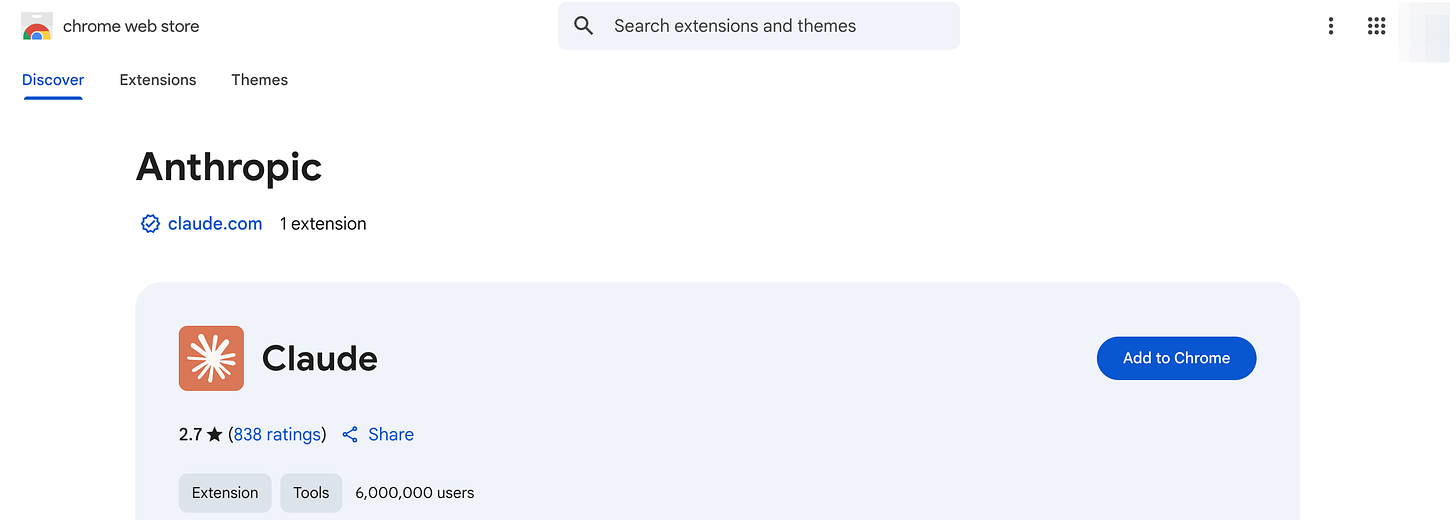
Go to the Claude listing in Chrome Web Store
Click Add to Chrome
Once installed, pin the extension to your toolbar
Click the extension, log in and authorize
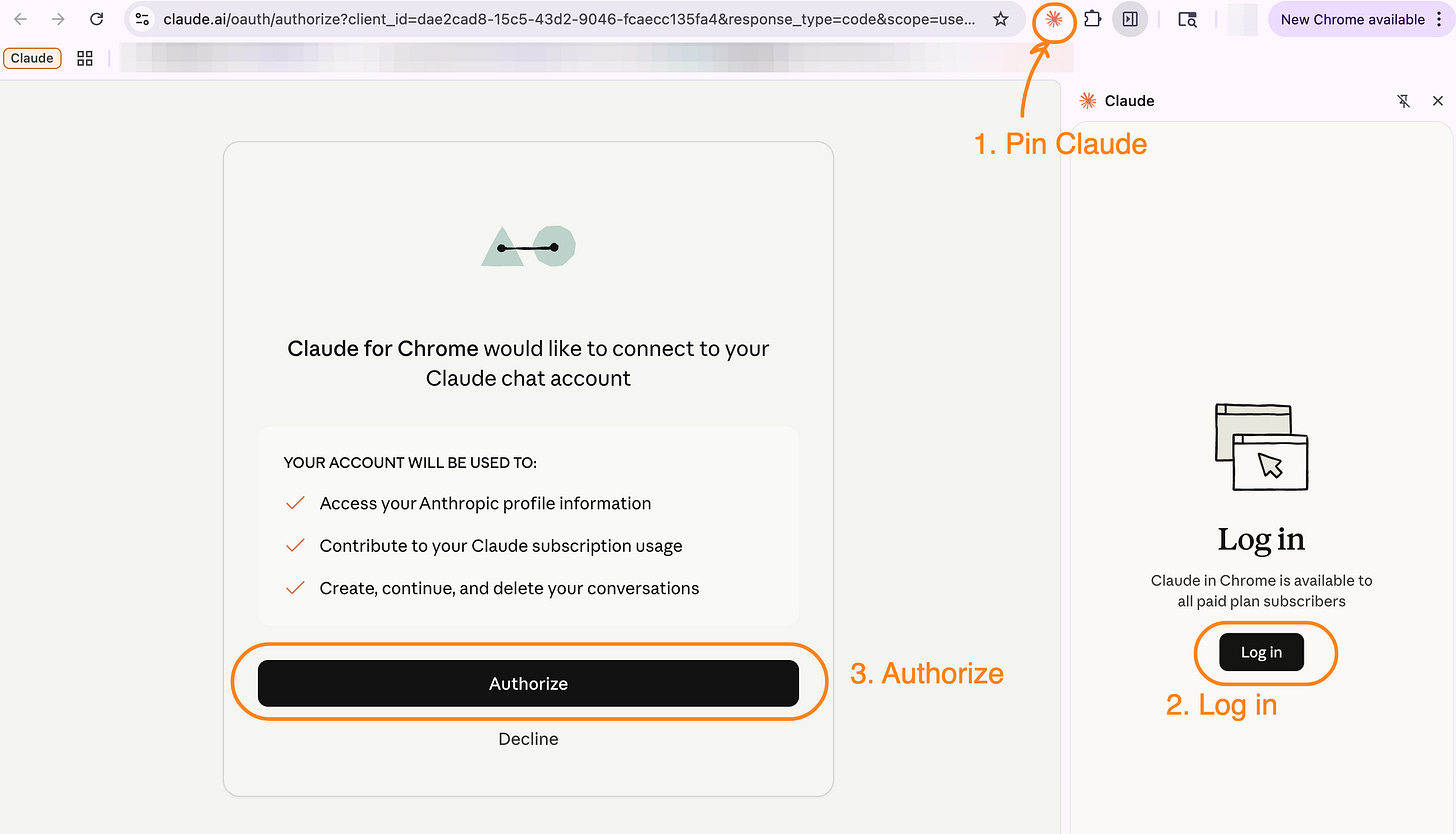
You need a paid plan (Pro, Max, Team, or Enterprise) for the extension to work.
If the extension isn’t connecting after install, run through these steps in order:
Sign out of Claude completely (not just close the tab; go to Account → Sign out)
Clear your browser cache (Settings → Privacy and security → Clear browsing data)
Log back in using your email address, not Google OAuth
Reload the extension
That single fix resolves the vast majority of connection failures. Edge cases remain on Brave, Arc, and Edge, and Linux users have reported intermittent issues. For most people on a standard Chrome install, this one sequence gets you through.
The 2.7-star rating on the Web Store is almost entirely install-era frustration from people who hit this and gave up before finding the fix. I spent time on it too. Now Claude has improved the installation experience to be much more smooth.
How to Set Up Claude in the Desktop App
The Claude desktop app unlocks Computer Use mode: this is where Claude can take control of your entire screen, not just your browser. You need this if you want Claude to navigate applications outside Chrome: Figma, Slack, your file system, anything that isn’t a web page.
Download the Claude desktop app at claude.ai/download
Sign in with your paid Claude account
Computer Use mode is available immediately. You’ll see it as an option in a new conversation
For browser-only tasks, the Chrome extension is the better choice: it’s faster, uses fewer resources, and is more precise within web pages. Switch to the desktop app when your workflow crosses into non-browser applications, or when you need Claude to see your full screen.
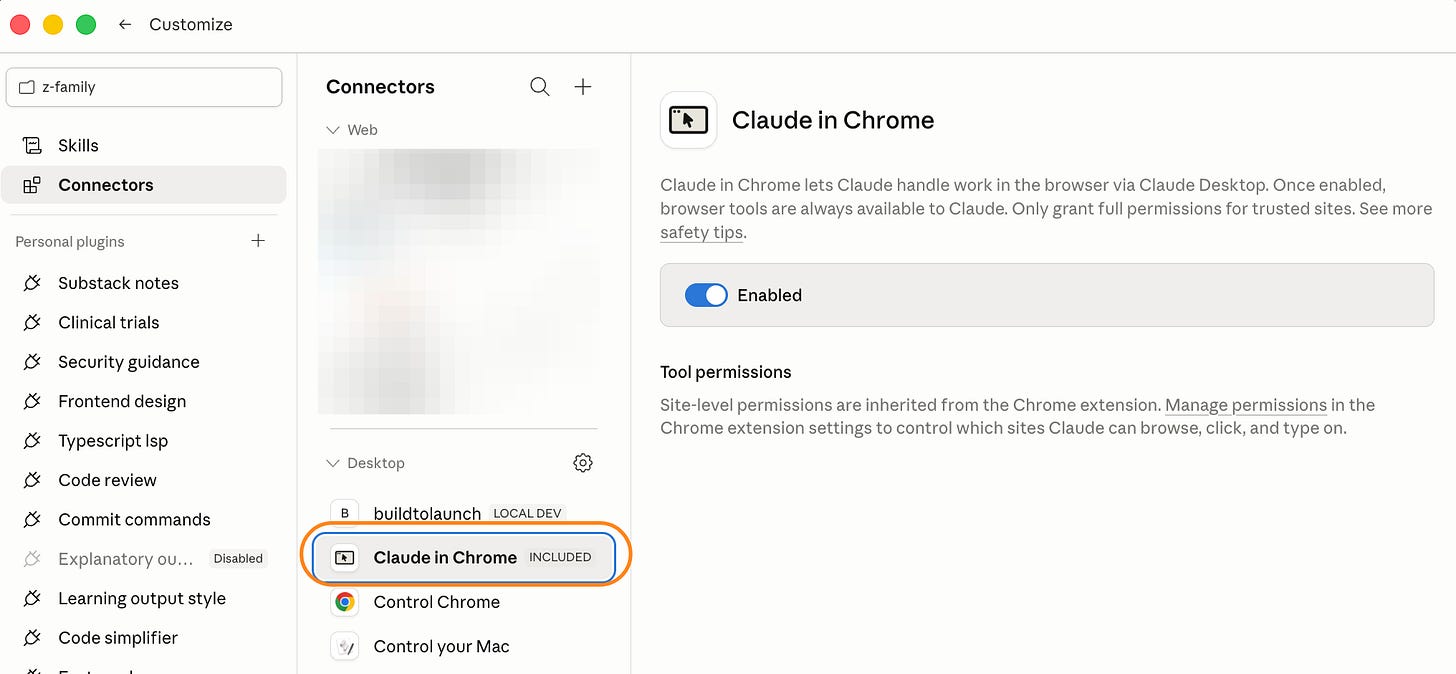
This distinction matters more than it seems. There’s a resource trap that catches people who have both modes active at once. I’ll come back to it in the failure cases section.
How to Connect Claude Code to Chrome
This is the terminal path. The Claude Code CLI has a Chrome integration in beta that connects your terminal to a live Chrome session. Claude can then read DOM state, inspect network requests, and run browser automation you describe in plain English instead of code.
Install Claude Code (version 2.0.73 or higher) and the Claude for Chrome extension (version 1.0.36 or higher)
For how to install Claude Code, this article will get you up to speed.Start a session with the
--chromeflag:claude --chromeClaude installs a native messaging host automatically on first use, no MCP config needed
To enable Chrome by default so you don’t need the flag each time, run
/chromeinside a session and select “Enabled by default”
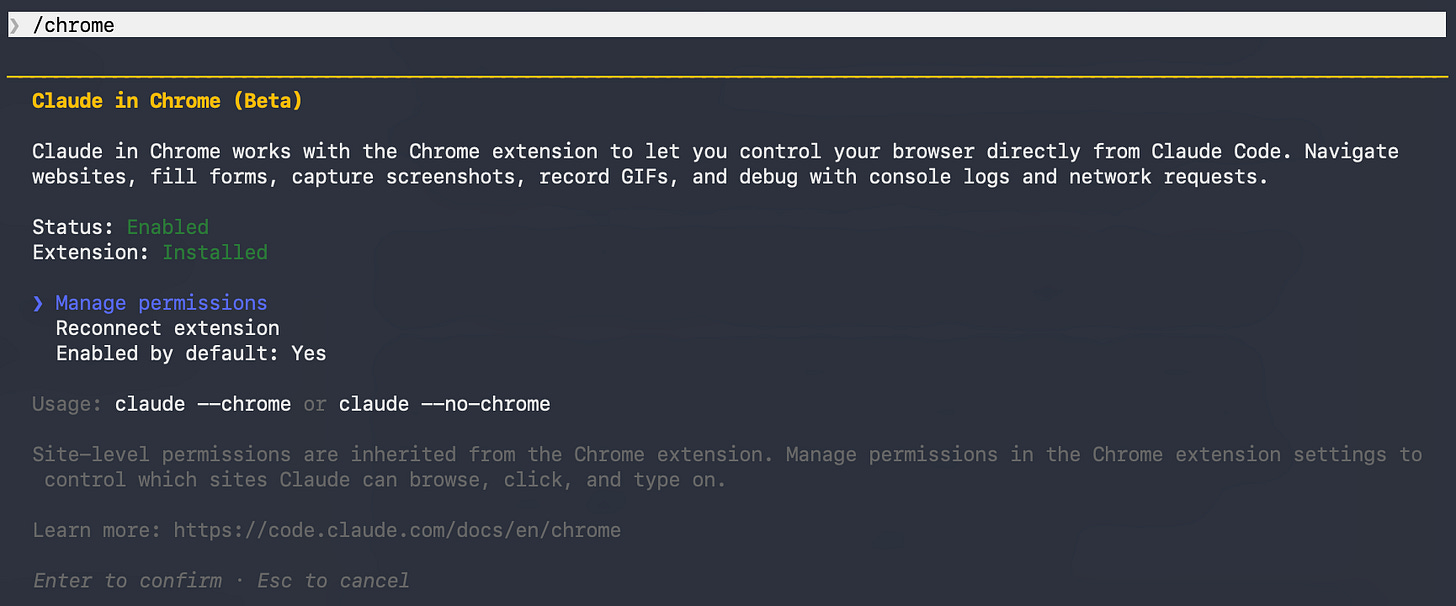
You can also enable it mid-session by running /chrome. Run /mcp and select claude-in-chrome to see the full list of available browser tools.
One distinction to hold onto throughout this guide: the CLI integration opens new tabs in your actual Chrome browser and shares your login state, so it can access Gmail, Notion, Google Docs, and anything else you’re already signed into. That’s the same access the consumer extension has. I’ll flag which product applies as we go.
Type 1: Use Claude to Read and Extract From Any Web Page
What you need: Claude for Chrome extension (Pro, Max, Team, or Enterprise plan). No desktop app required.
This is where almost everyone starts. The core workflow is targeted extraction: you point Claude at a page, tell it what you need, and it returns exactly that. You don’t read the whole thing.
Reading a live site you’d otherwise skim
Use this when: you’re opening pages one by one just to find the few details that actually matter to you.
URL: https://www.anthropic.com/news
The prompt:
Read every news happened in the month of April, and tell me what actually changed for someone doing creative work with Claude
What happened: Claude returned four changes, each with a one-sentence explanation of why it mattered for creative work: Claude Design launch, Opus 4.7 vision upgrade, creative tool connectors (Adobe, Blender, Ableton, and more), and the educational partnerships.
No press release framing. Just: here’s what changed, here’s why it matters to you.
Why this matters: This is a task that normally takes 20 minutes of link-hopping. Claude read the whole newsroom, filtered by your angle, and returned only what was relevant.
Extend this to:
Multi-page pricing research across tools like Notion, Craft, and Obsidian
Competitor landing page scans
Release note summaries filtered by your role
Product documentation searches
Any research task where the answer lives across several tabs
The catch: This type of use is helpful, but it is not the best advantage. Every AI tool does page summarization: ChatGPT, Perplexity, Gemini all handle this. If this is all you use Claude in Chrome for, you’re using a very small part of what it can do.
The next four types are where it does the tedious browser work you’ve been doing by hand.
Personalized inputs: Claude uses what you’ve already told it (your bio, positioning, projects), so you stop re-entering the same things
Criteria-based evaluations: Claude applies your standards to a page, instead of making you rebuild the rubric from memory
Product testing: Claude clicks through your product before anyone else does and brings back what broke
Scheduled tasks: most people have never found this, Claude runs browser checks on a schedule, without you there at all
Type 2: Use Claude When the Web Needs to Know Who You Are
This article continues for members
Join Build to Launch to read the full article, access all cohort content, and connect with other AI builders.