How to Query Any Recording Without Rewatching It (Claude + NotebookLM)
Turn any course, meeting, or video into a queryable source. Claude Code + NotebookLM MCP. No rewatching required.

If you’ve ever purchased an online course, tell me if this sounds familiar.
You bought the course. Started it. You’re two hours in and you already know half of what you’re watching. The part you actually need is somewhere in the next six hours. Finding it means watching through everything you already know.
So you stop. Tell yourself you’ll come back. The recording sits in your user portal.
That was me.
AI summaries didn’t fix it. I asked Claude to summarize transcripts and got 600-word overviews. Covered everything. Answered nothing specific.
The problem is retrieval, not content.
I was stuck on my article title performance. CTR was low. I had been testing for three weeks. There was a writing course in my library that covered headline testing. Eight hours long. I was not going to rewatch eight hours.
I asked the notebook instead.
“I’m working on article title performance. CTR is 0.6%. What does the Writing notebook say specifically about how long to run a headline test before drawing conclusions? Give me the one-sentence rule, not the full explanation.”
Answer in 42 seconds. Exact passage. Specific recommendation. Timestamp.
That moment is what this system is built for. Stuck on one problem. One specific question. One specific answer from content you already paid for, in the format that’s actually useful right now.
I have hundreds of hours of recordings. Courses I bought. Cohort calls I hosted. YouTube channels I learn from. I built a workflow with Claude and NotebookLM to make all of it queryable. Without rewatching any of it.
The MCP connection lets Claude query your notebooks from inside any session.
The prompt structure is what determines whether you get the answer in the format you actually need.
What’s inside:
Why recording libraries stay passive
How the pipeline works
How to add and organize sources in NotebookLM
How to connect NotebookLM to Claude via MCP
How to index YouTube videos
How to index paid course recordings
How to index your own meeting recordings
How to query recordings mid-work
How to repurpose your recordings into content
Hi, I’m Jenny 👋
I believe anyone can thrive with AI, not by mastering the tools, but by building real things with them. I run Build to Launch and the Practical AI Builder program, where we go from experimenting to shipping. Come build with us.
If you’re new to Build to Launch, welcome! Here’s what you might enjoy:
Subscribed
Why recording libraries stay passive
The problem has a name: the mixed-knowledge problem.
Every course or recording you buy overlaps with what you already know. That overlap is exactly why you bought it. The content matched your existing mental model. The topic was relevant. That’s the purchase signal.
But the same overlap is what makes extracting value so slow. You already know a significant portion of the content. You cannot filter in real time. There is no mechanism to skip directly to what you don’t know. So the options are rewatch everything, or skip to a section you can’t locate without watching the whole thing first.
So the recording sits there. That tells what research find out: the median online course completion rate is 12.6%.
AI summaries made this worse in a specific way. A summary covers the full content. It tells you what’s in there. It does not tell you whether the thing you need right now is in there. You read the summary and still don’t know if the recording answers the specific problem you have today.
The gap is a query layer. You need a way to ask a specific question and get the specific answer from the specific recording, without watching any of it.
That’s what NotebookLM does. It’s a research tool that indexes your uploaded sources and answers only from what you’ve uploaded. Answers are grounded only in your uploaded sources. Every response cites the exact passage. If the answer isn’t in your sources, it says so directly.
How the recording-to-knowledge pipeline works
Three parts. Each does one job.
NotebookLM indexes your recording and makes it queryable.
The Claude MCP connection lets you query your indexed content from any Claude conversation without opening NotebookLM. MCP (Model Context Protocol) is the standard that connects external tools to Claude. NotebookLM is one of them.
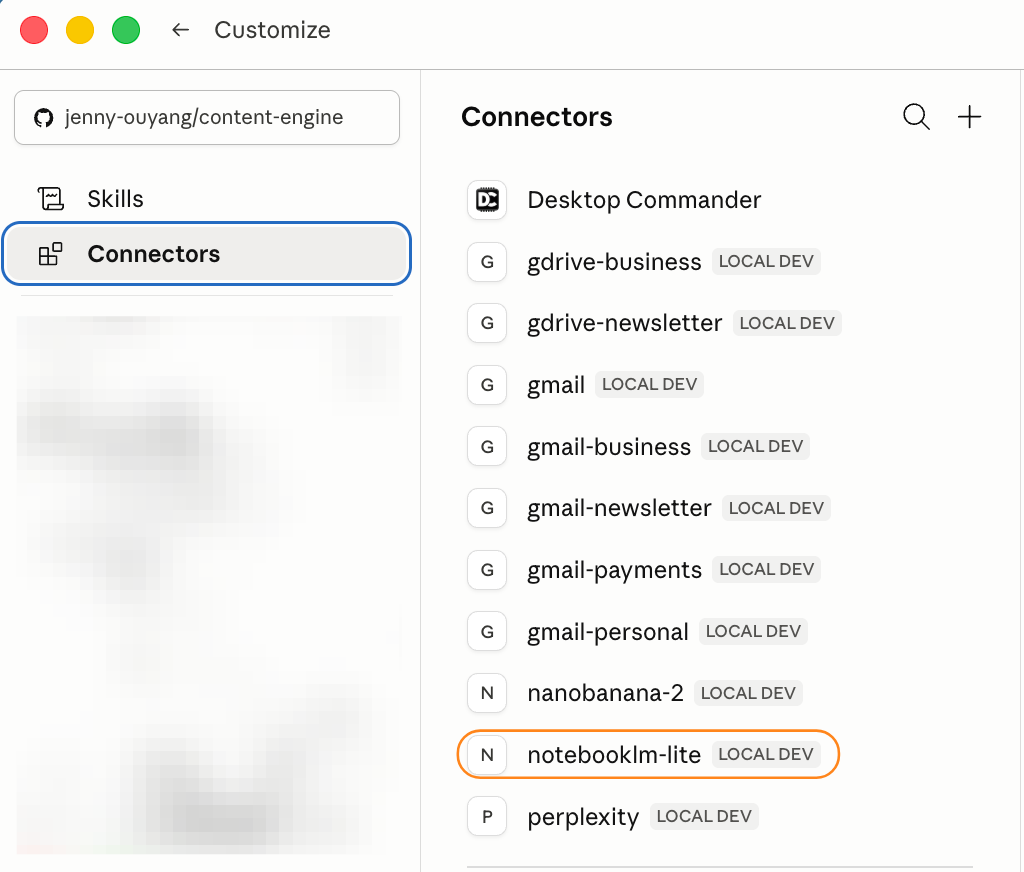
You can use Claude Cowork or Claude Code. Both work similarly.
I prefer using Claude Code because I’m usually already building or writing in Claude Code, you hit a question, you ask the notebook, Claude returns the answer and keeps going. No tab switching.
- Your query prompt determines whether you get a pinpointed answer in the format you need, or another generic summary. The framing matters more than most people expect.
The pipeline handles four source types:
YouTube videos: paste the URL. NotebookLM extracts the transcript automatically.
Paid course platforms (Teachable, Hotmart): extract audio via browser DevTools, then upload the .mp3.
Your own meeting recordings: download from Google Meet or Zoom, extract audio, upload.
Standalone audio or video files: upload directly. NotebookLM transcribes internally.
What you need: a NotebookLM account (free tier is fine to start) and either Claude Code or Claude Desktop with MCP support.
What a queryable process look like:
I was stuck mid-work. I know I bought a course that covers this. So I asked:
“I’m stuck on my upgrade CTA copy. What does the Content Monetization notebook say specifically about what makes a reader convert to paid? Give me the single most important principle.”
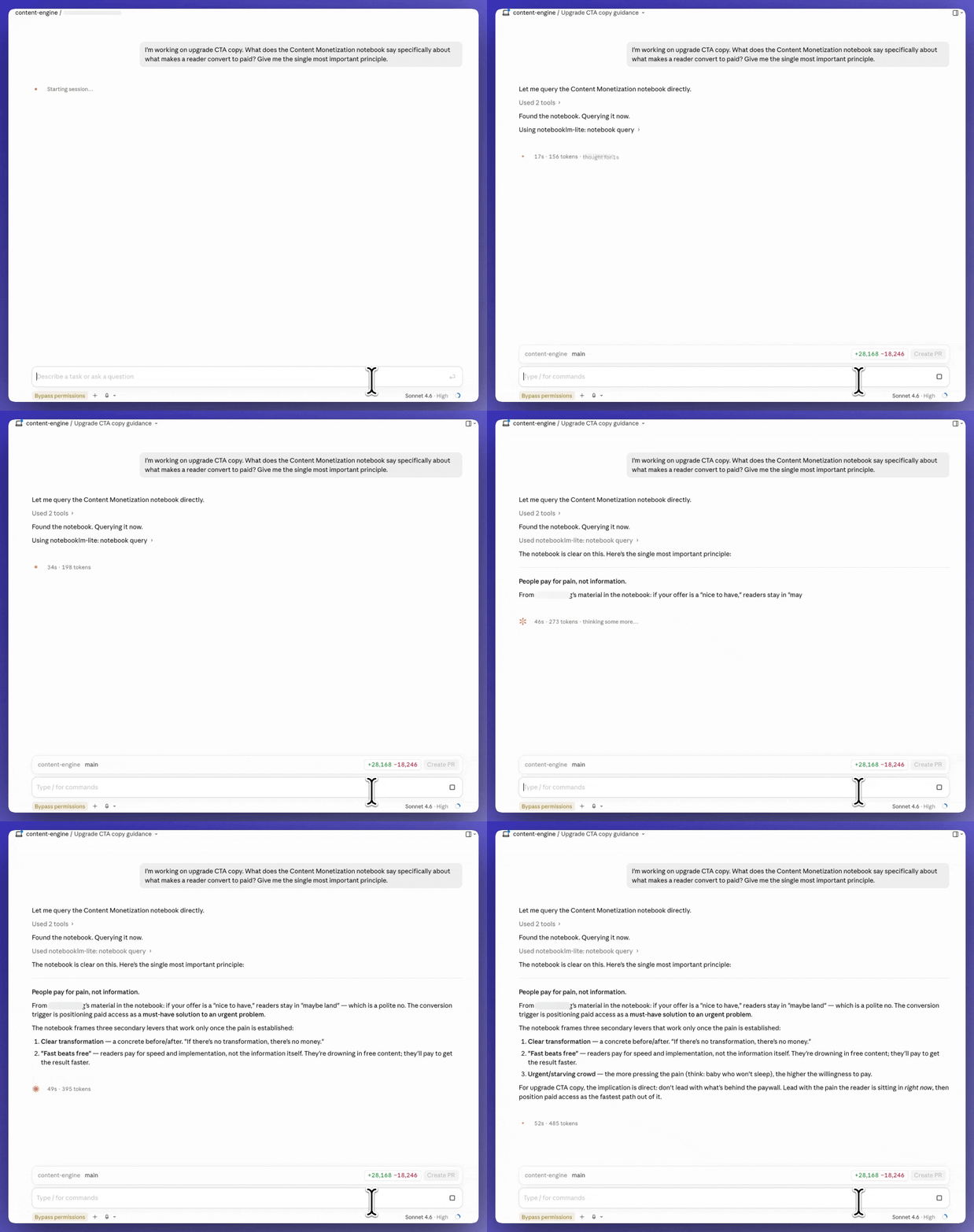
Claude queries my indexed notebook. In 40 seconds it returns the specific section from the recording, the exact recommendation, and the timestamp where it was said.
How to add and organize sources in NotebookLM
Before the MCP and the query prompts, there’s a step most people skip: setting up the notebook so it returns useful answers rather than noise.
What NotebookLM accepts:
YouTube URLs (requires captions on the video)
Audio and video files (.mp4, .mp3, .m4a, .wav)
PDFs
Google Docs
Plain text files
Websites
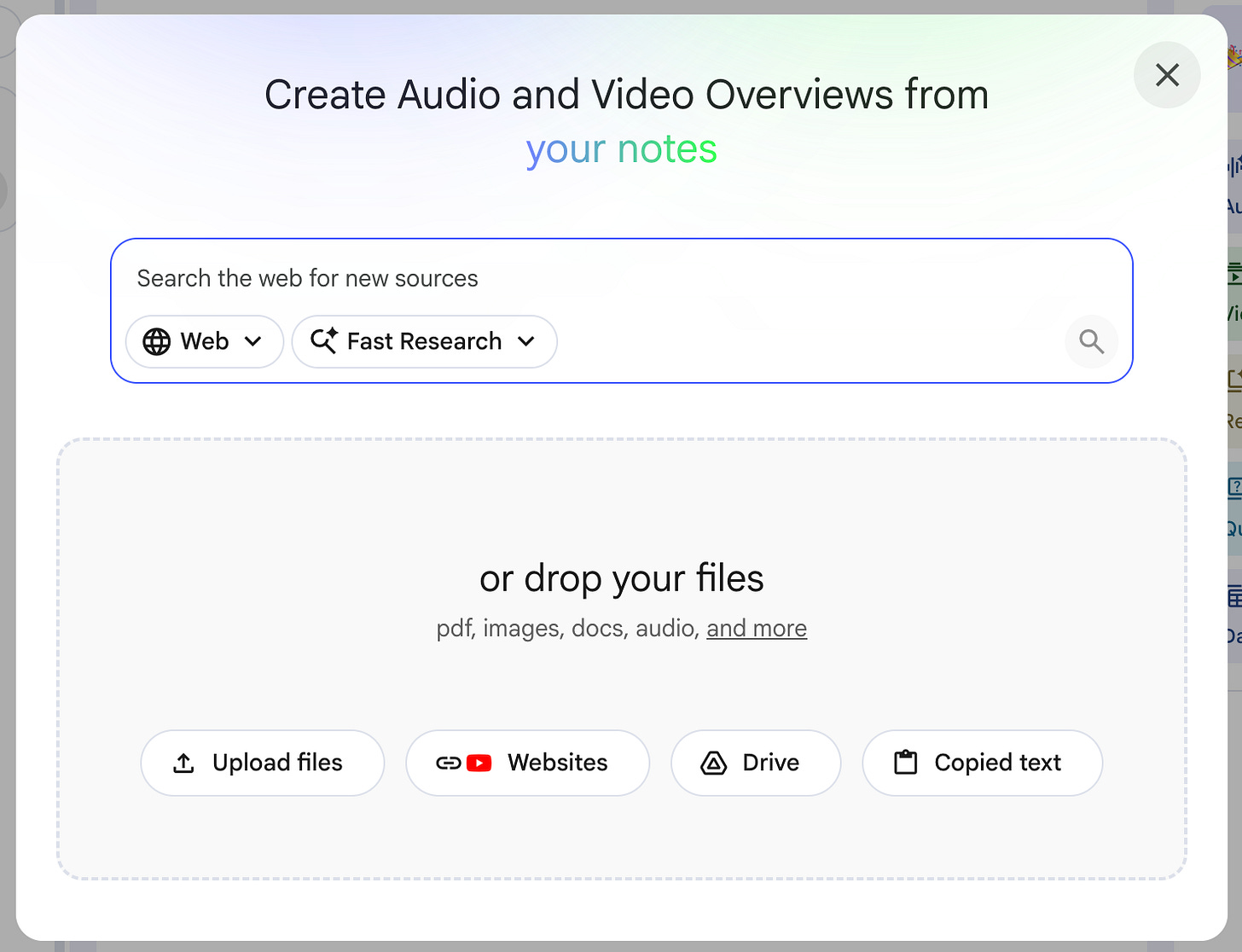
Notebook organization: one topic cluster, not one source per notebook.
A notebook that holds all your writing courses, editorial frameworks, and headline testing videos is more useful than 30 separate notebooks. The query spans everything in the notebook, so clustering by topic gives you broader coverage per question.
Three types of notebooks that cover most use cases:
Content and writing: writing courses, editorial frameworks, content strategy recordings
Business and growth: conversion, pricing, audience-building, sales courses
Technical skills: coding, tools, workflow recordings
The free tier allows 50 sources per notebook. For most users, that covers a full domain.
Naming your sources matters.
When you add a source, NotebookLM uses the filename or title in its citations. “Lecture 7.mp3” tells you nothing. “content-teardown-pt4.mp3” tells you exactly what it is.
What makes a source queryable:
Clean audio is better than poor audio. If you can hear it clearly, NotebookLM can transcribe it accurately.
Long recordings (90+ minutes) index fine. NotebookLM handles them without splitting.
YouTube videos with no captions won’t process from a URL. Use the direct upload path instead.
You understand how NotebookLM works and how to organize it. That’s the foundation. The sections below make the pipeline useful mid-work:
The MCP setup: connects NotebookLM to Claude so you can query notebooks from any Claude session without switching tabs.
How to get recordings into NotebookLM: no extra tools to pay, no screen recording needed.
YouTube videos
Paid course platforms (Teachable, Circle, Substack)
Meeting recordings
How to query recordings mid-work: the exact prompt structure
How to repurpose your own recordings into content: the exact queries I use to pull scenes from cohort recordings into articles, with a worked example showing query sent, output returned, and what made it into the piece.
This article continues for members
Join Build to Launch to read the full article, access all cohort content, and connect with other AI builders.