Build an AI Content Repurposing App With Cursor and Claude Code
I Made a Note-Generating App to Free My Brain, Because I Want to Stay Lazy and Stay Connected — And You Can Too
Have you ever struggled to post short-form notes on LinkedIn, Substack, X, or Bluesky?
Did it feel tedious knowing you already had long-form content, but extracting ideas from it felt like too much work?
I felt the same way over the past couple of months while exploring these platforms. I kept thinking — there has to be an easier way to repurpose my heartfelt ideas without all the extra effort.
Hi, I’m Jenny — I build AI systems and teach people to do the same. This article was originally published on Medium in January 2025, when I built Quick Viral Notes using Cursor. The story, the struggles, and the screenshots are all from that build — unedited. At the end, I’ve added a short section on what I’d build differently today with Claude Code, for anyone who wants to try this now.
If you’re new here, these three are a good place to start:
How to Start Vibe Coding: The Roadmap Nobody Gave You — the foundation for building apps like this one
I Built a Substack Notes Research Agent with MCP — the 2026 evolution of exactly this app, no standalone server needed
What Is Practical AI Building — why I build this way, and what it’s actually for
The Spark That Started It All
After building the laziest possible inspirational quotes generator, it sparked something in me.
Daily Inspirational Quotes Generator — A GenAI Project
That project simply pulled random quotes from an AI model’s database. But imagine if it could generate insights based on your own work — your articles, newsletters, or blog posts.
Wouldn’t that be more authentic and personal, creating content that truly resonates?
With this app, you can now turn your content into engaging short-form notes for LinkedIn, Substack, and beyond — without breaking a sweat.
The features I wanted:
📚 Turn articles into inspirational quotes: Paste a link and get instant bite-sized content.
📰 Substack integration: Paste your publication link, and it fetches the latest articles, letting you pick the best ones based on engagement.
✂️ Copy-paste content generation: Drop in text, and let the app do its magic.
The Development Journey
The Smooth Path to MVP
Without writing a single line of code, I asked AI to pull my Substack articles and generate engaging notes using pre-defined templates.
The results? Fantastic.
I realized that with the right prompts, AI could handle content generation through APIs. From there, it was just a matter of building a simple interface to visualize the output and bringing my MVP to life.
To speed things up, I reused large chunks of code from my first product, which saved time and let me focus on refining the core features instead of reinventing the wheel.
The Twists and Turns for Improved UI
From my first MVP, I received plenty of feedback about improving the UI presentation.
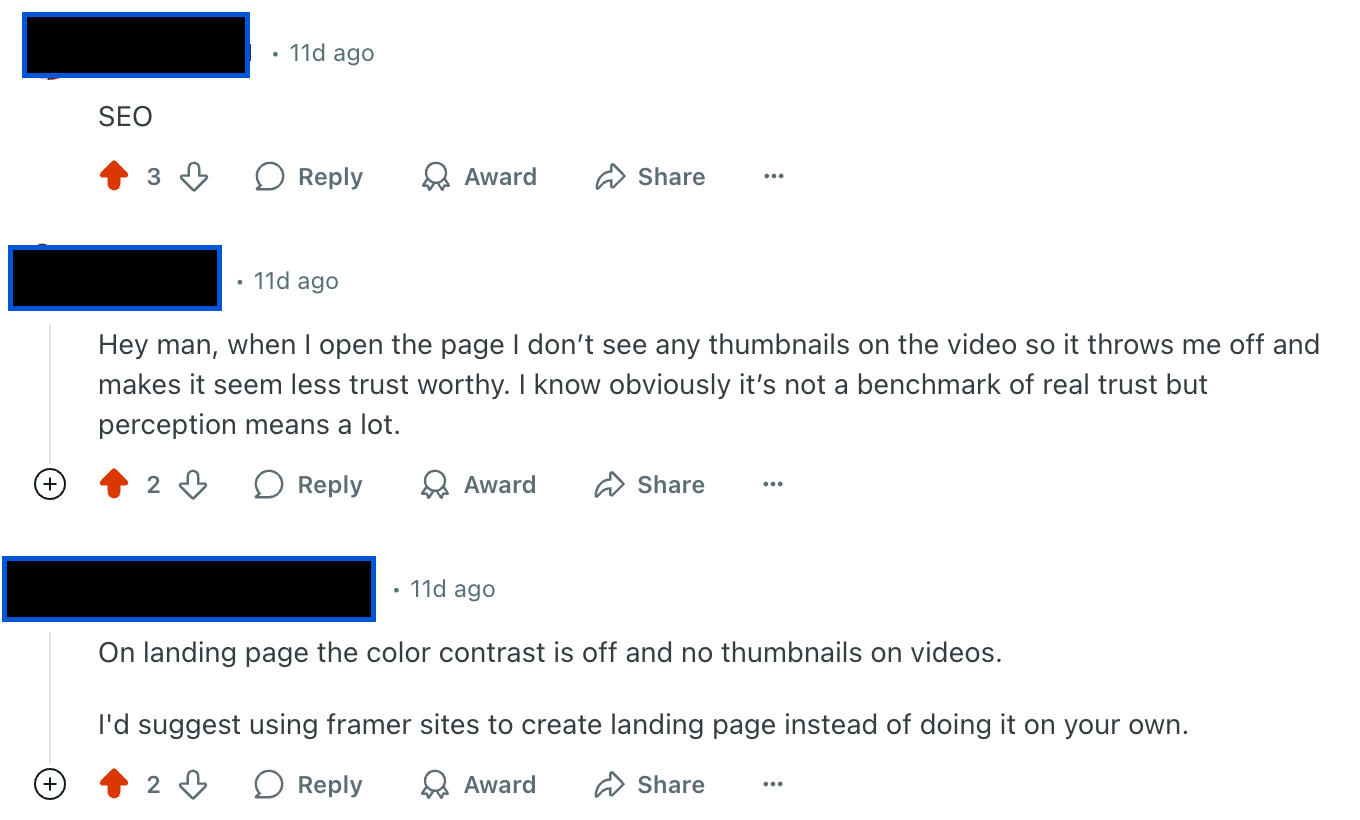
I promised myself to do better this time.
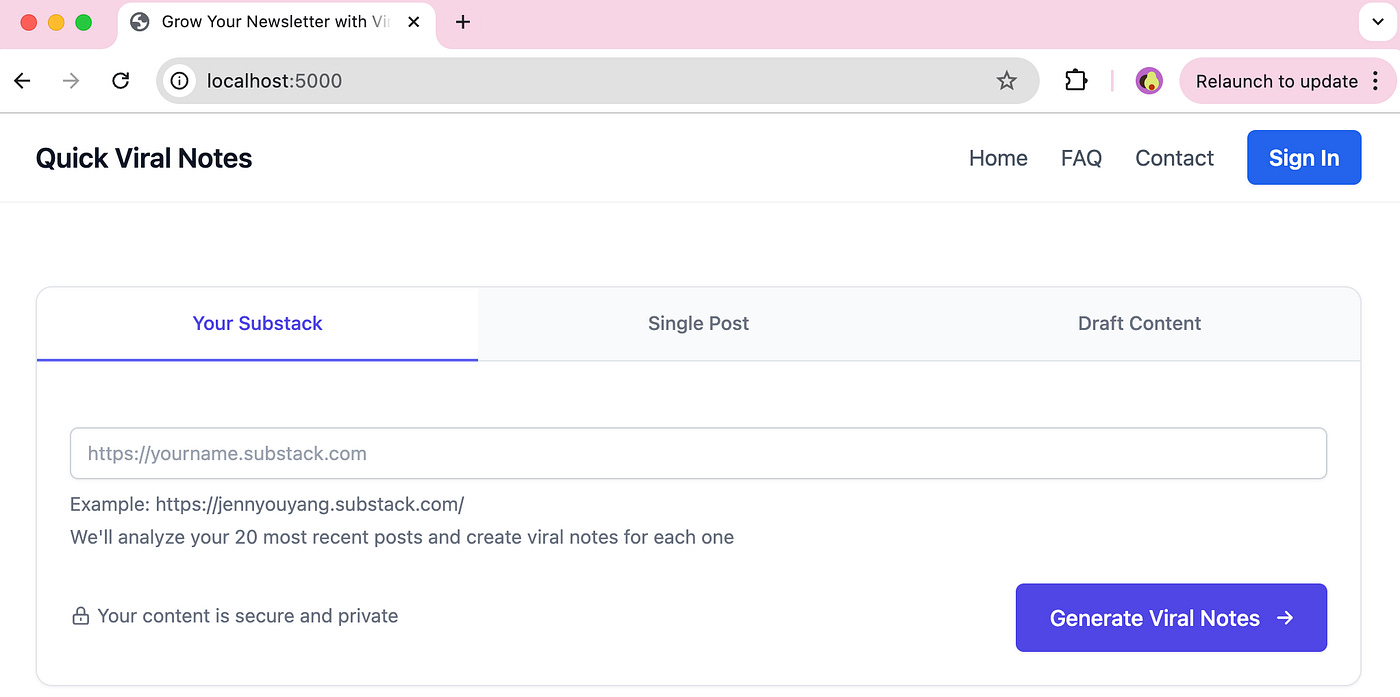
Initially, the design was… well, let’s just say uninspiring. No logo, no styling, just a plain, functional site.
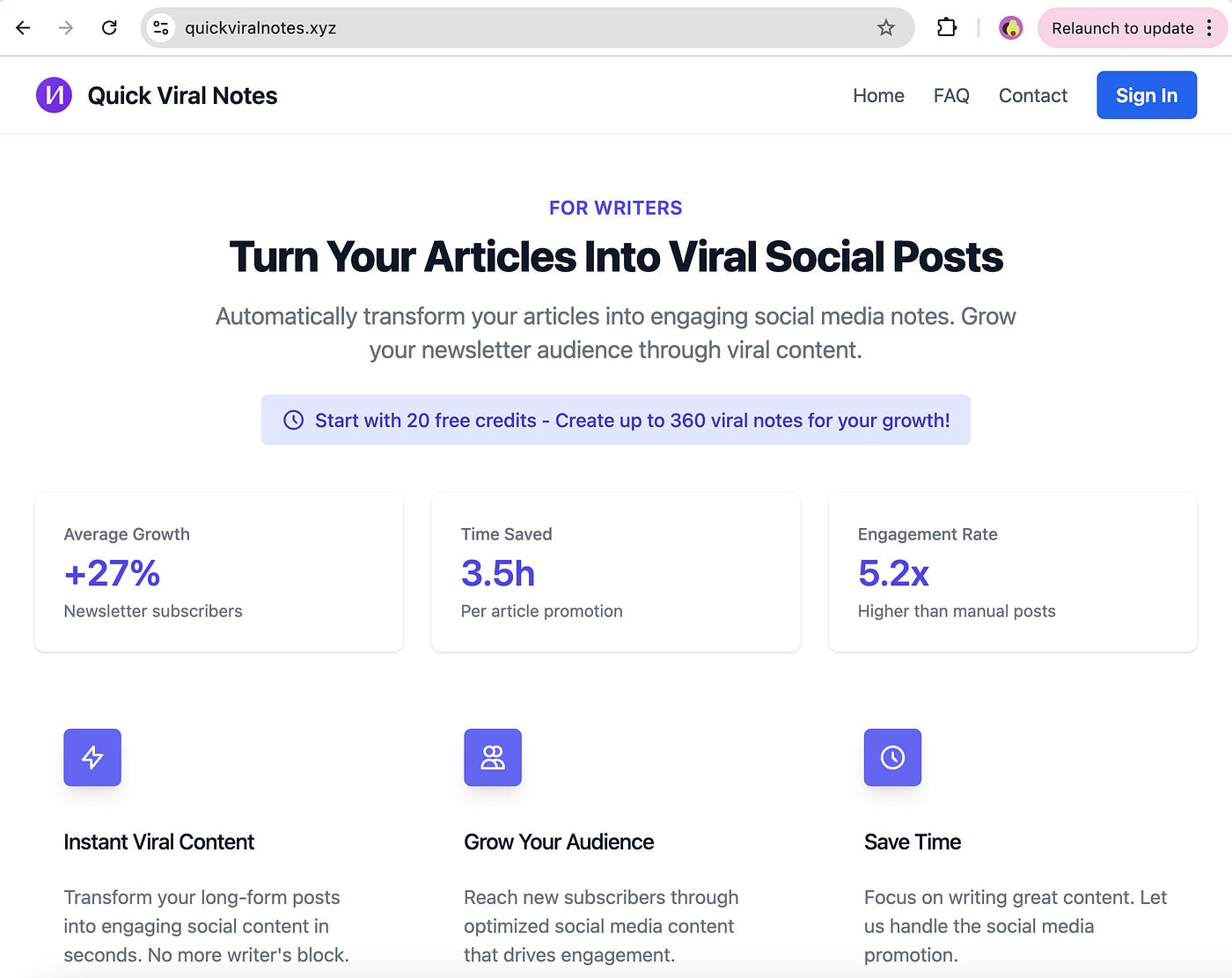
So I created a logo (with a little help from AI) and added structure. But something still felt off. Eventually I realized the missing piece: colour themes.
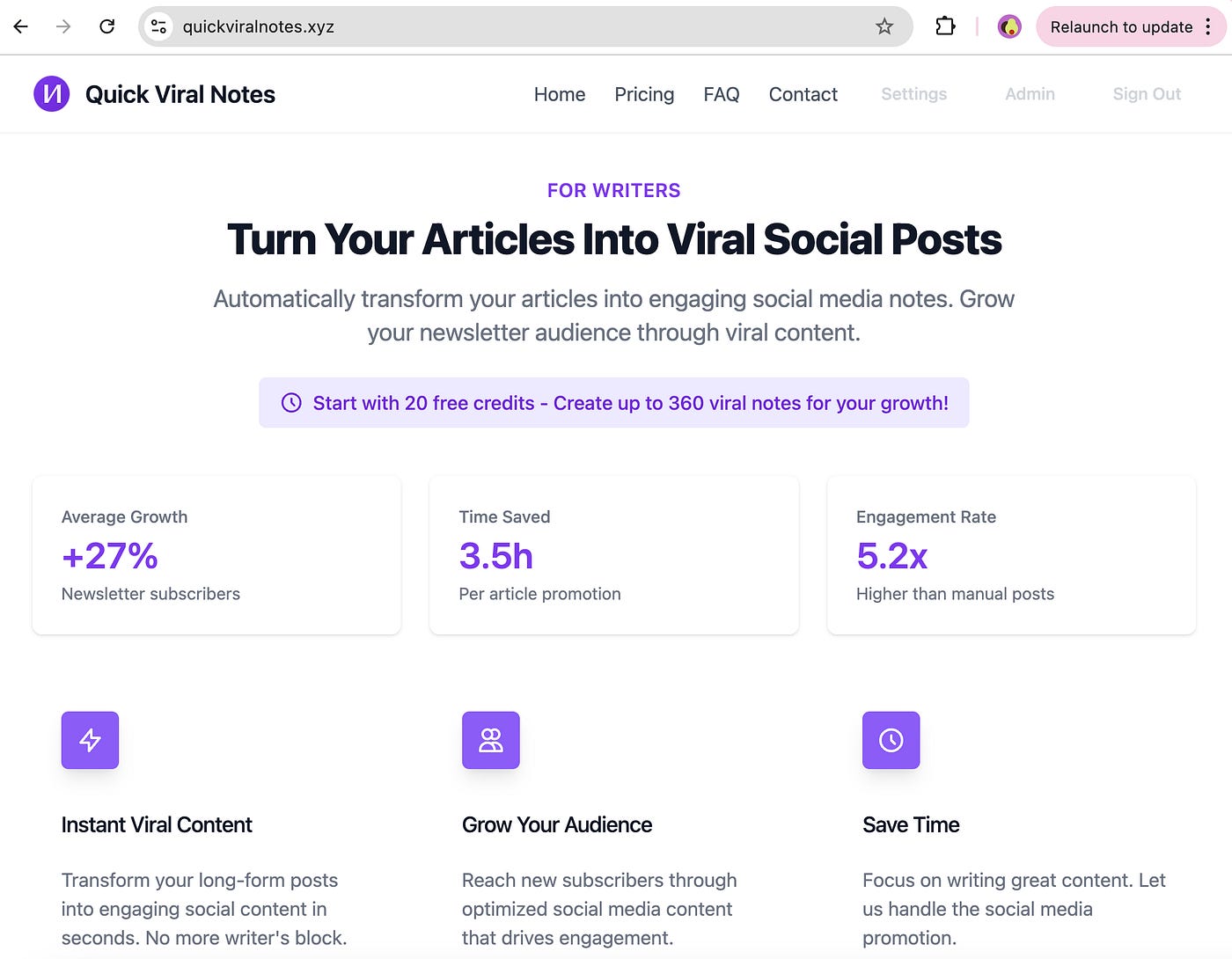
Aligning the colour scheme with the brand made all the difference. A plain, functional site became visually appealing with a cohesive theme.
Affordable Challenges in Launching
This time, I wanted a simpler and more affordable setup. But of course, things didn’t go as planned.
7 Things Nobody Warns You About Launching Your First Vibe Coding App
This time, I wanted a simpler and more affordable setup. But, of course, things didn’t go as planned.
The Great Timeout Struggles
# Gunicorn config
timeout = 30  # "That should be enough!"
# Narrator: It was not enough.
timeout = 300  # "Fine, take your time..."
keepalive = 65  # "Please, just stay alive!"
File Location Hide-and-Seek
$ ls /var/www/flask_app
# Where's my requirements.txt?
# *checks every folder*
# Oh, it's still in media/web_app… of course! 🤦♀️
After battling timeouts, async requests, and deployment hurdles, I finally made it work — with much less time compared to the first one. And it hasn’t crashed in the last 24 hours! 🎉
What the App Can Do (So Far)
🚀 Generate 18 engaging notes per post
🎯 Categorize them as Provoking, Educational, or Entertaining
📂 Handle multiple posts simultaneously
📬 Process entire Substack feeds
💳 Manage credits purchasing and gift options
The Growing Feature Checklist
✅ Basic note generation
✅ Multiple note categories
✅ Substack integration
✅ User authentication
✅ Async processing
✅ Error handling
☐ World domination (coming soon!)
What This Project Taught Me
Compared to my first MVP launch, this experience was much smoother.
Keeping everything within a single website made debugging and testing far easier. No more dependency conflicts across multiple platforms.
Setting up Oracle Cloud was surprisingly straightforward, thanks to AI-guided instructions.
The feedback from early users was encouraging — people were excited to try the app, and their positive responses reassured me I was onto something.
One major win: the creator behind the major note-generation formulas loved the idea and fully supports the project.
Beyond the technical side, this journey introduced me to people who are just as excited about the app’s potential. This project is proving to be more than just another water-test app — it’s creating real value, sparking meaningful discussions, and connecting me with like-minded people.
A Little Housekeeping
Why charge for credits after 20 free trials when my last product was a one-time purchase?
The previous product had an integrated LLM, meaning there were no recurring costs.
This app uses API tokens for every request, which adds up quickly.
Paid credits keep things sustainable without forcing me to split the app into different versions for each operating system.
Why mention Substack here on Medium?
After spending months on both platforms, I’ve learned something that no one seems to talk about: Medium and Substack are not enemies. In some way, they complement each other. They serve different audiences and needs, and leveraging both can be powerful for content creators.
What I’d Build Differently Today (2026 Update)
I built this with Cursor in early 2025. Three things would change with Claude Code:
1. CLAUDE.md replaces session re-explanation. Every Cursor session, I re-explained the app structure, the credit model, the prompt format. With Claude Code, that context lives in one file and loads every session automatically. If you want to understand how to structure that file so Claude knows your project without re-explaining it — this onboarding guide covers it.
2. The notes skill already exists. The core function of this app — generating Substack notes from articles — is now a Claude Code skill in my content engine. If I were starting today, I’d extend that skill rather than build a standalone app. Same output, a fraction of the infrastructure. Here’s how Claude skills work if you want to go that route.
3. MCP for live Substack data. Instead of scraping article URLs with BeautifulSoup, you can pull content directly through an MCP server — more reliable, handles paywalled content, no HTML parsing logic to maintain. I built a Substack research agent later that shows exactly what this looks like.
What hasn’t changed: keeping everything in a single website — not split across platforms — made debugging and testing far easier. That’s still true regardless of which tool you build with.
Want to Try It Out?
Check out Quick Viral Notes here →
I’d love to hear what you think. Your feedback will help improve the app, which improves your growth (and keeps me entertained during those long debugging sessions).
P.S. Yes, the app has a 5-minute timeout now — because sometimes, even AI needs a coffee break. ☕
I help non-technical people ship real products with AI. If you want to go from chatting with AI to building systems with it, the Practical AI Builder program is where that happens.