How Two Prompting Strategies Made My AI Code Production-Ready
Most AI code breaks because there’s no prompting strategy. Here’s how to guide AI to ship code that actually works in production.
Most AI-generated code breaks in production, not because AI writes bad code, but because the prompts were wrong before the first line was written. This guide covers two prompting strategies that solve the majority of AI coding problems: a 5-round conversation framework for building clean code from scratch, and 4 multi-modal debugging techniques for fixing things fast when they break. Includes exact prompt templates, real project walkthroughs, and screenshots from actual builds.

Have you ever shipped AI-generated code… only to watch it break in production?
Or stared at security vulnerabilities you didn’t write, wondering how they got there?
You’re not alone. The internet’s full of the same horror stories: SQL injections from auto-generated queries, API keys exposed in config files, N+1 database calls tanking performance, missing error handling that crashes prod, spaghetti code no one can debug.
I’ve shipped code with all of these problems. For months, I blamed the tools. Cursor wasn’t careful enough. Claude Code wasn’t thorough enough. Replit wasn’t production-ready. But the more I built with AI, the clearer the pattern became: AI wasn’t intentionally writing bad code. I hadn’t given it enough direction.
Without proper prompts at the beginning, every step compounds problems instead of preventing them. The fix isn’t more AI tools or better models. It’s better prompting — asking the right questions before a single line of code is written.
What you’ll go through with me:
The Universal Problem — what actually goes wrong with AI-generated code
Strategy 1: Top-Down Prompting — the 5-round conversation before writing any code
Strategy 2: Bottom-Up Prompting — 4 debugging techniques with real examples
What You Can’t Prompt Away — when the problem isn’t your code
Why This Changes How You Build — the mental model behind both strategies
Your Next Steps — action plan by skill level
Hi, I’m Jenny 👋
I teach non-technical people how to vibe code complete products and launch successfully. AI builder behind VibeCoding.Builders and other products with hundreds of paying customers. See all my launches →
If you’re new to Build to Launch, welcome! Here’s what you might enjoy:

The Universal Problem I Want to Resolve
I wanted to build an AI digest app that could handle the information chaos I was drowning in.
YouTube videos, podcasts, newsletters, GitHub repos, research papers, reddit channels... valuable information scattered everywhere in every format imaginable. I wanted AI to gather everything, process it, score what matters, summarize the key insights, and categorize it all. Not just another RSS-to-email pipeline built in n8n, but something with a UI that matched how I actually consume information. Click, scan, dive deeper when something catches my attention.
This kind of app is in massive demand right now. Not just for AI content, because every field is experiencing information overload. Finance, marketing, research, product development. Master building one, and you’ve mastered building them all. The pattern works for general-purpose tools and highly personalized use cases.
In the past, I’d open Cursor and typed: “Build me a daily AI digest app.”
The result? Half-working code that broke as soon as I try to add a second data source. No deduping strategy. No error handling for failed API calls. The database schema couldn’t handle updates to existing articles. I’d spend more time fixing bugs than I would’ve spent building it properly from scratch.
The problem wasn’t that AI generated bad code. The problem was that I asked AI to write code before I’d designed the system.
Here’s what actually worked: a conversation that happened before AI wrote a single line of code. Five rounds. Each round built on the previous one. By the time we got to implementation, AI had the complete picture of what I was building and why.
Strategy 1: Top-Down Prompting - The Systematic Build Conversation
Most people open an AI coding tool and type: “Build me an app that does X.”
That’s the fastest way to get half-working code and a lost context window.
Instead, I use a conversation chain to help me go from a vague idea to a fully runnable prototype with coherent architecture. You can reuse this for any AI-assisted build: an automation tool, a data dashboard, a writing agent, anything.
Think of it as your pre-build system design ritual.
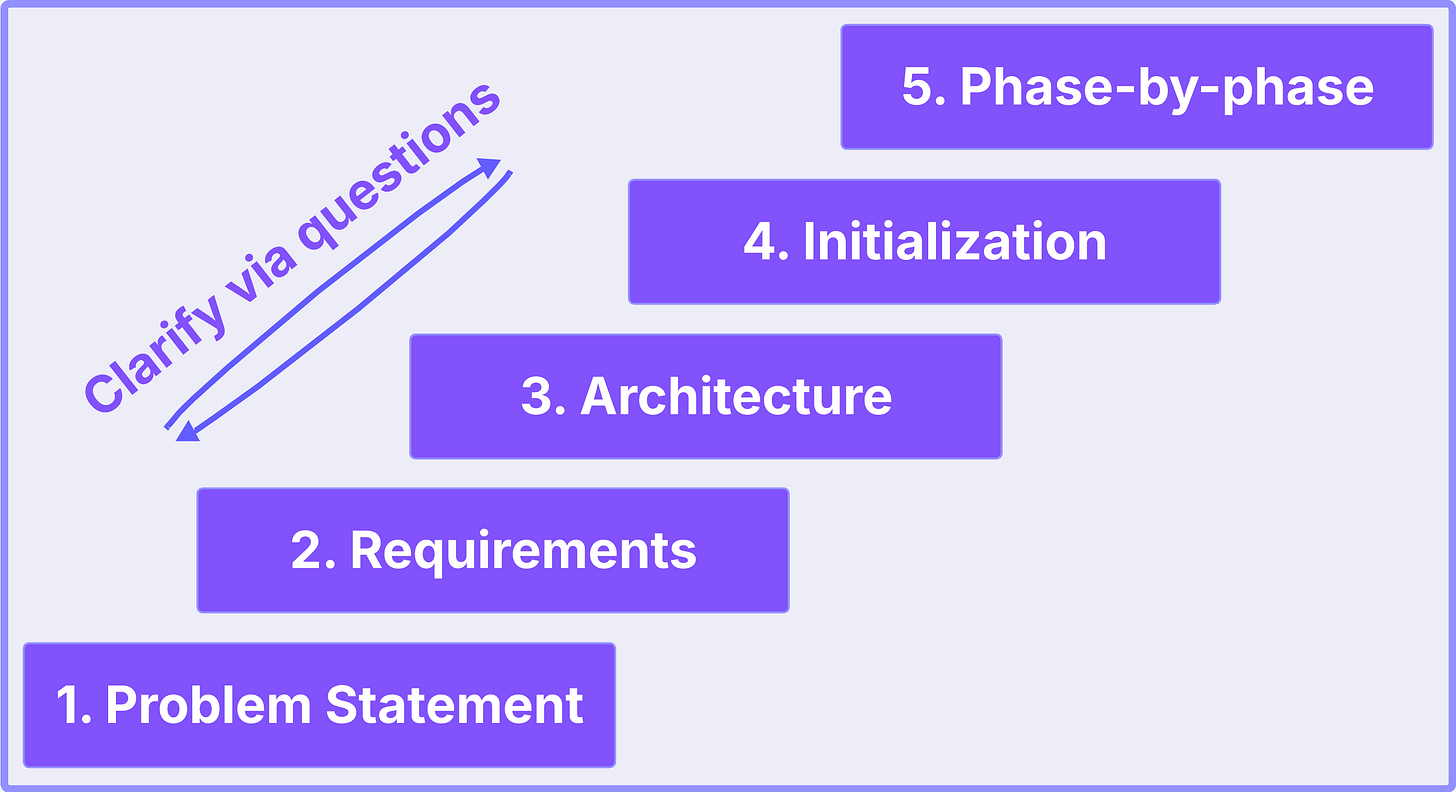
5-round prompting strategy
Round 1: Problem Statement
The Formula
Your prompt template:
This article continues for members
Join Build to Launch to read the full article, access all cohort content, and connect with other AI builders.