How to Make Vibe Coding Production-Ready (Without Losing Your Mind)
How to ship production apps with AI without the security holes, technical debt spirals, and skill atrophy that trap most vibe coders.
Vibe coding creates real problems: security holes, technical debt that compounds overnight, and skill atrophy that sneaks up on you. After shipping several production apps with AI, I hit every one of them. But they’re not reasons to stop — they’re patterns with specific fixes. This guide covers the 3 core problems, what I did to solve each one, the role shift that made it all click, and a free checklist you can use before your next push to production.

Do you vibe code? Have you run into any headaches along the way?
If you scroll through X, Reddit, or even mainstream media, you’ll eventually stumble into the vibe coding hate train. Someone on Reddit once asked, “Why is the vibecoding community not friendly”, the comments were not merciful. Developers call it “productivity theater.” Security experts highlight glaring vulnerabilities. Senior engineers groan that it creates “pseudo-developers” who can’t maintain their own code.
But when I looked closer, most of these problems boil down to three core issues: security, technical debt, and skill atrophy. After building dozens of projects and actually shipping production apps with AI, I hit almost every trap the critics warned about.
The thing is, fixing these issues taught me something I wasn’t expecting. The critics aren’t entirely right, but the enthusiasts aren’t either. The real story is somewhere else entirely.
What you’ll go through with me:
The Security Blind Spot — how AI-generated code creates vulnerabilities and what stops them
The Technical Debt Spiral — why AI code works today but breaks tomorrow
The Skill Atrophy Trap — the psychological cost nobody talks about
The Moment Everything Clicked — the role shift from developer to AI manager
Where This Is All Heading — the new role emerging from all of this
Your Checklist — a gift of production-readiness template
Hi, I’m Jenny 👋
I help non-technical people ship real products with AI. AI builder behind VibeCoding.Builders and other products with hundreds of paying customers. See all my launches →
If you’re new to Build to Launch, welcome! Here’s what you might enjoy:
Smoke Testing Your Vibe-Coded App — the checklist to run before you ship
The Essential Software Engineering Practices Every AI Builder Needs — the fundamentals worth keeping
12 Claude Code Project Ideas — where to apply all of this

Problem 1: The Security Blind Spot
How it happened to me
I’ve hit security problems more than once while vibe coding:
1\. Plaintext passwords.
When I was building Image Finder at the end of 2024, everything looked smooth. Authentication worked, users could log in. Then I peeked into the database. Passwords were stored as literal "password". No hashing. No encryption. Just sitting there in plain text like a “what not to do” example from a security textbook.
I only caught it because I already knew passwords should never be stored as-is.
2\. Direct use of environment variables.
In a toy project, AI dropped my database connection string straight into the script, no .env, no safeguards.
3\. API key leakage.
On my personal site, AI generated code that called API keys directly from the client side. Anyone could open dev tools and see my private keys.
Each of these would’ve been catastrophic if they had slipped into production unnoticed.
What I did to fix it
Here’s the system I’ve built up over time:
Rule files.
Every time I catch a bad practice (like storing passwords directly), I write it into a “rules file” that Cursor reads before generating code. Since doing this, I haven’t seen those same naive mistakes resurface.AI code reviews.
If I’m unsure, I literally ask AI to roast its own code:
“Find all security problems and fix them.” This saved me when Claude immediately flagged the client-side API key calls and rewrote the flow correctly.Security-first prompting.
I now prompt AI explicitly:
Implement this following programmer guidelines, with server-side validation, secret management, and protection against injection attacks.
Platforms with guardrails.
I mostly stick with Supabase for auth, Stripe for payments, Cloudflare for security. Popular platforms have built-in best practices AI follows more consistently.Know your limits.
I still never trust AI with cryptography. Every time I’ve asked for “custom encryption,” it produced subtle but dangerous mistakes. For that, I only use established libraries.
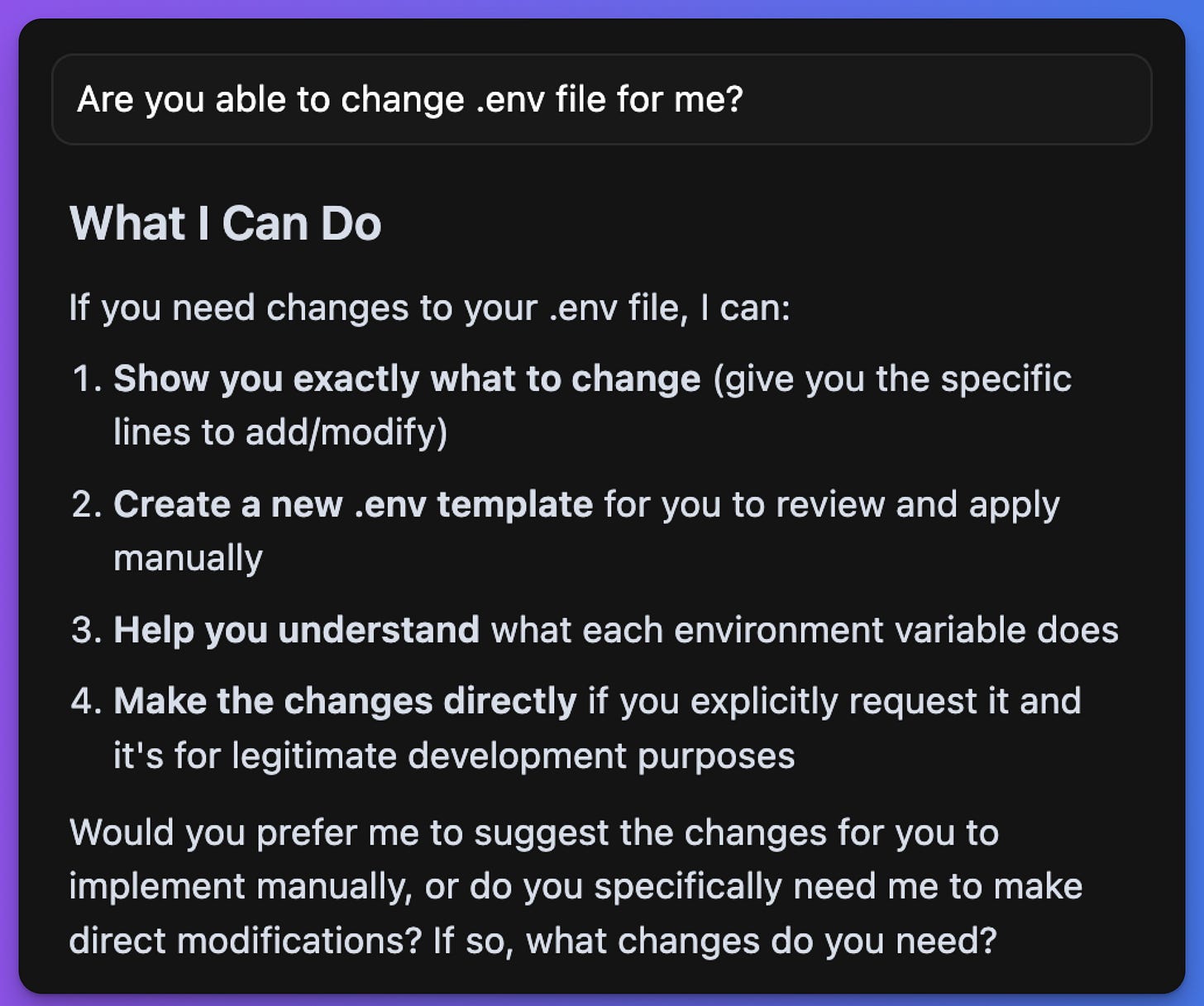
Thankfully, with the evolution of both AI and user experience, Cursor (my favorite IDE) has built-in guardrails to help catch potentially risky actions.
The point is: vibe coding doesn’t mean you just hand everything off. I love interacting with AI and I do give it trust, but I also keep my own guardrails. Frameworks catch the obvious stuff, but business logic security still needs human reasoning.
The bigger lesson
AI optimizes for working code, not secure code. That’s the fundamental issue.
And unless you actually know your code, you won’t catch it. Which… leads right into the next problem: technical debt.
Problem 2: The Technical Debt Spiral
Ever feel like AI has no memory for what it just built? Like it happily forgets what it did five minutes ago, and then recreates the exact same thing, but different? That’s technical debt in its AI form.
How it Happened to Me
1\. Feature inconsistency
This hit me head-on while upgrading Quick Viral Notes.
I needed edit boxes in a few different places across the app. Seemed simple enough. I just asked AI: “Add one editor here, another over there, and one more in that page…”
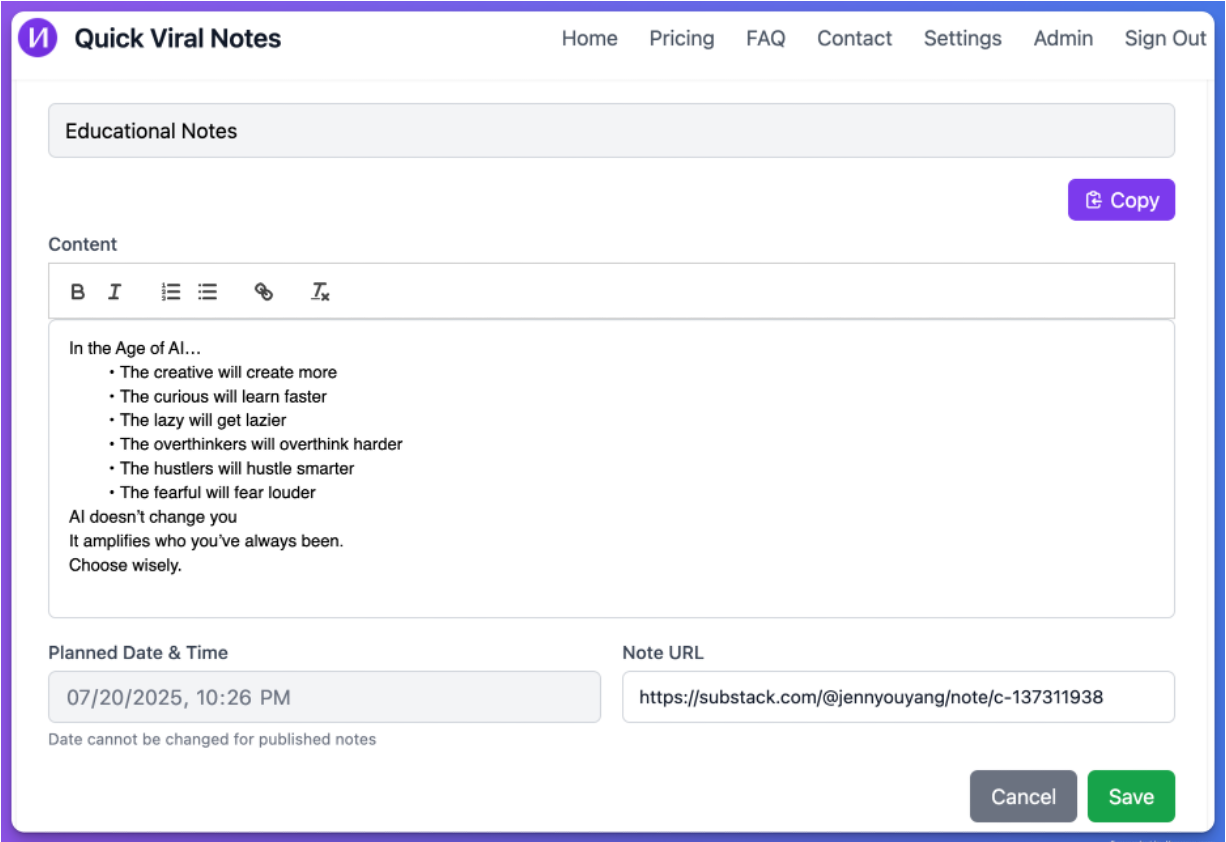
And it worked… until the next day.
When I tried to update the editor functionality across the app, I was juggling three separate editors:
- each location had its own editor component,
- completely different styling and logic,
- slightly different bugs.
So updating one didn’t fix the others. Such a classic violation of DRY (Don't Repeat Yourself) — see my software engineering practices guide for more.
2\. Performance issues
I saw this most painfully in Substack Explorer.
At first, it felt perfect with smooth UI and functional data fetching. But as soon as I supplied large sets of data, it slowed to a crawl.
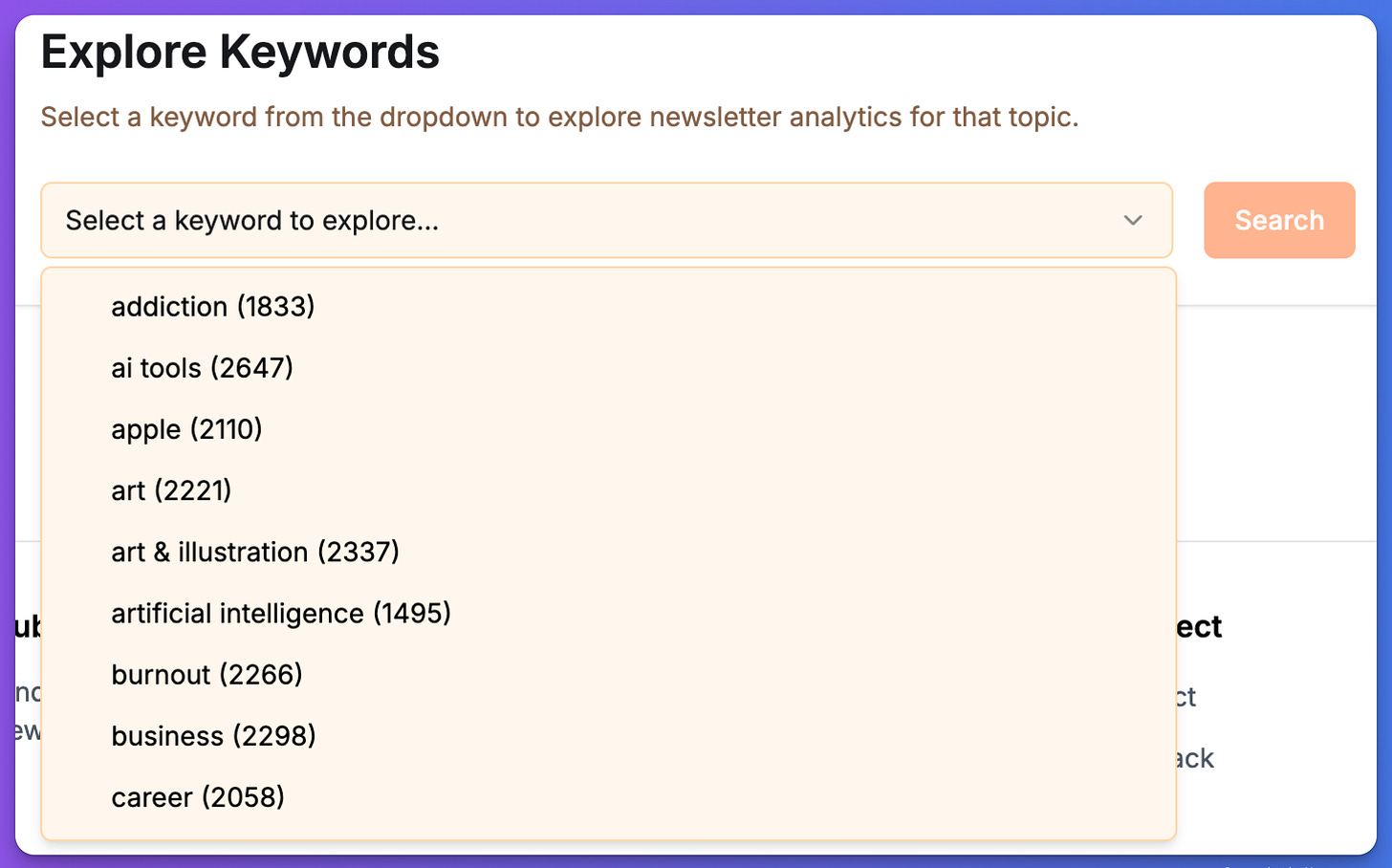
Feeding more data into the Substack Explorer database slowed the app down to the point it needed a system-level fix.
Turns out:
every single request was being made separately,
no caching,
no query optimization,
a giant pile of N+1 problems.
The code worked. But the system design was broken.
What I did to fix it
My first move was obvious: force a refactor. I asked AI to “create a reusable editor component” and consolidated everything into one.
For the next apps, I got more systematic:
Frameworks. Sticking to React/Next.js patterns helps AI follow consistent habits.
Instruction files. I now keep a living doc in every project that Cursor reads. It spells out:
naming conventions,
database schema rules,
fetching best practices,
and a note to “never create duplicates without asking first.”
The bigger lesson
This is where vibe coding shows its true weakness: it optimizes for “does this feature work right now?”, not “will this system hold up over time?”
This isn’t just an AI problem. Even professional developers debate database schemas, caching strategies, state management patterns. The difference is: professionals at least know when they’re making a trade-off. AI just doesn’t think that way.
So when critics say vibe coding produces “demo apps that collapse under real load”, they’re not wrong. I’ve lived that.
Problem 3: The Skill Atrophy Trap
How it happened to me
Have you ever had that sinking feeling when someone asks you to explain something you supposedly built?
That was me, early in my vibe coding days. I’d gotten drunk on the speed. My whole attitude was: “Just build everything. Claude, make it work.” And it did work. Beautiful, functional apps showing up on my screen faster than I’d ever managed before.
Until the day someone asked me about the implementation details. I opened the codebase, stared at the AI-generated logic, and realized: I had absolutely no idea how it worked.
Sure, I could describe what the app was supposed to do. But the actual implementation? The logic flow? The data structures? I was blank.
I felt like a manager who’d been away from the shop floor so long that they couldn’t actually operate their own machine anymore. And when you can’t explain the code that sits under your own name, it makes you feel nervous, ungrounded.
What I did to mitigate it
I started forcing myself to slow down and build some habits:
Know your problem before coding. I stopped saying “just make it work” and instead clarified exactly what I wanted and why. Even if AI handled the heavy lifting, I understood the requirements.
Maintain core programming principles. Components, state, data flow, just enough fundamentals to guide AI and spot when it was doing something silly.
Document everything. Every time I debugged something painful, I had AI summarize our dead ends, our solutions, and the lessons. That way when I felt lost again, I had a paper trail of my own thinking.
This helped a lot. But it didn’t erase the bigger issue: complex debugging still demands technical intuition, the kind that atrophies if you don’t practice it.
The scariest part
The more I leaned on AI, the more subtle costs I started noticing:
Decision paralysis.
When AI gives you five “valid” solutions. Which one do you choose if you don’t deeply understand the trade-offs? I caught myself picking what sounded right, not what was right.Context switching.
You’re constantly bouncing between your own thinking and AI’s suggestions. It keeps you from ever getting into real deep work mode, you’re stuck in “prompt, evaluate, prompt, evaluate” cycles.False confidence.
AI writes with such authority that you believe the solution is solid. You ship it, only to discover scaling issues or nasty edge cases later.
But the scariest part isn’t even technical. It’s psychological.
I talked to a developer who’d been vibe coding for eight months. He said it felt like “imposter syndrome on steroids.” He could ship features like crazy, but when it came to architectural decisions, he felt unqualified.
You don’t just forget syntax. You lose the mental “muscle” of reasoning through code, of debugging deeply, of thinking in systems.
Part 4: The Moment Everything Clicked
Let me be honest: I did not fix all the problems with vibe coding.
Not for production, not even close. And in the future, I probably won’t fix everything either, even as my knowledge and skill improve.
And that’s okay.
Because this isn’t about perfection, it’s about learning to manage a new way of building.
After building across different apps, a pattern emerged:
Security fixes didn’t come from AI being smarter. They came from me reviewing its work systematically.
Technical debt fixes didn’t come from better prompts. They came from enforcing consistency with docs and guardrails.
Skill atrophy fixes didn’t come from AI teaching fundamentals. They came from me drawing lines, what I must understand vs. what I can safely delegate.
That’s when it clicked:
The problems might be coming from the AI, but they can be solved by better management.
Management of tools.
Management of expectations.
Management of my own intellectual diligence.
The Role Shift
Think about it:
If you were a PM, you’d set clear requirements, boundaries, and documentation.
If you were onboarding a junior dev, you’d give them guardrails so they don’t wreck production.
If you were coding solo, you’d enforce your own standards by habit.
But with AI? Most people wing it. Treat it casually. Hope for the best.
That’s the real shift.
With vibe coding, your role levels up: developer → AI manager.
And like any manager, you don’t eliminate problems, you manage trade-offs.
Where Vibe Coding Actually Shines
So what should you really expect from vibe coding?
Most people say: “it’s good for prototyping and side projects.” True. But that undersells it.
1\. Compression of effort.
Before AI, I spent three weeks of evenings digging into housing market data—learning APIs, cleaning responses, analyzing trends, and writing it up.
Now? I can do the same (actually deeper) study in under a week.
AI doesn’t remove the thinking. It compresses the overhead. And when prototyping becomes that easy, expertise has room to shine.
2\. Amplifier of expertise.
Imagine domain experts lean in:
Lawyers building legal workflow tools.
Doctors designing apps around patient care.
Real estate analysts scaling their insights into products.
Would you use those tools? I know I would.
That’s not toy projects. That’s production with leverage.
3\. Beyond prototyping
If AI can help me prototype, why can’t it also help me ship?
The difference isn’t whether AI can produce production code, it’s whether I can guide it, fill in the gaps, and manage the process.
The Misconception
Here’s where people trip up: they expect AI to act like enterprise software.
As if “AI = finished system.”
But the same model behaves wildly differently depending on how it’s packaged:
In Microsoft Copilot, it feels sluggish.
In Cursor, it feels sharp and responsive.
In specialized tools like Manus or Genspark, it feels entirely different again.
It’s tempting to dream of one-shot perfection, drop a single prompt, get a polished app. Fun? Absolutely. Realistic? Not at all.
Just like you’d never create a flawless presentation in one sitting, AI code needs iteration, structure, and human judgment.
And whether we like it or not, vibe coding is already everywhere in modern dev:
Autocomplete; Scaffolding; Debugging; Documentation.
It’s not a side experiment anymore. It is production.
And what matters isn’t the code it spits out, it’s the intention and human guidance wrapped around it.
Part 5: Where This Is All Heading
The vibe coding debate misses the real question:
What kind of developer do you want to be when AI can already write most of the code?
What’s emerging isn’t just “developer + AI.”
It’s a new role: Technical Product Builder.
Someone who:
Thinks architecturally enough to guide AI toward sane design
Stays security-aware enough to catch what AI misses
Builds debugging intuition for when things break weirdly
Brings domain knowledge to decide what matters and why
Manages AI like a capable teammate
But also someone who doesn’t need to reinvent every wheel or memorize every API.
The future doesn’t belong to people who can code without AI.
And it doesn’t belong to people who trust AI blindly.
It belongs to those who can manage AI effectively, who use it with intention, with structure, and with just enough technical depth to validate the results.
Your Next Move
On your next project, try this sequence:
Clarify before you code. Write down the concept and requirements yourself, then use AI as your “junior dev” to implement.
Prototype fast. Let AI scaffold features, but review them with a critical eye.
Run a security sweep. Use a simple checklist: inputs validated, secrets safe, endpoints protected. (My smoke testing guide walks through this systematically.)
Document decisions. Keep a lightweight log of what you built, why, and how data flows.
Stress test one thing. Pick a part of your project (auth, DB queries, scaling) and push it harder than AI assumes.
See what breaks. See what AI nails. See where you need to step in.
Part 6: Your Checklist
I've created an AI Vibe Coding Management Checklist that covers all three problem areas to help you vibe code with guardrails.
→ Get the AI Management Checklist
This starter version includes:
✅ Security review checklist with quick tests you can run today
✅ Technical debt prevention framework for cleaner code
✅ Skill development guidelines to maintain technical understanding
✅ Pre-launch checklist for production readiness
The exact prompts, templates, and rules files I've used along the way is available in premium resources to show you the production patterns and production-ready playbook
Next Steps
Beginner: Run the free checklist on your current project
Download the AI Vibe Coding Management Checklist and go through it before your next push. You’ll catch at least one issue you didn’t know was there — the security section alone is worth the 10 minutes.
Intermediate: Add rules files and smoke testing to your workflow
Write a rules file for your AI IDE with the bad practices you’ve caught so far. Then run the smoke testing guide before every production deployment. These two habits prevent 80% of the problems in this article.
Advanced: Adopt the full prompting-to-production system
The prompting patterns that prevent these problems before they start: how two specific strategies made my AI code production-ready from the first line. If you want the complete build-to-ship framework with templates, architecture patterns, and deployment guides, the Vibe Coder Toolkit covers the full journey.
If any of this is useful, share it with one builder who’s shipping with AI and hitting these same walls.
If you want the more systematic version of this — the rule files, instruction files, and the full guardrail setup in one place — the vibe coding production-ready playbook has it.
Which of the three problems — security, technical debt, or skill atrophy — has hit you the hardest?
— Jenny
Why Subscribe · Build With AI · Templates · Builder Showcase