The Definitive Guide to Cost-Effective AI Building: From $0 to Launch Without Burning Cash
Everything you need to launch working products using free tiers, low-cost stacks, and strategic prompting — from prototype to production.
Building AI products doesn't have to cost hundreds per month. Most of the expense comes from 3 specific traps — database tiers that quietly escalate, free trial credits that burn on bugs instead of features, and platform lock-in that forces upgrades before you're ready. This guide covers the exact cost structure of AI product development, a 3-prompt building system, the $50 launch formula, and the free-tier tech stack I use to ship real tools for under $30.

How much do you spend monthly on AI building tools?
If you scroll through tech Twitter or startup Discords, it looks like everyone’s building AI tools overnight, and doing it cheap. But what most people don’t talk about is where the costs actually creep in, and how fast they add up when you’re not careful. I’ve launched real tools for under $30, hosted apps for free, and built workflows that run at near-zero cost. But I’ve also made mistakes — like choosing a $5/month database tier that quietly became $20+ because I didn’t plan the access model. This guide isn’t about building cheap. It’s about building smart — understanding where costs appear, which ones are avoidable, and what it actually takes to keep an AI product financially sustainable.
What you’ll go through with me:
Clarifying Your AI Product — the three project types and where costs differ
Hidden Costs Nobody Tells You — the traps I hit and how to avoid them
The Cost-Effective AI Building Framework — exact prompts, tech stack, and the $50 launch formula
From Idea to Launch — your next move based on where you are right now
Free AI Tools Resource — consolidated comparison tables
Hi, I’m Jenny 👋
I teach non-technical people how to vibe code complete products and launch successfully. AI builder behind VibeCoding.Builders and other products with hundreds of paying customers. See all my launches →
If you’re new to Build to Launch, welcome! Here’s what you might enjoy:

Part 1: Clarifying Your AI Product — What You’re Actually Building
Let’s get clear on what “AI building” actually means before we start talking about cost.
In my experience, most projects fall into one of three types:
1\. Webpages
This includes everything from Claude prototypes to full-blown SaaS apps.
Prototypes can cost you nothing — no hosting, no domain, just a shareable link.
But real SaaS? That’s where costs stack: hosting, databases, domains, traffic.
2\. Automations
Automations are the quiet MVP of AI building. You don’t need a frontend — just workflows that fetch, process, and output data.
They’re powerful, and if you self-host, they can be nearly free.
3\. Plugins
Plugins (like Chrome extensions) come later, often as a way to connect tools you’ve already built. They offer control and convenience — but need more setup and maintenance.
💡 What Actually Costs Money
Whatever you build, costs fall into two buckets:
Building: tools like Lovable, Bolt, Cursor, Claude, and premium API credits
Hosting: servers, databases, domains, and third-party integrations
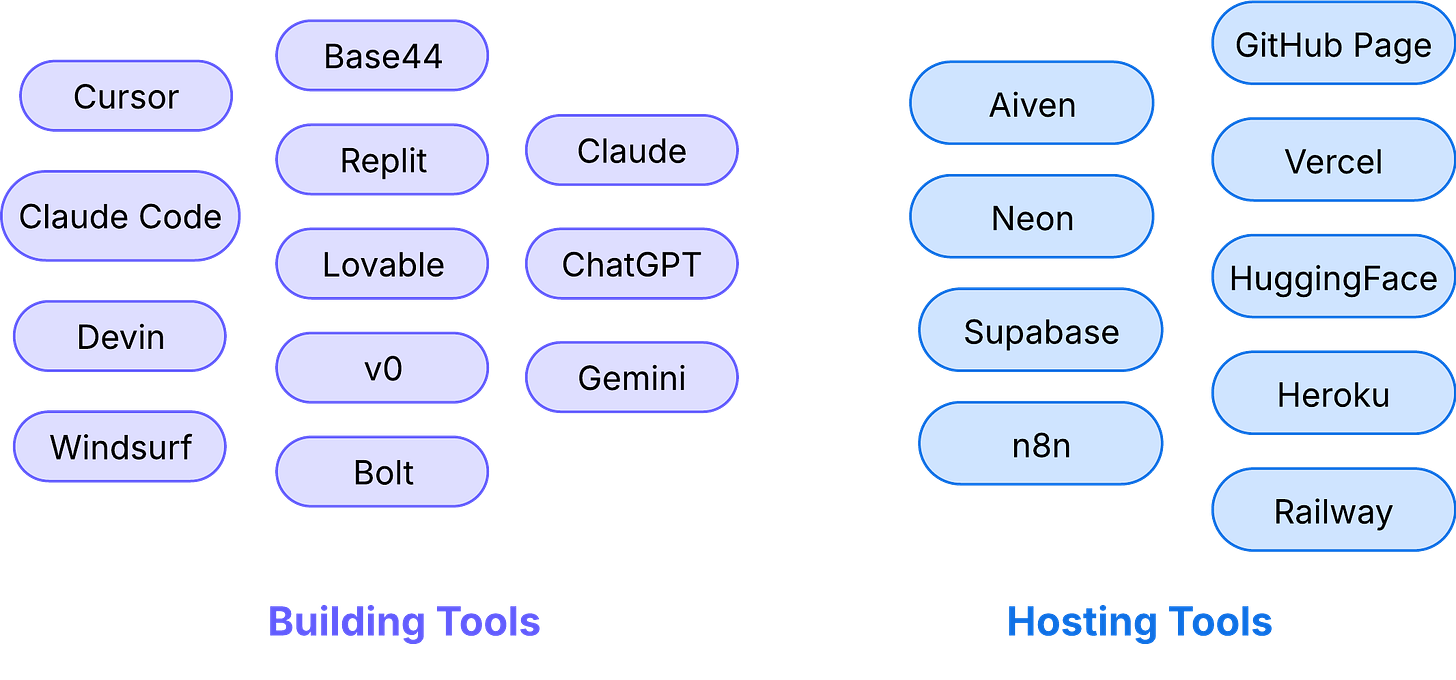
Most people jump in without realizing this, and end up paying for things they don’t actually need.
Now that you understand the landscape, you’ll know where the costs start showing up, and how to avoid surprises.
Part 2: Hidden Costs Nobody Tells You
Even when you build carefully, costs have a way of sneaking in.
These are the traps that caught me, and what I wish someone had warned me about.
The “Starting at $x” Trap
I started with Neon database, free tier. As I exceeded compute hours, the only way to access my data was to upgrade. There were two upgrade options, both labeled as “$5/month minimum.” I chose the one with more servers, thinking “just in case.”
A couple of weeks later, the bill became $28/month.
Turns out, “$5/month minimum” meant nothing was actually $5. Extra services I didn’t need were quietly bundled in.
Now I always ask:
Is it actually $5/month, or is it “$5/month minimum” with a dozen hidden usage fees?
The Brilliant Product That Was Too Expensive to Exist
I built an image finder app that worked perfectly. Genuinely brilliant.
But it relied on heavy Python libraries that required premium compute power to run. It’s a simple tool with low user demand, but hosting alone would’ve cost hundreds per month.
I had to kill it and keep it for personal use only.
Sometimes, the tech stack just doesn’t match the market reality.
The Free Trial Credit Traps
Some platforms burn through credits in ways you wouldn’t expect.
Bolt, for example, used up my free credits not from heavy use, but from constant bugs. Every fix required more credits. I wasn’t spending credits to build, I was spending them just to patch things.
Base44 worked well through three build stages: basic prototype, database integration, and early logic. But when I hit the advanced stage of external API integration, the free tier capped out completely. I couldn’t test or iterate further.
Replit even with $20/month base, it still has small overages depending on use. For me, it was an extra $2. Sure that was fine, at least I knew what I was paying for.
The Export Code Wall
Another thing platforms don’t always tell you:
Once you hit a tier limit, you might not be able to export your code.
This leaves you stuck: mid-build, unable to continue, migrate, or even add a custom domain.
Going paid doesn’t just unlock features, it’s often what frees your project from being locked into a platform.
After getting burned by these traps, I started building with a more systematic approach, one that helps me avoid surprises, and keep projects sustainable.
Part 3: The Cost-Effective AI Building Framework
Skip the theory. Here are the actual prompts, systems, and frameworks I use to build without burning money.
The 3-Prompt Building System
This is the exact sequence I use to start any AI project. Copy, adapt, and tweak as needed.
Prompt 1: Foundation & Planning
This article continues for members
Join Build to Launch to read the full article, access all cohort content, and connect with other AI builders.