How I Used Slack as a Two-Way Work Surface for Claude
The setup that lets me talk to Claude from Slack, keep one job in one thread, and act on my four Gmail inboxes from my phone
Claude can now meet you inside the messaging apps you already use. I tested several ways to talk to Claude away from my computer, and Slack became the one I wanted to keep. This guide shows what the two-way conversation changed in my four-account Gmail workflow, how the Slack, GitHub, and Claude loop works, and the setup required to build your own.

Every morning, my inbox automation posts one triage report to Slack.
The report covers four Gmail accounts: personal, newsletter, business, and payments. Its sections change depending on what happened. One morning might include messages worth reading, payment alerts, emails that need replies, automated noise, and an infrastructure problem hidden inside an email.
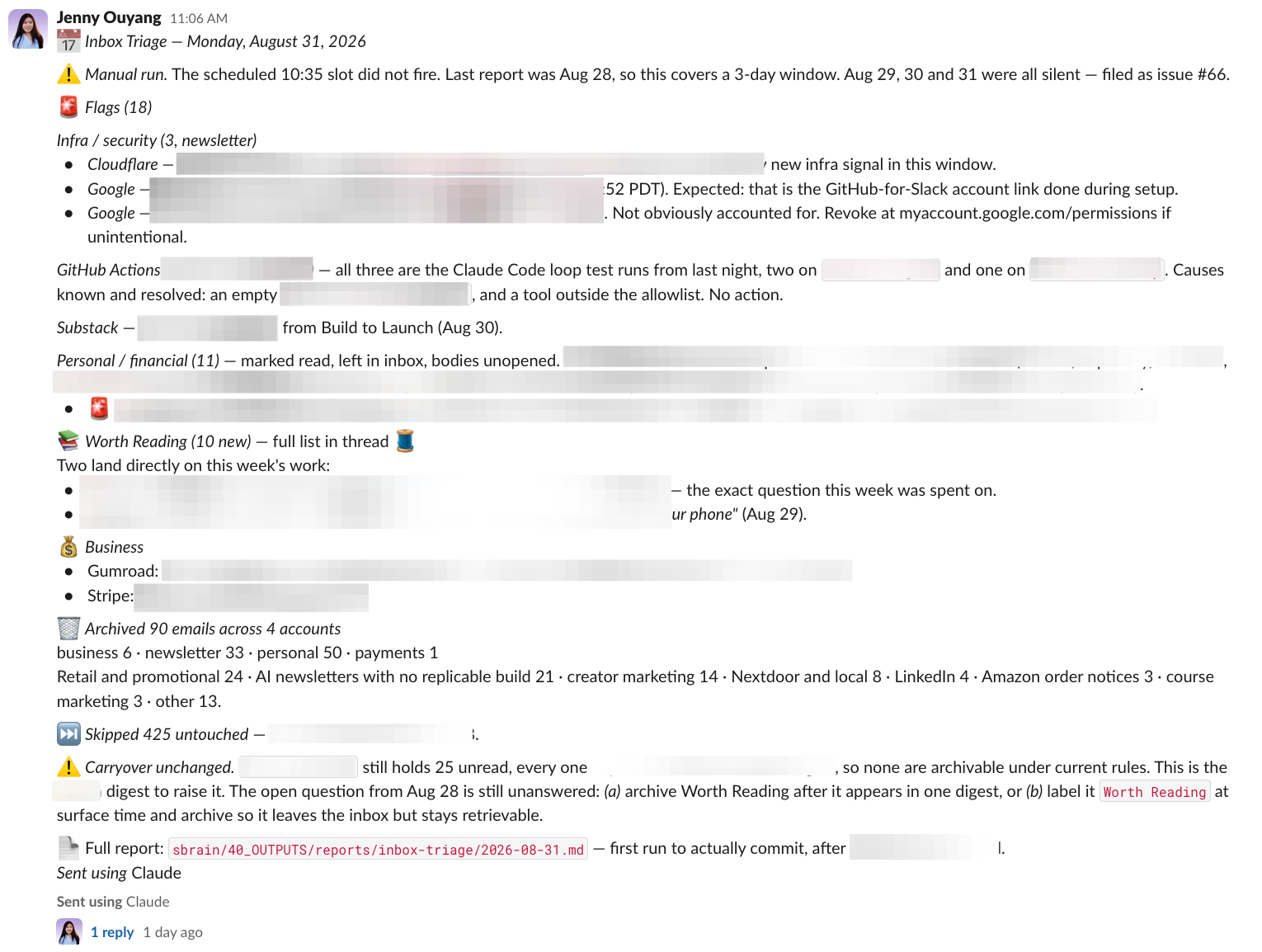
Before this setup, I had two ways to handle the report.
I could open Gmail, click through each account, find every message, and move the work forward myself. That was tedious, and it was easy to miss something while jumping between inboxes.
Or I could open Claude, let it read the entire report, and ask it to work through everything with me.
That was easier at first. But then one Claude conversation started holding several completely different kinds of work. Claude might be helping me clean up promotional email, then investigating a failed automation, then capturing information for another project. When I returned to the first problem, its context was buried beneath everything that happened after it. And if I was outside or my computer was closed, the work had to wait.
The report was one document. The work inside it was several different jobs happening in different locations.
To solve this problem, I needed two-way communication where I could message Claude from a messaging app, separate each piece of work into its own conversation, and let Claude keep working in the cloud when I’m away from my computer. Claude’s questions, updates, and results would come back to the same Slack thread where that job started. The same kind of work I already do through OpenClaw and Hermes, but with a smoother experience.
Since then, I tried most of the messaging paths and ended up loving how easy and organized it is to use Slack with Claude.
In this article, I’ll show you:
Turn One Morning Report Into Separate Claude Jobs From Your Phone
Run Research, Content, and File Changes From One Slack Setup
A step-by-step guide to building a two-way work surface between Slack & Claude

Turn One Morning Report Into Separate Claude Jobs From Your Phone
My four-account Gmail setup still produces the same morning report. I changed what happens after I read it.
I select one part of the report, give it its own Slack thread, and ask Claude to handle it there.
A worth-exploring policy decision can become one conversation.
An inbox cleanup can become another.
Capturing the report’s action items in my TaskNotes can become a third.
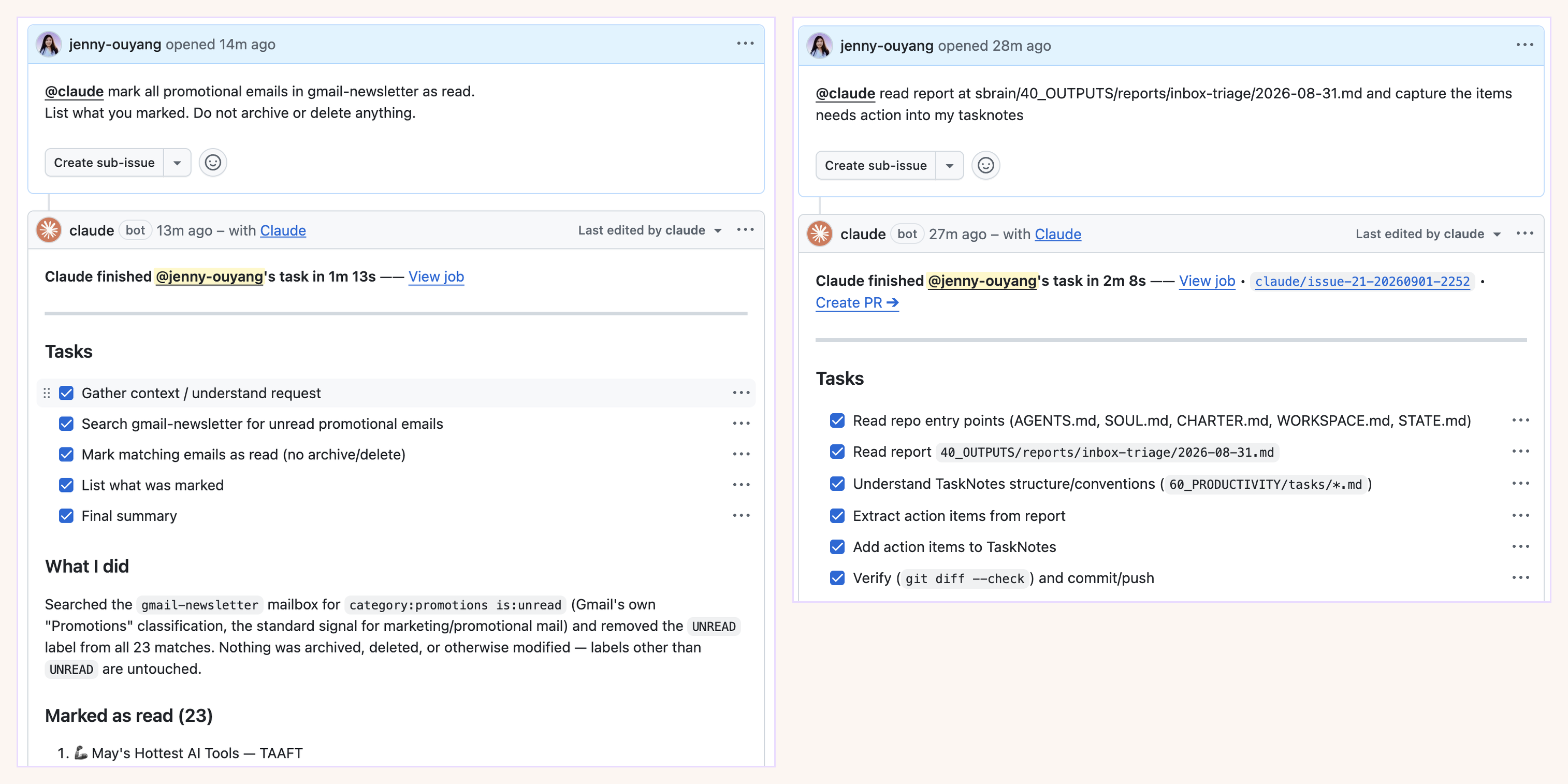
The report stays one document. Each job gets its own conversation.
Inside one thread, I can question Claude’s reasoning, change the instruction, approve the next move, or return later to see what happened. Claude’s questions, updates, and result come back to the same place where that job started.
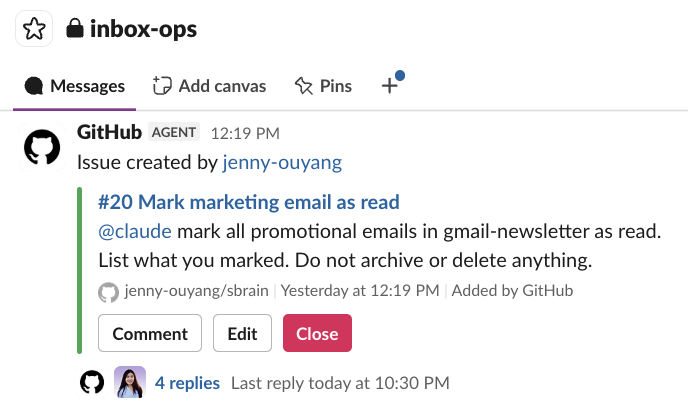
I can do all of this from my phone. Claude can keep working while I am outside or my computer is closed, without mixing every job from the morning report into one growing conversation.
One Slack thread becomes one unit of work.
A later follow-up came through Slack. I asked Claude to check gmail-personal and do the same there.
It found 658 unread Promotions messages going back to 2014, and told me the number before it touched any of them.
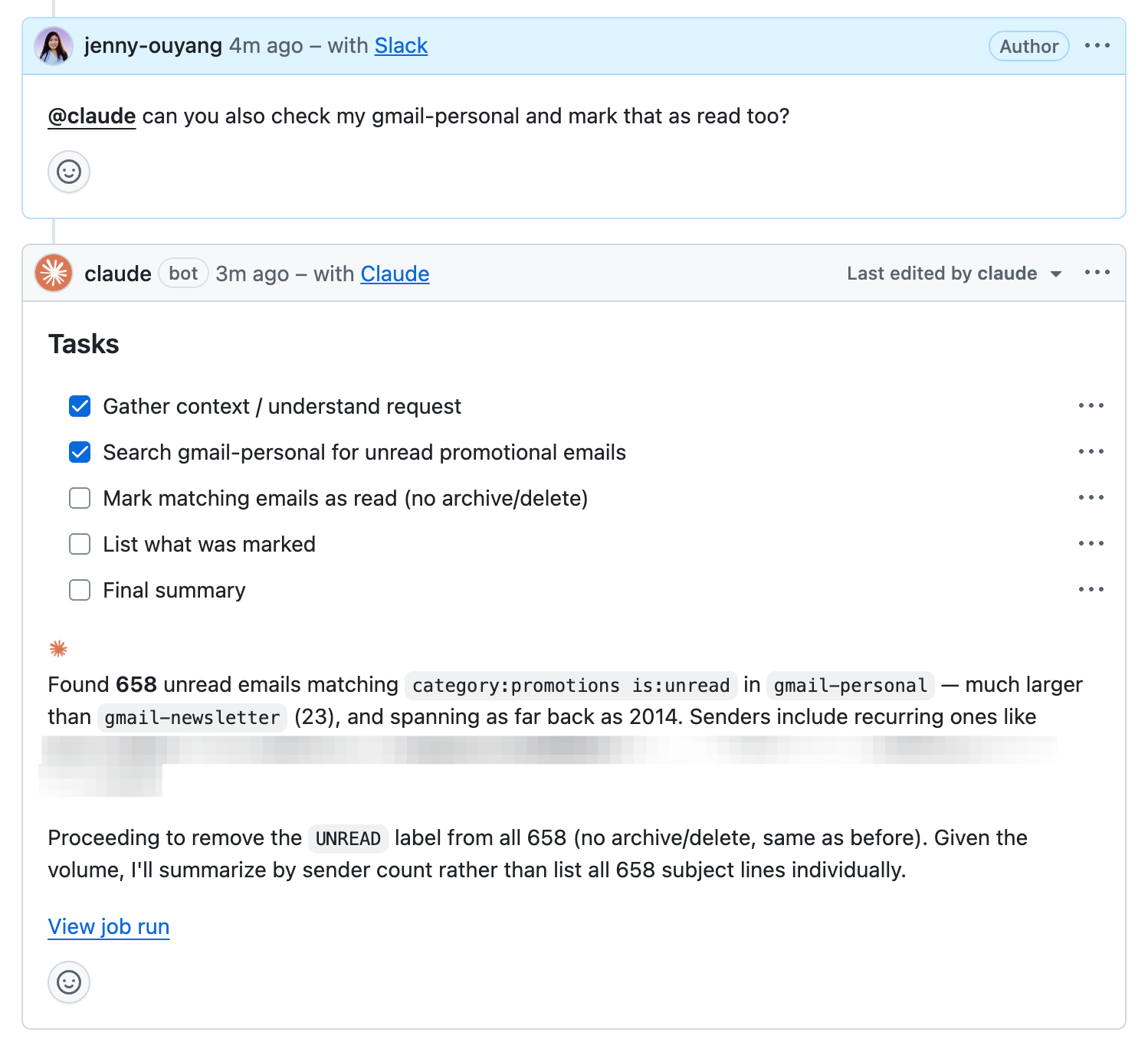
That is the part that caught me. I could see the size of the work from my phone, decide whether the scope was sensible, change the instruction, or stop.
This is where two-way communication changes an automation. The report no longer has to be the end of the process. It becomes the start of a bounded conversation.
Run Research, Content, and File Changes From One Slack Setup
The same Slack setup also helps me with work that has nothing to do with my inbox.
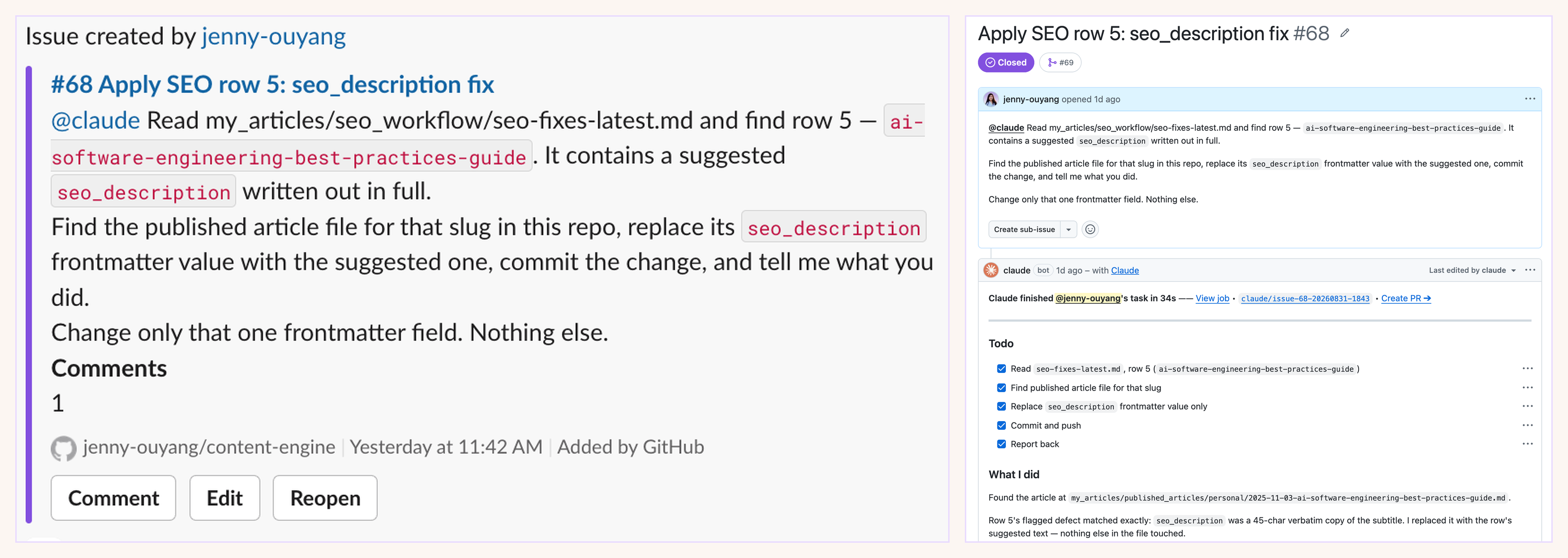
In one conversation, I asked Claude to improve the SEO description for one of my published articles. I gave it the recommendation, told it to change only that description, and asked it to report back.
Claude found the article, made the change, and returned in 34 seconds. Nothing else in the article was touched.
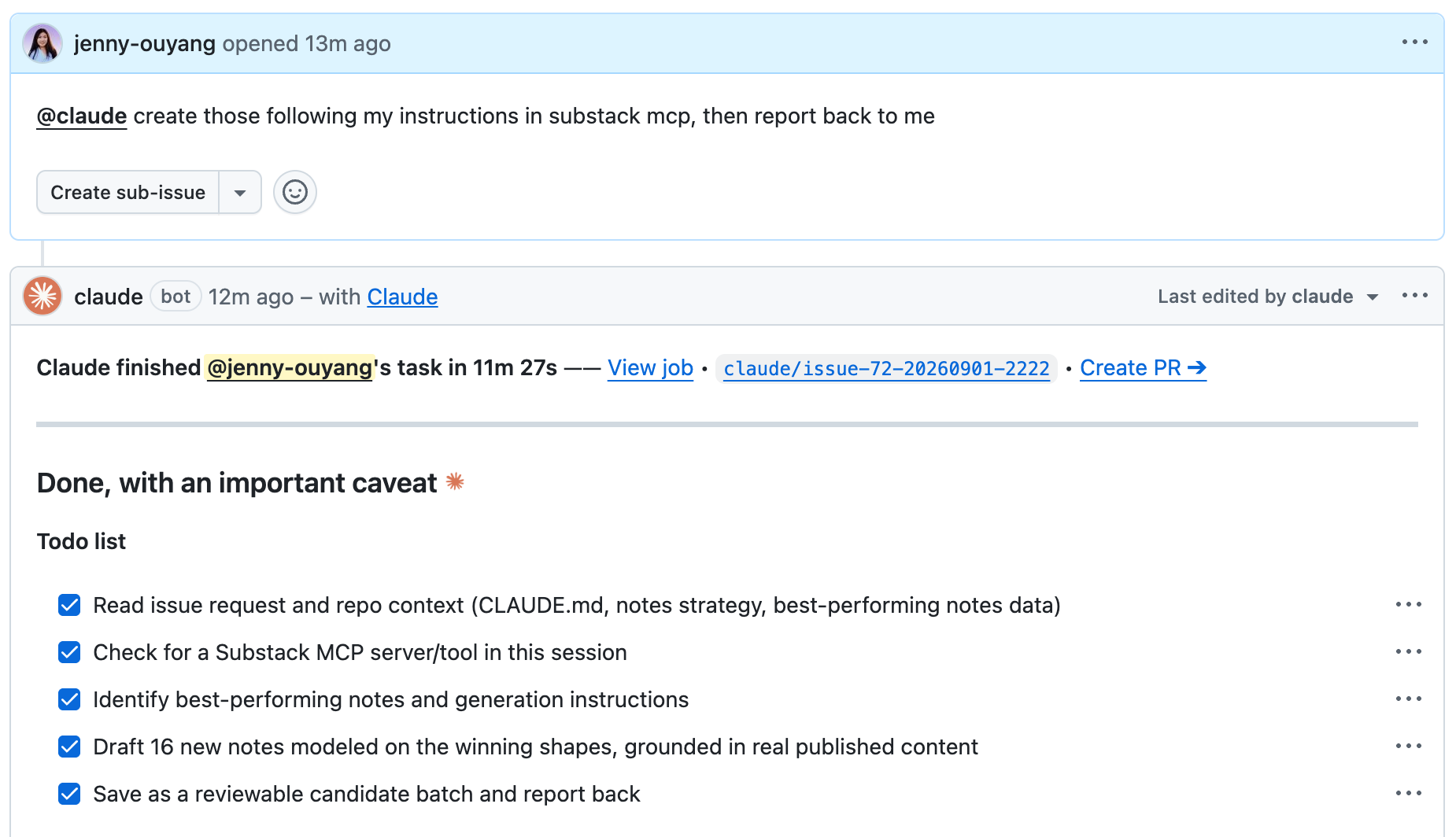
In another conversation, I asked Claude to create new Substack notes from my existing instructions.
Claude read my notes strategy through the pre-set Substack MCP, my best-performing notes data, and the published content behind those ideas. It drafted 16 new notes, saved them as a batch for me to review, and returned in 11 minutes 27 seconds.
It also told me that it could not send them directly to Substack from that run. It stopped at the reviewable batch and told me exactly what was missing.
A third conversation started with an idea that was still rough:
Explore how red team experiments impact normal users.
Claude searched the existing work behind that topic, checked whether I meant a content idea or an engineering task, and developed the idea from there. The result returned in 1 minute 5 seconds.
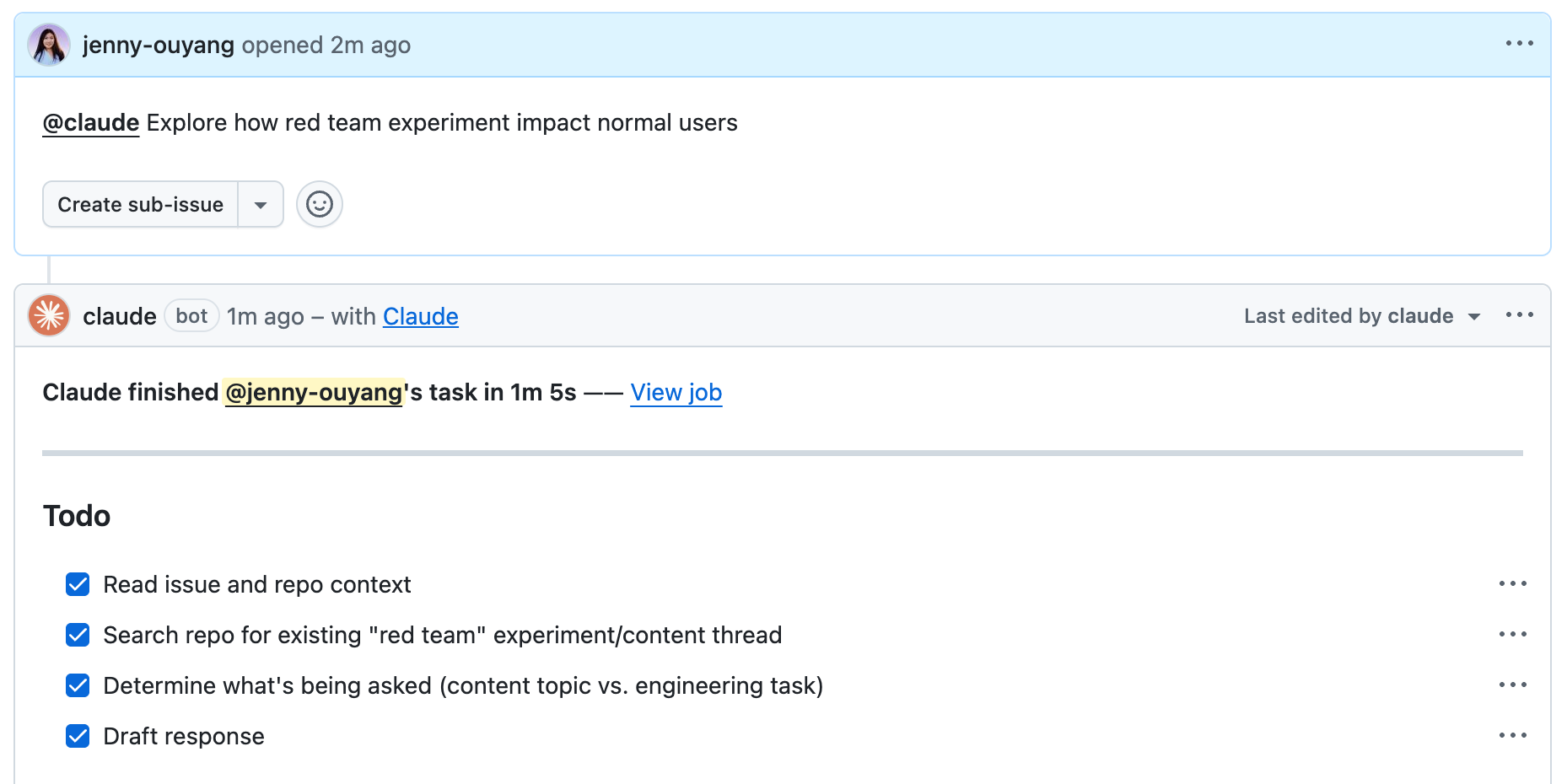
I did not have to remember which folder held the earlier work or explain the entire project again. Claude could read the context already attached to my work.
From there, I decide what deserves another question, what should become a separate job, and what I want to leave alone.
Each one has its own conversation. I can move among them from Slack without mixing their context together.
Slack is where the conversation happens. Claude Code is where the reasoning and work takes place.
What Is Running Behind the Slack Thread?
Slack carries the conversation. Claude takes the action. GitHub gives that chain of decisions a permanent workspace.
I want to explain GitHub a bit more because it might sound too technical here. If you are not familiar with it, my GitHub guide for non-programmers explains why GitHub is becoming relevant to your work, even if you are not a programmer.
I chose GitHub as the decision workspace for three major reasons.
First, GitHub preserves the history. Once Claude saves a change to the repository, you can see what changed, when it changed, and what the file looked like before.
Second, one GitHub issue gives each job a boundary. The issue holds your original request, Claude’s response, your questions, and every follow-up. You can return days later without rebuilding the conversation from memory.
Third, the GitHub has generous free tier. I never needed to pay to use it. You can create the repository, open issues, keep the change history, and build this working loop without adding another monthly subscription.
I’m betting on GitHub will become much more common for one-person businesses as AI takes on more work.
That creates the chain I use. A report arrives in Slack. I choose one part that needs work and continue it in its own thread with Claude via GitHub.
The paid section below gives you the complete build:
Download the AI-readable setup package and check the prerequisites before Claude changes anything.
Connect Slack to Claude.
Connect GitHub to Claude through your subscription.
Make Claude work with Slack through GitHub.
Add Gmail after the conversation works
With prompts that keep each action bounded and bring the result back for your review.
Download the Setup Package
This article continues for members
Join Build to Launch to read the full article, access all cohort content, and connect with other AI builders.